Explore key tools, smart features, and expert insights...
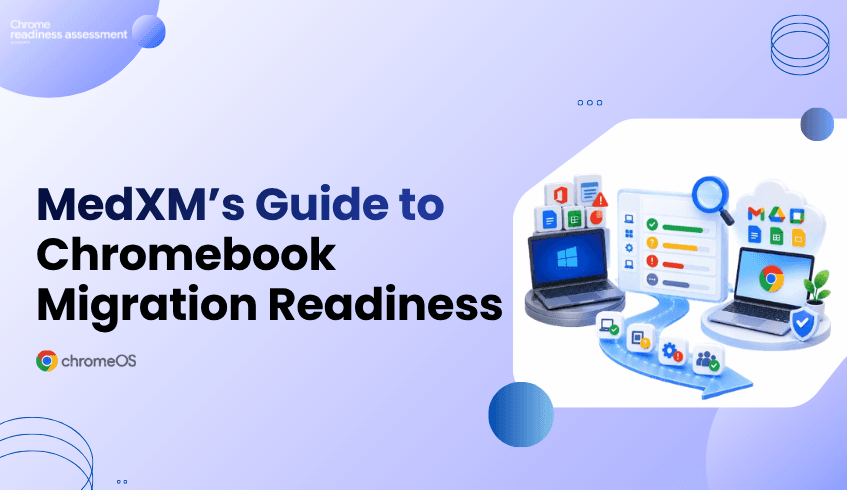
Moving from traditional Windows environments to Chromebooks can help organizations simplify how employees work, reduce software dependency, and support a more cloud-first workplace.
A real example is MedXM, a U.S. healthcare organization that previously relied on Windows machines, Microsoft Office, and VPN access for employees. MedXM moved toward Chrome Enterprise technologies including Chromebooks, Chrome Browser, and Google Works pace to create a more streamlined working environment.
The results show what a successful endpoint modernization strategy can look like. But for another organization considering the same direction, the first question should be:
Is our current environment actually ready to move from Windows to Chromebooks?
That readiness question is exactly where Chrome Readiness Assessment (CRA) fits. CRA is an enterprise readiness assessment platform that helps IT and security teams understand whether their current environment is ready for Chrome Enterprise Premium, ChromeOS, and secure enterprise browsing. For organizations considering a Windows-to-Chromebook transition, CRA helps turn that broader readiness question into practical visibility around application and device readiness, showing what may be ready to move, what needs verification, and where potential blockers require attention before rollout.
MedXM previously operated with Windows machines equipped with Microsoft Office, while healthcare workers and remote employees also relied on VPN access to reach the company network. The additional steps made everyday work slower and more complex.
MedXM introduced Chromebooks, Chrome Browser, and Google Workspace as part of its move toward a more cloud-based environment.
According to the customer story, MedXM:
Reduced software-related expenses by 40%
Made routine employee tasks faster through cloud technology
Improved collaboration through Google Workspace
Planned to replace additional outreach-center and clinician computers with Chromebooks
Explore the MedXM Chrome Enterprise customer story
The story demonstrates the potential business value of moving away from a heavily desktop-dependent environment.
But reaching that point requires more than selecting new devices.
Every Windows environment is different.
Some employees may already spend most of their day in browser-based applications and cloud services. Their transition to Chromebooks may be relatively straightforward.
Others may rely on Windows applications, specialized software, peripherals, or workflows that require additional review.
That means an organization cannot assume every user or device should migrate at the same time.
Before investing in a wider Chromebook rollout, IT teams need to understand:
Which applications are already suitable for ChromeOS
Which applications need further verification
Which applications may create migration blockers
Which devices and user groups may be stronger candidates for an earlier move
Where additional planning is needed before migration
This is where readiness data becomes important.
Chrome Readiness Assessment helps organizations understand their existing environment before moving users from Windows to ChromeOS.
CRA evaluates application readiness using clear categories:
Chrome Ready : applications with strong ChromeOS readiness
Possibly Ready: applications that require additional review or verification
Blocker: applications that may prevent or complicate migration
Unknown: applications where readiness information still needs to be reviewed
These categories help IT teams identify where migration may be straightforward and where further investigation is needed before rollout.
CRA also helps teams review device readiness so the migration does not have to be treated as one organization-wide switch.
Instead, organizations can begin building migration waves around actual readiness.
See how CRA supports ChromeOS readiness planning
MedXM shows the outcome organizations may be working toward: a more cloud-first environment built around Chromebooks, Chrome Browser, and modern productivity tools.
CRA focuses on the stage before that transformation.
For an organization currently operating a large Windows fleet, CRA helps answer practical questions such as:
“Which users could move first? Which applications still depend on Windows? Where are the issues?”
Instead of beginning migration with assumptions, IT teams can use readiness insights to decide where the transition can start and where more preparation is required.
A Windows-to-Chromebook migration affects more than hardware.
Applications, user workflows, access requirements, peripherals, and existing dependencies all influence whether the change works smoothly for employees.
If those dependencies are discovered only after Chromebooks have already been deployed, IT teams may face avoidable disruption and support pressure.
CRA helps surface those issues earlier.
The goal is not simply to determine whether ChromeOS is suitable for the organization. It is to understand which parts of the organization are ready for ChromeOS today and which parts need more preparation.
MedXM’s experience shows how moving toward Chromebooks and cloud-first tools can support a simpler way of working. The organization reported lower software-related expenses, faster routine tasks, and plans to expand Chromebook adoption further.
For organizations considering a similar transition, readiness should come first.
Chrome Readiness Assessment helps teams evaluate their current Windows environment, identify application and device readiness, surface potential blockers, and plan a more practical path toward Chromebook adoption.
The goal is not to move every device at once. It is to understand where the organization is ready to move first.
Did MedXM use Chrome Readiness Assessment?
The MedXM customer story does not state that MedXM used CRA. The case study is used as a real-world example of an organization moving from a Windows-based environment toward Chromebooks and Chrome Enterprise technologies.
How does CRA connect to the MedXM use case?
CRA supports organizations considering a similar Windows-to-ChromeOS transition by helping them evaluate application and device readiness before rollout.
Can CRA identify applications that may affect ChromeOS migration?
Yes. CRA categorizes applications as Chrome Ready, Possibly Ready, Blocker, or Unknown so IT teams can identify where additional review may be needed.
Does every Windows device need to move to a Chromebook at the same time?
No. Readiness visibility can help organizations plan migration in stages, moving stronger candidates first while reviewing applications, devices, or workflows that still require attention.
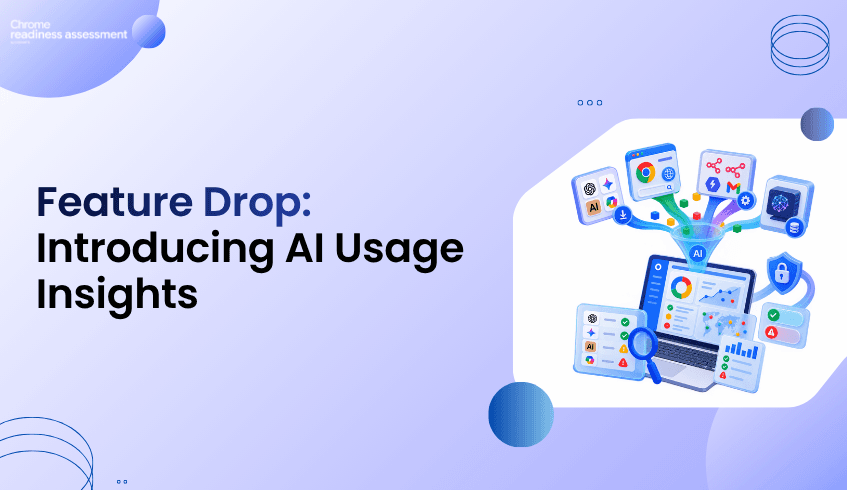
Artificial intelligence is becoming a regular part of how employees work. From browser-based AI assistants and installed AI applications to local LLMs and workflow automation platforms, AI tools are appearing across enterprise environments faster than many organizations can track.
The challenge is not simply knowing that AI is being used. It is understanding what AI tools are being used, how they are being accessed, whether they are approved, and where governance gaps may exist.
To help organizations address this challenge, Chrome Readiness Assessment (CRA) is introducing AI Insights, a new capability designed to provide visibility into AI usage across devices, browsers, and applications while supporting governance through AI sanctioning controls.
AI tools can enter the workplace through multiple channels.
Some are installed directly on employee devices. Others are accessed through browsers. Employees may also use local AI models or connect AI-powered workflow automation platforms to business processes.
AI Insights brings these different sources together into a single view, helping organizations understand:
Installed AI applications across devices
Web-accessed AI applications used through browsers
Local AI models (LLMs) running on endpoints
AI workflow and automation platforms
Direct and indirect AI usage patterns
Approved (sanctioned) and unapproved (unsanctioned) AI tools
This provides a clearer picture of how AI is being adopted throughout the organization.
The AI Insights dashboard provides a consolidated overview of AI usage across the environment.
Organizations can quickly view:
Total installed AI applications detected
Browser-accessed AI applications
Local AI models discovered on devices
Workflow automation platforms in use
Direct and indirect AI application counts
Sanctioned and unsanctioned AI usage statistics
Rather than manually gathering information from multiple sources, teams can review AI activity from a centralized dashboard and identify areas that may require further investigation or governance.
Visibility becomes more valuable when organizations can understand AI usage at the device level.
AI Insights provides detailed device-level views that allow teams to review:
Installed AI applications on individual devices
Browser-accessed AI tools used by employees
Local AI models detected on endpoints
Workflow platforms associated with each device
Direct and indirect AI usage classifications
Governance status, including sanctioned and unsanctioned items
This helps security, IT, and governance teams understand where AI is being used and which devices may require additional review.
Not all AI interactions occur in the same way.
AI Insights distinguishes between:
Direct AI usage refers to applications specifically designed as AI tools or AI-powered solutions.
Examples may include:
ChatGPT
Gemini
Perplexity
AI coding assistants
Dedicated AI productivity applications
Indirect AI usage refers to traditional applications or services that incorporate AI functionality as part of a broader product experience.
Examples may include:
Productivity platforms with embedded AI features
Browsers with built-in AI assistants
Business applications enhanced by AI capabilities
This distinction helps organizations better understand how AI enters everyday workflows and where governance policies may need to be applied.
Visibility alone is not enough. Organizations also need a way to define which AI tools are approved for use.
AI Insights introduces an AI Sanctioning workflow within CRA's Report Generator, allowing organizations to review discovered AI technologies and determine whether they should be sanctioned or unsanctioned.
Items can be categorized and governed across multiple areas, including:
Installed AI applications discovered across devices can be reviewed and marked as sanctioned or unsanctioned according to organizational policy.
AI-enabled workflow and automation platforms can be evaluated to determine whether their usage aligns with governance requirements.
Locally installed AI models and LLM frameworks can be identified and reviewed to ensure compliance with security and governance standards.
Modern browsers increasingly include built-in AI assistants and copilots.
AI Insights identifies browser-integrated AI capabilities such as:
Gemini in Chrome
Copilot in Microsoft Edge
Leo in Brave
Firefox AI assistant capabilities
Aria in Opera
Organizations can review these browser-integrated AI features and determine whether they should be sanctioned for use within the environment.
Once governance decisions are defined, AI Insights reflects those decisions throughout reporting and device-level views.
Organizations can quickly identify:
Sanctioned AI tools approved for business use
Unsanctioned AI tools that may require review
Devices using unapproved AI technologies
Governance trends across departments and user groups
This enables teams to move from simple discovery toward active AI governance.
AI adoption is accelerating across every industry. The organizations that succeed will be those that can balance innovation with visibility, governance, and control.
With AI Insights, Chrome Readiness Assessment helps organizations understand AI activity across their environment, distinguish between different types of AI usage, and establish governance through sanctioning workflows and reporting.
By providing visibility into installed AI applications, browser-accessed AI tools, local LLMs, workflow platforms, browser-integrated AI capabilities, and governance status, AI Insights helps organizations make more informed decisions about AI adoption at scale.
For IT professionals, readiness reports provide valuable insights, but finding the right information can take time.
Chrome Readiness Assessment gives organizations a detailed view of their environment and helps teams understand their overall readiness. But when a user needs one specific answer, they may still need to move through multiple report sections before finding it.
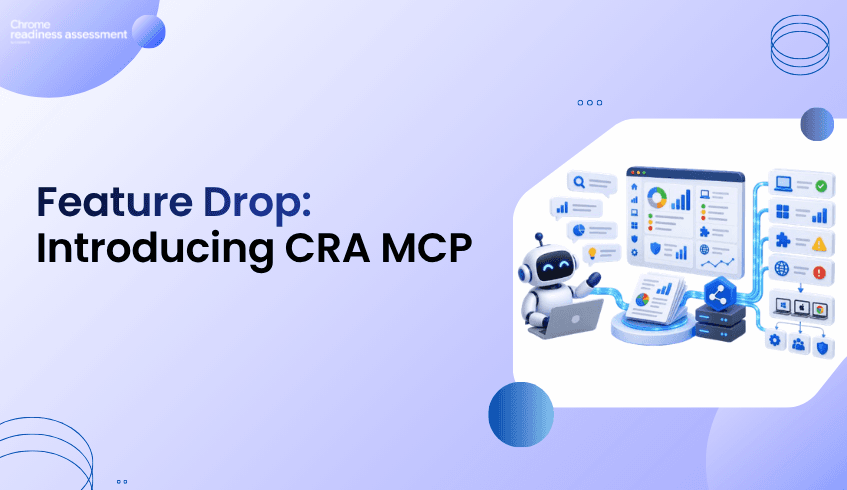
CRA MCP introduces a new way to work with that readiness data. It brings Model Context Protocol support into the CRA Report Generator, allowing tested MCP-compatible clients to connect to the current generated CRA report through a controlled MCP Server.
The report-querying and data retrieval flow has currently been tested with CommandLyne and the Claude Desktop app. With this connection, users can ask natural-language questions, explore follow-ups, and receive focused answers based on CRA readiness data. Instead of manually searching through the report, teams can ask the report what they need to know.
CRA MCP also brings readiness intelligence closer to action. Where approved, CEP enrollment token deployment can be supported through a separate Device Action Tools section. This deployment capability is currently in beta and is supported through CommandLyne only.
CRA MCP is not just about making reports easier to read. It helps teams move from readiness data to controlled next steps while keeping setup approval, MCP access control, tool-level confirmation, and deployment visibility inside CRA.
CRA MCP is a new integration feature that allows supported AI agents to interact with CRA readiness data through an MCP Server inside the Report Generator.
Instead of manually searching through different report sections, users can connect a tested MCP client and ask questions about the current generated report. At this stage, the report-querying experience has been tested with CommandLyne and the Claude Desktop app.
For example, a user may want to know which devices are blocked, which applications need review, what browser risks were found, which workflows show automation activity, or what is affecting CEP readiness. CRA MCP allows the connected client to request the right information from the report and return a focused answer.
The Report Generator remains the source of truth. The MCP Server controls access. The connected MCP client provides the conversational experience.
Traditional reports are useful, but they depend on the user knowing where to look.
CRA MCP makes the report more interactive. Instead of opening multiple pages, filtering tables, and reading through different sections, users can ask direct questions and receive data-backed responses.
This helps different teams use the same report in different ways.
An IT administrator can ask for technical blockers. A manager can ask for a short readiness summary. A security team can ask about browser and extension exposure. A partner can ask for the main customer risks and the next areas to review.
The same readiness report becomes easier to explore because users can ask for the exact view they need.
Before device actions can be used, CRA requires approval during the setup flow.
In the installation or wizard process, the user must allow Remote Device Actions. This approval authorizes the Report Generator on that machine to send signed configuration actions to devices in the current installation round.
This is an important control point.
Remote Device Actions do not mean CRA can send any command to a device. The flow is limited to supported built-in actions. Instructions are signed, devices pick them up during their check-in cycle, and outcomes can be reviewed later.
Once this setup approval is completed, the MCP Server and Actions capabilities become available in the Report Generator.
The MCP Server sits inside the CRA Report Generator as a controlled connection layer.
When the MCP Server is enabled, users can create access tokens for tested MCP clients. These tokens allow approved clients, such as CommandLyne or the Claude Desktop app, to connect to CRA and request information from the current generated report.
The connected client does not directly own the CRA data. It sends a request through the MCP Server. The MCP Server validates access, checks whether the requested tool is available, retrieves the supported information from the current report, and returns only the relevant data.
The flow is simple:
User asks a question → AI agent sends the request → MCP Server validates access → CRA Report Generator provides the report data → AI agent returns the answer
This gives users a natural-language experience while keeping CRA as the trusted source of readiness information.
CRA MCP does not open report access automatically.
Users must enable the MCP Server and create named access tokens for the MCP clients they want to connect. The report-querying and data retrieval flow has currently been tested with CommandLyne and the Claude Desktop app.
This gives organizations control over which tested clients can connect to CRA.
Access can also be removed when needed. If a token is revoked, the connected client can no longer access CRA readiness data through that token.
This matters because CRA reports may include sensitive environment information, such as device status, application usage, browser risks, migration blockers, workflow activity, and CEP readiness. Token-based access keeps the AI connection useful without making it uncontrolled.
CRA MCP also includes a separate section called Device Action Tools.
This is different from the read-only MCP tools.
Read-only tools help users retrieve and understand report data. Device Action Tools can support a specific approved action when the organization enables them.
These tools are not available by default. The deploy_chrome_enrollment_token tool is available under the Device Action Tools section within the MCP Server page. This CEP enrollment token deployment capability is currently in beta and is supported through CommandLyne only.
To enable the CEP enrollment token action, the user must select the action tool under Device Action Tools. When the user selects the tool, CRA shows a warning modal asking whether AI clients should be allowed to use that action.
This creates another approval layer.
If the user confirms, the selected CEP enrollment token action tool becomes available through the approved CommandLyne MCP flow. If the user does not confirm, the tool remains disabled.
This means the AI agent is not given general device control. It can only call the specific CEP enrollment token action tool that has been approved.
Actions triggered through MCP do not disappear into the background.
After the approved CommandLyne agent deploys the CEP token, the user can go to the Actions page and open the Deployments tab. There, the deployment card appears for the enrollment token action.
The card shows the deployment summary, including how many instructions were published and how many are still pending. Users can then view the devices connected to that deployment.
Inside the device list, users can see which devices are pending, which devices have applied the action, and which devices are still waiting for check-in. Device-level details also help teams review information such as the device name, group, action type, published time, expiry, last upload time, reported outcome, agent version, and action history.
This keeps the process transparent.
Even when the action is triggered through CommandLyne, the Report Generator still gives users a place to verify progress and confirm the outcome.
The business value of CRA MCP is that it connects readiness insight with controlled execution.
A readiness report can show what needs attention. An AI agent can help explain the finding. A controlled Device Action Tool can then support a specific approved next step.
This reduces the gap between analysis and action.
For IT teams, it means less time moving between report review and operational follow-up. For security and management teams, it means AI-supported workflows can still stay inside approved boundaries. For partners, it creates a stronger customer experience because the discussion can move from “what did the report find?” to “what controlled next step can we take?”
Because the CEP token deployment flow is currently in beta, it also creates a foundation for future expansion. More supported actions can be introduced later while keeping the same control model: setup approval, MCP access control, tool-level confirmation, and deployment tracking.
CRA MCP brings readiness intelligence closer to action while keeping approval, access control, and deployment visibility inside the Report Generator.
CRA MCP should not be understood as open-ended AI control over devices.
The AI agent cannot freely change CRA data, run arbitrary commands, or perform unrestricted device operations.
Read-only MCP tools are used to query and summarize report data. Device Action Tools are separate, disabled by default, and only available after explicit approval. The current CEP token deployment capability is beta and limited to the approved CommandLyne flow.
This separation makes the feature practical for enterprise environments. Teams can benefit from AI-assisted readiness exploration while keeping action boundaries clear.
CRA MCP supports AI-connected workflows, but users do not have to use an AI agent for every action.
Users who prefer a manual flow can go to the Actions area in the Report Generator, choose the supported action, configure the required details, and deploy it directly from the interface.
This manual path is useful when teams want to handle the action themselves while still using the Report Generator to track deployment status.
CRA MCP turns CRA reports into a more interactive layer of readiness intelligence.
The Report Generator continues to hold the trusted data. The MCP Server controls which tested clients can connect. Access tokens protect the connection. Read-only tools provide focused answers. Device Action Tools support approved next steps. The Actions page keeps deployment tracking visible.
Together, these capabilities make CRA MCP more than a report-querying feature.
It helps organizations ask better questions, understand readiness faster, and move toward controlled action with confidence. With the CEP token deployment capability currently in beta through CommandLyne, CRA also sets the foundation for more controlled action workflows in future releases.
Which MCP clients are currently tested with CRA MCP?
The report-querying and data retrieval flow has currently been tested with CommandLyne and the Claude Desktop app.
What happens when the CEP enrollment token Device Action Tool is selected?
CRA displays a warning modal asking whether AI clients should be allowed to use that action. If the user confirms, the action becomes available through the approved CommandLyne MCP flow. If the user does not confirm, the tool stays disabled.
Can an AI agent deploy a CEP token?
Yes, where approved, but this capability is currently in beta and supported through CommandLyne only. The CEP enrollment token Device Action Tool must be enabled, confirmed, and accessed through a valid MCP token before CommandLyne can support the deployment action.
Will more Device Action Tools be added later?
Yes. The CEP token deployment flow is the current beta action, and future releases can expand the Device Action Tools area with more supported actions.
Deploying Chrome Enterprise Premium licenses across a large enterprise can be a challenging task. When hundreds or thousands of devices are involved, even a simple deployment step can require significant time and coordination. IT teams need a way to move from being ready for Chrome Enterprise Premium to actually putting it into use across their environment without adding unnecessary complexity.
That is where an upcoming capability in Chrome Readiness Assessment (CRA) comes in. CRA is evolving to help organizations take the next step after understanding their environment and readiness. The goal is to make Chrome Enterprise Premium deployment more streamlined and easier to manage across an enterprise.
Before rolling out Chrome Enterprise Premium, organizations need to understand whether their devices and environment are ready. CRA helps provide that visibility, giving IT teams a clearer picture of their current environment and the areas that may need attention before deployment.
But knowing that your environment is ready is only part of the journey. The next step is putting Chrome Enterprise Premium into use across the organization's browser environment. With the upcoming CRA MCP capability, organizations will be able to bring readiness information and CEP deployment closer together, helping teams move forward with greater efficiency.
Imagine an organization preparing to introduce Chrome Enterprise Premium across a large number of devices. Managing that process device by device can quickly become difficult, especially when IT teams are already handling multiple deployment and security priorities. A more connected approach can help reduce the effort involved and make it easier to move through the deployment process.
The upcoming capability will connect CommandLyne, CRA, and the MCP experience to help organizations work toward deploying Chrome Enterprise Premium licenses across their browser environment. Rather than treating deployment as a completely separate step after readiness assessment, the experience is designed to help organizations move more naturally from understanding their environment to taking action..
CRA has traditionally helped organizations understand their readiness for Chrome Enterprise Premium deployment by providing visibility into their environment and identifying factors that may impact a successful rollout. These insights have helped IT teams answer an important question: “Are we ready?” With its upcoming MCP capabilities, CRA is evolving beyond readiness assessment to help organizations act on those insights as well. Rather than stopping at identifying readiness, teams will be able to move closer to deploying Chrome Enterprise Premium licenses across their browser environment through a more connected and streamlined experience.
With this upcoming CRA MCP capability, organizations will have a new way to streamline their journey toward Chrome Enterprise Premium deployment at scale. It is another step toward making CRA more than a readiness tool, it is becoming a more connected part of the journey from knowing where you stand to moving forward.
A simpler path from readiness to Chrome Enterprise Premium deployment is coming soon.
Stay tuned.
It is an upcoming capability that will help connect CRA readiness information with the process of deploying Chrome Enterprise Premium across an organization's browser environment. The goal is to make the journey from readiness to deployment more streamlined.
It is primarily intended for IT teams and organizations managing Chrome Enterprise Premium deployments across large browser environments.
CRA MCP provides a way to connect CRA with supported AI-assisted experiences such as CommandLyne. For this upcoming capability, that connected experience will help bring CRA readiness information closer to the next step of deploying Chrome Enterprise Premium.
This capability is currently coming soon. More details about the deployment experience will be shared as it progresses.
AI is becoming part of everyday work. Employees may use AI applications installed on their devices, access AI tools through their browsers, experiment with local AI models, or use workflow automation platforms to bring AI into their daily processes. For IT teams, understanding this growing AI activity is becoming just as important as knowing which applications are installed across the organization.
Chrome Readiness Assessment is expanding its AI visibility to help organizations understand more of this activity in one place. With the upcoming AI Usage Insights experience, CRA will bring together a broader view of AI activity across devices and browsers, helping teams see how AI is being accessed and used across their environment.
CRA already helps organizations identify AI applications installed on devices. This gives IT teams an initial view of the AI tools present across their environment, but installed applications are only one part of the picture. Employees can also access AI services through their browsers, use workflow automation platforms, or work with AI models directly on their devices.
The upcoming AI Usage Insights section is designed to bring these different forms of AI activity into a more complete view. Instead of looking only at what is installed, organizations will be able to get a better understanding of how AI is being accessed and where it is appearing across their environment.
AI usage can look very different from one device to another. One employee may have AI applications installed on their device, while another may access several AI websites through their browser. Others may be using platforms such as n8n or Google Workspace Studio to build and automate workflows, creating another layer of AI activity for IT teams to understand.
AI activity does not always happen through a familiar application or website. Some users may run or work with local large language models directly on their devices, creating AI activity that can be difficult to identify through traditional application or browser visibility alone.
More visibility also brings an important question for IT teams: Which AI tools are approved for use?
AI Usage Insights will help organizations look at AI applications through a governance lens, allowing administrators to distinguish between sanctioned and unsanctioned AI activity. Organizations will also have the flexibility to customize the domains included in their assessment. One Place to Understand Your AI Environment
As AI adoption grows, having scattered information about AI activity can make it harder for IT teams to understand what is really happening across their environment. AI Usage Insights brings these different signals together within a dedicated experience in CRA, making AI activity easier to explore and understand.
From installed AI applications and browser-accessed tools to workflow automation platforms and local AI models, organizations will have a broader view of their AI environment.
AI adoption is moving quickly, and knowing which applications are installed is no longer the whole story. Organizations need to understand where AI is being accessed, how it is being used, and which tools are part of their working environment.
With the upcoming AI Usage Insights experience, CRA is taking a broader approach to AI visibility. It is designed to help organizations move from simply knowing “What AI applications are installed?” to understanding “How is AI being used across our environment?”
A clearer view of your organization's AI usage is coming soon. Stay tuned.
AI Usage Insights is an upcoming CRA experience designed to provide a broader view of AI activity across an organization's environment. It will bring together information about installed AI applications, browser-accessed AI, workflow automation platforms, local AI models, and AI governance.
The existing view focuses on AI applications installed on devices. AI Usage Insights expands this visibility by also showing AI accessed through browsers and other forms of AI activity across the environment.
The upcoming experience will provide visibility into installed AI applications, browser-accessed AI applications and websites, workflow automation platforms, and locally detected AI models.
Yes. The upcoming experience will allow administrators to categorize AI activity as sanctioned or unsanctioned, helping organizations distinguish approved AI tools from those that may require review.
AI Usage Insights is currently coming soon. More details about the feature and its capabilities will be shared as it becomes available.
Chrome Readiness Assessment gives organizations visibility into device readiness, application compatibility, browser and extension security, deployment blockers, and Chrome Enterprise Premium readiness.
But when readiness data grows across devices, applications, browsers, peripherals, and policies, finding one specific answer can take time. Users may need to move through multiple sections of a report just to find the insight they need.
What if they could simply ask?
“How many devices are blocked from migrating to ChromeOS?”
“Which applications are incompatible?”
“What are the main deployment blockers?”
That is what CRA is bringing with an upcoming capability: CRA MCP.
CRA MCP will provide a new way to access information from the current generated CRA readiness report through an MCP-compatible AI assistant.
Instead of manually searching through report sections, users will be able to ask natural-language questions and retrieve targeted readiness information through a connected AI assistant.
The experience is designed to help users get to the information they need faster, while keeping the CRA Report Generator as the authoritative source of readiness data.
Imagine an IT administrator preparing for a ChromeOS migration.
Instead of reviewing the entire report to understand migration blockers, they could ask an AI assistant: “How many devices are blocked from moving to ChromeOS?”
They could then continue: “What are the main reasons?”
This follow-up experience can help teams explore the same readiness data from different angles and better understand where attention may be needed.
Readiness information is used by different people for different purposes.
An IT administrator may need device-level details and application blockers. A manager may want a high-level summary of readiness. A partner may need a concise view of key findings.
CRA MCP will make it easier to ask for the information that matters to each audience, including tailored summaries based on the current CRA report.
CRA MCP is designed to fit into the way organizations already use AI, while keeping access to readiness data controlled. Organizations will be able to connect supported AI assistants and manage how they access CRA insights through the MCP Server.
The result is a more flexible way to explore readiness data while keeping organizations in control of their CRA environment.
CRA already helps organizations understand their readiness.
With CRA MCP, that information will become easier to explore through natural-language questions and conversational follow-ups.
Ask a question. Find the insight. Explore what comes next.
CRA MCP is coming soon.
Stay tuned for a new way to interact with your Chrome Readiness Assessment data.
CRA MCP is an upcoming capability that allows authorized MCP-compatible AI assistants to query and summarize information from the current generated CRA readiness report using natural-language prompts.
No. CRA provides the MCP Server and readiness data connection. The conversational experience is provided by an external MCP-compatible AI assistant, such as CommandLyne.
No. The initial release is read-only. AI assistants cannot modify CRA data, change device configurations, trigger remediation, or change policies through MCP.
No. CRA MCP is limited to the current successfully generated readiness report. Historical reports are not available through MCP.
MCP access becomes available after the relevant data collection is complete and the current readiness report has been successfully generated.
High-pressure teams need tools that help them move quickly without losing control. At McLaren Racing, the Formula 1 team delivers results at more than 20 locations each year, and Chrome Enterprise supports that work with easier management and stronger productivity across race operations.
That makes McLaren Racing a useful example for organizations that want a browser strategy built around speed, control, and team efficiency. The McLaren Racing case study video shows how Chrome Enterprise supports a fast-moving environment where teams need reliable access and management across locations.
For organizations planning to go further with Chrome Enterprise Premium, the next question is readiness. Chrome Enterprise Premium adds advanced security protections on top of Chrome Enterprise Core, including data loss prevention, malware and phishing protections, secure access controls, and browser security insights.
That is where Chrome Readiness Assessment helps. If your teams are also looking to move toward CEP, CEP Deployment Readiness Insights gives IT and security teams a clearer way to understand whether the environment is ready before rollout begins.
Racing environments depend on fast decisions, distributed teams, and reliable access across different locations. In that kind of setting, the browser is not just a simple work tool. It becomes part of how teams access information, collaborate, and keep work moving.
Chrome Enterprise supports this by giving organizations a managed browser foundation. Teams can work with Chrome while IT keeps better control over browser settings, policies, and management across the organization.
For enterprise teams, this same idea matters outside racing. Whether the organization is managing field teams, hybrid workers, customer-facing teams, or global offices, browser management can help create a more consistent and controlled work experience.
Many organizations already depend on the browser for daily work. Employees use it to access cloud applications, internal platforms, dashboards, collaboration tools, customer systems, and sensitive business data.
That makes the browser a strategic layer for productivity and security. A managed browser foundation helps organizations support users without giving up visibility and control.
Chrome Enterprise helps teams move in that direction by making browser management more practical across locations, users, and devices. McLaren Racing shows how valuable that foundation can be when teams need to stay productive in fast-moving environments.
Once teams see the value of Chrome Enterprise, the next step may be stronger browser-level protection with Chrome Enterprise Premium. CEP is designed for secure enterprise browsing, helping organizations apply advanced protections closer to where users work.
This includes data protection, threat protection, access protection, and browser security insights. For teams handling sensitive data, distributed users, cloud apps, and browser-based workflows, these capabilities can support a stronger endpoint security approach.
But a successful CEP rollout depends on readiness. It is not only about choosing the right security product. Teams also need to understand whether devices, browsers, policies, networks, and existing environments are prepared for deployment.
Chrome Readiness Assessment helps organizations move from CEP interest to CEP planning with more confidence. The CEP Deployment Readiness Insights feature gives IT and security teams visibility into readiness gaps before deployment starts.
This helps teams avoid discovering blockers after rollout begins. Instead of assuming every device or environment is ready, teams can review readiness signals earlier and plan the rollout with more clarity.
For organizations inspired by Chrome Enterprise examples like McLaren Racing, CRA gives the next practical step. It helps teams understand whether their own environment is ready to move toward Chrome Enterprise Premium.
McLaren Racing shows how Chrome Enterprise can support productivity, management, and control in a high-speed environment. For other organizations, the lesson is clear: the browser can become a stronger foundation for modern work when it is managed intentionally.
Chrome Enterprise Premium can take that foundation further with advanced browser security. CRA helps make that move more controlled by giving teams readiness visibility before CEP deployment expands.
What does the McLaren Racing example show about Chrome Enterprise?
It shows how Chrome Enterprise can support productivity and management for teams working across more than 20 locations each year.
Why does Chrome Enterprise matter for modern organizations?
Many employees now work through the browser every day. Chrome Enterprise helps organizations manage that browser experience with more consistency and control.
How is Chrome Enterprise Premium different?
Chrome Enterprise Premium adds advanced security protections on top of Chrome Enterprise Core, including data loss prevention, malware and phishing protections, secure access controls, and security insights.
How does CRA support CEP planning?
CRA helps teams understand whether their environment is ready before Chrome Enterprise Premium rollout. CEP Deployment Readiness Insights gives teams visibility into readiness gaps that may need review first.
Where can teams learn more about CEP readiness?
Teams can read the CRA article on CEP Deployment Readiness Insights to understand how readiness visibility supports rollout planning.
Chrome Enterprise helps organizations build a stronger browser foundation. Chrome Enterprise Premium helps extend that foundation with advanced security. CRA helps teams understand whether they are ready to make that move with fewer surprises.
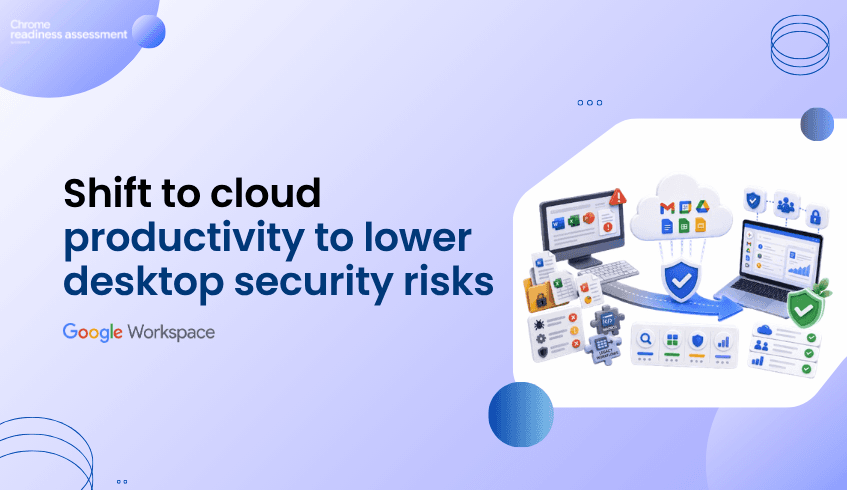
Productivity security is not only about where files are stored. It is also about how users open, edit, share, and manage everyday work.
Traditional desktop productivity tools can increase operational pressure because local applications, file formats, macros, and endpoint patching all become part of the security conversation. Google Workspace offers a more cloud-first model for productivity, with built-in threat defenses, secure-by-design architecture, and protections against phishing and malware.
That does not mean every risk disappears. Users may still download files, sync content, or open documents outside the browser. But moving more work into browser-based and cloud-native tools can reduce dependency on locally installed office software and help teams lower the security and maintenance burden around desktop productivity environments.
Before moving away from Microsoft Office, WPS Office, or other desktop productivity tools, teams still need readiness visibility. That is where Workspace Readiness in Chrome Readiness Assessment helps.
For many organizations, office tools are deeply connected to daily work. Users create documents, open attachments, manage spreadsheets, prepare reports, share files, and collaborate across teams.
When this work depends heavily on locally installed desktop applications, IT teams need to think about application patching, macro behavior, file compatibility, endpoint exposure, and older workflows that may still rely on local software.
This can create extra pressure during security planning. A vulnerable desktop app, a risky attachment, or a macro-heavy spreadsheet workflow may create problems that are not visible from licensing data alone.
A cloud-first productivity model gives organizations a different path. Instead of relying on every endpoint to run heavy local productivity software, more work can happen inside managed, browser-based Workspace apps.
Google Workspace supports productivity through tools such as Gmail, Drive, Docs, Sheets, Slides, Meet, Chat, and Calendar. These tools are designed for cloud-based work, where collaboration, sharing, access, and security controls can be managed centrally.
Workspace also includes built-in protections that help prevent phishing and malware from reaching users and devices. Gmail can scan or run attachments in a virtual environment called Security Sandbox to check for malicious behavior before users interact with them.
This makes Workspace different from a purely desktop-based productivity model. Security controls can work closer to the cloud service, while users collaborate through browser-based tools instead of depending entirely on locally installed office applications.
A safer productivity strategy should avoid absolute assumptions. Google Workspace can reduce dependency on local office software, but users may still work with PDFs, Microsoft Office files, downloaded content, Drive for desktop, and other file types.
That is why the better message is not “zero risk.” The better message is “less reliance on local productivity software and stronger cloud-managed controls.”
Native Workspace documents such as Google Docs and Sheets are not impacted by ransomware in the same way as other file formats like PDFs and Microsoft Office files, while Google Drive also supports AI-powered ransomware detection for Drive for desktop.
This gives organizations a stronger reason to review how much work can move into Workspace-native formats and cloud-first workflows.
Chrome Readiness Assessment helps teams understand the current productivity environment before moving deeper into Google Workspace.
Workspace Readiness gives IT teams visibility into which office applications are used, where macro dependencies may exist, and which tools may have Google Workspace alternatives. That visibility supports a more controlled migration plan.
This matters because security benefits are easier to realize when the migration path is clear. If a team still depends on macro-heavy spreadsheets or legacy desktop workflows, that should be reviewed before the organization expects a smooth move to cloud-first productivity.
Google Workspace can help organizations reduce dependency on locally installed office applications and move toward a more secure, cloud-first productivity model. But the move should be planned with real environment data.
Workspace Readiness helps teams identify where desktop office usage still exists, where dependencies need review, and where Google Workspace may provide a better path forward.
For a deeper look at this CRA capability, read Workspace Readiness: Plan Desktop Office Migration With Real Usage Data.
Does Google Workspace remove all endpoint security risks?
No. Users may still download files, sync content, or open documents outside the browser. Google Workspace can reduce dependency on local desktop productivity software, but endpoint security and user controls still matter.
How does Google Workspace help with threat prevention?
Google Workspace includes built-in threat defenses, secure-by-design architecture, and security controls to help prevent phishing and malware from reaching users and devices.
What is Gmail Security Sandbox?
Gmail Security Sandbox opens email attachments in a virtual environment and checks for signs of malicious activity before users interact with them.
How does Workspace Readiness help before migration?
Workspace Readiness helps teams review desktop office usage, macro dependencies, file compatibility considerations, and possible Google Workspace alternatives before migration.
Why does macro usage matter for Workspace migration?
Macro-heavy workflows may need review before moving fully into Workspace. Identifying those dependencies early helps teams plan migration more carefully.
Cloud-first productivity can reduce desktop office security pressure, but successful migration still needs visibility. CRA helps teams understand what users rely on today before moving toward Google Workspace with more confidence.
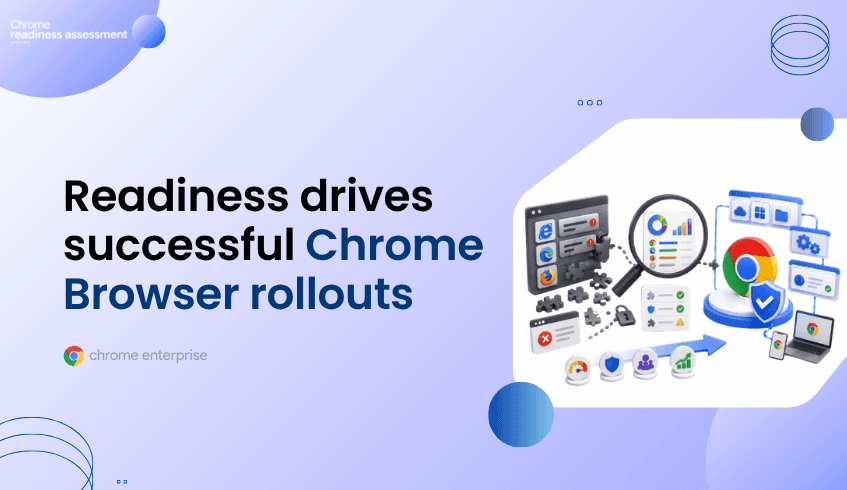
Enterprise browser adoption is not only about choosing a modern browser. It is about making sure the browser can support daily applications, security requirements, user productivity, and legacy systems without disrupting work.
Blue Cross Blue Shield of North Carolina’s Chrome Enterprise story is a strong example. The organization had a workforce using Internet Explorer and Microsoft Edge, while IT struggled to keep browsers properly updated. That created poor performance and unreliable responses for daily applications employees needed to use. After testing six major browsers, Chrome Browser became the logical choice for their enterprise needs.
That story connects directly to readiness. Before organizations standardize on Chrome Browser, expand Chrome Enterprise, or move toward Chrome Enterprise Premium, they need visibility into the browser environment they already have.
Chrome Readiness Assessment helps teams build that visibility through Browser Insights and CEP Accelerator.
Many organizations still carry browser complexity from years of application growth, legacy systems, and different team preferences. Some users may rely on older browsers. Some applications may behave differently across browsers. Some teams may have extensions, versions, or browser habits that IT does not fully see.
Blue Cross NC handled this by testing browsers against practical enterprise needs such as operating system support, extension library, enterprise security, accessibility features, layout engine, browser features, and technology support. Chrome Browser then became the preferred choice for their environment.
That kind of decision is easier when teams understand what is already happening across the browser fleet. Without that visibility, browser modernization can become a rollout based on assumptions.
One of the strongest parts of the Blue Cross NC story is the legacy application angle. During rollout, only six out of 1,200 applications needed Legacy Browser Support configuration, and those applications remained accessible through that setup.
This matters because legacy application uncertainty can slow browser modernization. Teams may want to move to Chrome Browser, but they may worry that older internal tools, portals, or business applications will create disruption.
A readiness-first approach helps reduce that uncertainty. Instead of waiting for user complaints after rollout, IT teams can review browser usage, application dependencies, and areas that may need validation before the browser strategy changes.
Chrome Browser adoption helped Blue Cross NC improve security with warnings, phishing protection, and dangerous site blocking. It also supported productivity and efficiency across their digital transformation work, including developer use of Chrome DevTools.
For other organizations, the message is clear. The browser is now a productivity layer and a security layer. Employees use it to reach apps, files, customer systems, internal dashboards, and cloud tools every day.
That makes browser planning more strategic. Teams need to know which browsers are used, which versions are present, where extensions exist, and where risk may need review before stronger browser controls are introduced.
Browser Insights in Chrome Readiness Assessment helps organizations understand browser and extension usage across the environment. It provides visibility into browser popularity, browser versions, usage trends, and extension details, helping IT teams make more informed decisions about the current web setup and its compatibility with ChromeOS and Chrome Enterprise Browser.
This gives teams a clearer starting point before browser modernization begins. Instead of asking only which browser the organization wants to standardize on, teams can first ask what browsers are actually being used and where risk or compatibility review may be needed.
That makes Chrome Enterprise adoption more practical because rollout planning is based on real environment data.
For organizations planning to move beyond browser standardization and into Chrome Enterprise Premium, visibility becomes even more important.
CEP Accelerator helps connect browser risk visibility to Chrome Enterprise Premium planning. It can help teams review findings such as extension exposure, browser risk, and device-level signals before stronger enforcement or security controls are planned.
This creates a stronger path from browser modernization to secure enterprise browsing. Teams can start with visibility, understand where risks exist, and then plan Chrome Enterprise Premium adoption with better context.
Blue Cross NC’s Chrome Browser rollout shows that browser modernization can improve security, productivity, and application access when it is planned carefully.
CRA helps bring that same readiness mindset into browser planning. Browser Insights helps teams understand the current browser environment, while CEP Accelerator helps connect browser findings to Chrome Enterprise Premium planning.
For organizations preparing to standardize on Chrome Browser, expand Chrome Enterprise, or move toward Chrome Enterprise Premium, readiness should come before rollout.
For a deeper look at the CRA capability behind this planning view, read Spotlight on the Browser Insights Feature.
What did Blue Cross NC improve with Chrome Browser?
Blue Cross NC improved browser security, productivity, and efficiency after adopting Chrome Browser as its primary enterprise browser. The organization also used Legacy Browser Support for six out of 1,200 applications during rollout.
Why does browser readiness matter before Chrome Enterprise adoption?
Browser readiness helps teams understand current browser usage, versions, extensions, and compatibility concerns before standardizing or expanding Chrome Enterprise.
How does Browser Insights help?
Browser Insights helps teams review browser usage, browser versions, extension details, and usage trends across the organization.
How does CEP Accelerator connect to this topic?
CEP Accelerator helps teams connect browser risk visibility to Chrome Enterprise Premium planning, especially when stronger security controls or enforcement may be needed.
Is this only about replacing old browsers?
No. Replacing outdated browsers is one part of the story. The larger goal is to build a browser strategy that supports security, productivity, compatibility, and future Chrome Enterprise Premium adoption.
Chrome Browser adoption works best when it is guided by readiness. CRA helps organizations understand the current browser environment before moving from browser choice to browser rollout.