Explore key tools, smart features, and expert insights...
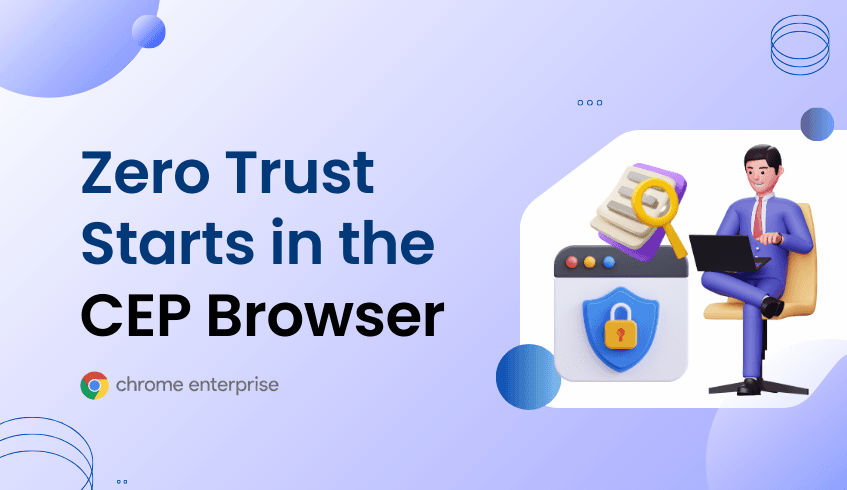
As enterprise work continues to shift to the web, traditional perimeter-based security models no longer reflect how employees actually access applications and data. Users move across devices, networks, and SaaS platforms throughout the day, making static trust assumptions ineffective. Zero Trust security addresses this reality by continuously validating access based on risk, context, and device posture. With Chrome Enterprise Premium, this Zero Trust approach begins directly in the browser, where the majority of work now happens.
Chrome Enterprise Premium applies Zero Trust principles at the point of interaction. Instead of assuming trust, it evaluates device security status, user behavior, and browsing context in real time. Through Browser Security Analytics, IT teams gain visibility into how many devices are secure, moderately secure, or not secure across the organization. This device-level signal becomes a foundational trust indicator, helping security teams understand where exposure exists and where stronger controls are needed. Combined with protections such as Data Loss Prevention, site-based access controls, and session protection, Chrome Enterprise Premium allows organizations to reduce risk without disrupting productivity.
Beyond device posture, Chrome Enterprise Premium also tracks organization-wide risk metrics tied to real browsing behavior. Incidents such as session theft, unverified extensions, and unsecured domain access provide critical insight into how trust is being challenged in day-to-day work. These signals allow security teams to move from reactive responses to informed policy decisions, tightening controls where risk is highest while maintaining flexibility for trusted users and devices.
This is where Chrome Readiness Tool Browser Insights plays a critical supporting role. Browser Insights gives IT teams early visibility into browser usage patterns before enforcing advanced Zero Trust policies. It surfaces which devices may fall into lower security categories, where unverified extensions are commonly used, and how frequently users access unsecured domains. This data aligns directly with Chrome Enterprise Premium analytics, creating a shared language between readiness assessment and active enforcement.
Chrome Readiness Tool Browser Insights also helps organizations understand where Zero Trust adoption may face friction. By identifying devices with outdated configurations or inconsistent security postures, IT teams can address readiness gaps before enabling stricter controls. This approach allows Chrome Enterprise Premium policies to be introduced with confidence, targeting high-risk areas first while minimizing disruption for users who already meet security expectations.
In addition, Chrome Readiness Tool Browser Insights supports a faster and more structured Chrome Enterprise Premium migration. Rather than deploying Zero Trust controls uniformly, organizations can prioritize based on actual browser risk data. Devices and users associated with higher rates of unsecured domain access or unverified extensions can be addressed earlier in the rollout, accelerating risk reduction while keeping deployments predictable and manageable.
Ultimately, Zero Trust is most effective when it is grounded in real-world behavior. Chrome Enterprise Premium provides the enforcement, analytics, and browser-native controls needed to apply Zero Trust at scale. When paired with insights from the Chrome Readiness Tool Browser Insights, organizations gain clarity into both their current exposure and their path forward. Together, they enable enterprises to treat the browser not just as a productivity tool, but as a continuously evaluated trust boundary for modern work.
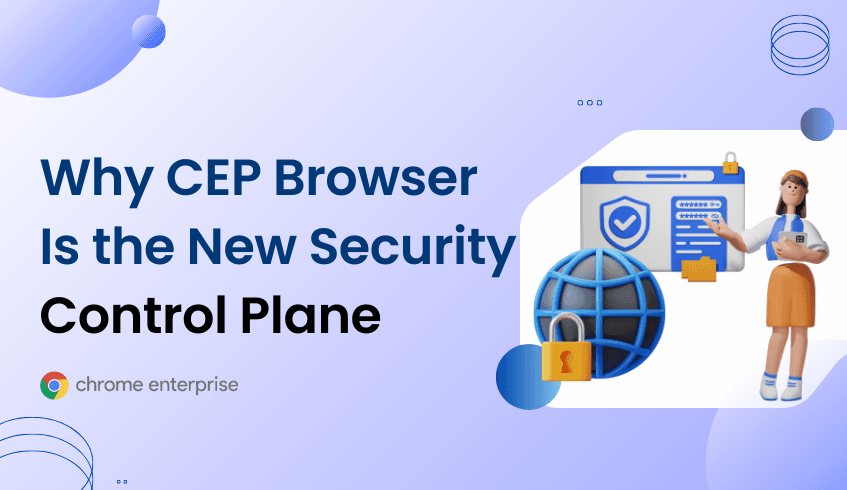
In today’s enterprise, the browser is no longer just a tool to access the web. It has become the primary workspace where employees collaborate, access sensitive data, and perform critical business tasks. With this shift, organizations face a growing need to understand and secure every interaction that happens in the browser. Chrome Enterprise Premium (CEP) addresses this challenge by turning everyday browsing into a powerful security and productivity control plane, giving IT teams the visibility and enforcement they need without slowing employees down.
CEP provides advanced browser-native protections that safeguard organizations from threats like phishing, malware, and unsafe browsing behaviors. Through features like granular Data Loss Prevention (DLP), dynamic watermarking, and access controls, IT teams can prevent accidental or intentional data leaks while maintaining seamless productivity. Beyond just reactive security, CEP gives enterprises actionable intelligence through Browser Security Analytics, including device security status and organizational risk metrics. By measuring secure, moderately secure, and not secure devices, along with incidents like session theft, unverified extensions, and unsecured domain access, CEP creates a continuous view of enterprise browser risk.
The Chrome Readiness Tool Browser Insights complements CEP by giving IT teams detailed visibility into how browsers are actually used across the organization. With Browser Insights, businesses can see which devices and users may be at risk, the prevalence of unverified or unsafe extensions, and patterns of unsecured domain access. This data aligns directly with CEP’s security KPIs, allowing IT teams to prioritize high-risk areas, enforce policies where they are most needed, and track improvement over time. By linking CEP protections with Browser Insights metrics, enterprises gain a unified view of both risk and readiness, making security management proactive instead of reactive.
Chrome Readiness Tool Browser Insights also helps organizations plan and accelerate CEP migration. By identifying which devices are less secure or running outdated configurations, IT teams can target deployments where they will have the greatest impact. Combined with CEP’s advanced security controls, this ensures that the migration process strengthens security from day one, rather than introducing gaps. For organizations managing large fleets of devices, these insights make CEP adoption more efficient and data-driven, reducing exposure while keeping employees productive.
Another key benefit of CEP is its ability to turn browser data into measurable security outcomes. IT teams can monitor trends in unverified extensions, session theft attempts, and unsecured domain visits, translating raw incidents into organizational risk metrics. When these insights are combined with Chrome Readiness Tool Browser Insights, enterprises can benchmark their browser security posture, identify patterns before they escalate into threats, and make informed decisions about policy enforcement, user training, and device upgrades.
Ultimately, Chrome Enterprise Premium transforms the browser into a central hub for enterprise security and productivity. By integrating deep protections with actionable insights from Browser Security Analytics and Chrome Readiness Tool Browser Insights, CEP empowers organizations to see and address browser risk in real time. Businesses can confidently deploy the tools employees need to work efficiently while maintaining a robust security posture. With CEP and Chrome Readiness Tool Browser Insights working hand-in-hand, enterprises can make the browser a foundation for secure, intelligent, and future-ready work.

Enterprise security leaders are increasingly expected to communicate risk in clear, measurable terms. Yet browser security has historically lacked the metrics needed to support informed decision-making. Chrome Enterprise Premium changes this by elevating browser activity into board-level security intelligence.
With Chrome Enterprise Premium, browser security analytics are no longer limited to isolated alerts. Organizations gain a structured view of risk through high-level KPIs that reflect real exposure. Device security status provides a foundational metric, showing how many devices meet security standards and where weaknesses exist.
Complementing this view are organization risk metrics that track incidents across key threat categories. Session theft attempts reveal exposure to credential compromise. Unverified extension incidents highlight potential supply chain risks within the browser. Unsecured domain access signals gaps in safe browsing practices.
Together, these metrics allow security teams to move beyond anecdotal evidence. Trends can be monitored over time, progress can be demonstrated, and investments can be justified with data. This is especially important for organizations managing distributed workforces across multiple environments.
Chrome Enterprise Premium also helps bridge the gap between security and IT operations. Because analytics are tied directly to browser policies, teams can correlate risk metrics with configuration changes. This feedback loop supports continuous improvement without slowing the business.
As browser-based work continues to expand, security programs that lack this visibility will struggle to keep pace. Chrome Enterprise Premium provides a unified analytics framework that aligns technical controls with executive reporting needs.
Before deployment, ChromeOS Readiness Tool Browser Insights can help organizations understand their baseline. By identifying existing browsing behaviors and risk patterns, teams can plan a phased rollout that aligns with business priorities. CEP acceleration migration then supports a smoother transition, reducing friction while increasing protection.
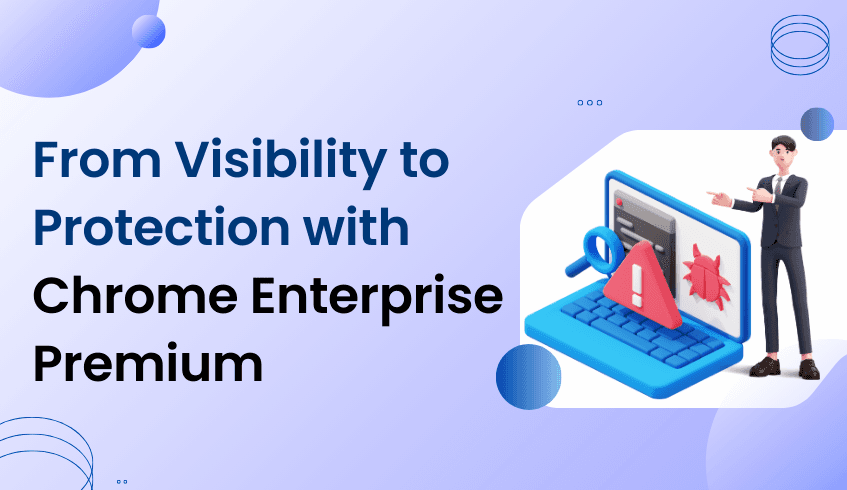
As enterprises continue to adopt cloud-first and browser-centric workflows, the browser has become the primary place where work happens. Employees access applications, collaborate, and handle sensitive data directly through the browser, making it a critical security boundary. With this shift, browser extensions and add-ons have emerged as both productivity enablers and potential security risks.
The ChromeOS Readiness Tool plays a foundational role in helping organizations understand their current browser environment. One of its key capabilities is displaying browser extensions used across the organization, providing IT and security teams with centralized visibility into how the browser ecosystem is configured.
Through the Browser Extensions insights, administrators can see which extensions are installed, how widely they are used, and whether they are managed or unmanaged. This visibility is essential, as extensions often operate with elevated permissions and direct access to browser data and user activity.
Not all browser extensions pose the same level of risk. Within an organization, extensions may exist in different versions, including outdated or unverified variants. Unsafe or poorly vetted add-ons can become an entry point for malware, enabling malicious actors to exploit browser sessions, exfiltrate data, or inject harmful content without immediate detection.
Because extensions run inside the browser itself, traditional perimeter-based security controls may not fully detect these threats. This makes early identification of risky extensions critical. By highlighting extension usage patterns and potential exposure points, the ChromeOS Readiness Tool helps organizations identify where their browser security posture may be vulnerable.
Identifying risk is only the first step. To actively defend against malware and other browser-based threats, organizations need advanced, in-browser security controls. This is where Chrome Enterprise Premium becomes essential.
Chrome Enterprise Premium provides robust protections designed specifically for modern browser threats, including Malware deep scanning. This capability inspects downloaded files and browser content more thoroughly, detecting and blocking malicious payloads that traditional scanning methods may miss.
In addition to Malware deep scanning, Chrome Enterprise Premium strengthens browser security through:
Advanced protection against browser-based malware
Controls to reduce exposure from risky extensions
Enhanced defenses against phishing and malicious URLs
Centralized security enforcement directly within the browser
Together, these capabilities transform the browser from a passive access tool into an active security control layer.
A resilient browser security strategy starts with visibility. The ChromeOS Readiness Tool enables organizations to understand extension usage and identify potential malware entry points across their environment. These insights make it easier to justify and plan the adoption of advanced protections.
By upgrading to Chrome Enterprise Premium and enabling Malware deep scanning, organizations can proactively protect users, data, and workflows from modern browser-based threats. With the right insights and the right security capabilities in place, enterprises can confidently support productivity while maintaining strong security in an increasingly browser-driven workplace.
In today’s cloud-first enterprise, the browser is where work happens. Employees access business applications, sensitive data, and collaboration tools primarily through the browser, making it a critical security control point. As web-based threats grow more sophisticated, organizations need stronger browser protections, including URL filtering, to reduce exposure and maintain policy compliance.
Yet advanced browser security cannot be deployed effectively without first understanding how the browser is used across the organization. Visibility is the foundation. This is where the ChromeOS Readiness Tool plays a critical role, helping organizations move from insight to action with Chrome Enterprise Premium.
Chrome Enterprise Premium builds on standard browser management by adding advanced security capabilities designed for modern enterprise risk. One of the most important of these capabilities is URL filtering.
URL filtering allows IT teams to control access to websites based on category, risk level, or organizational policy. This helps prevent users from visiting malicious or non-compliant sites while maintaining productivity across approved web applications.
In addition to URL filtering, Chrome Enterprise Premium includes several complementary security capabilities that strengthen the browser as an enterprise endpoint, including:
Real-time threat protection to identify and block web-based attacks
Data loss prevention policies to reduce the risk of sensitive data exposure
Malware deep scanning to detect advanced threats in downloaded content
Advanced controls for managing extensions and browser behavior
Together, these features provide a more comprehensive security posture for organizations that rely heavily on browser-based workflows.
Before deploying advanced protections like URL filtering, IT teams need a clear picture of their current environment. Without knowing which browsers are in use, which extensions are installed, and how users interact with web applications, security policies risk being incomplete or disruptive.
The ChromeOS Readiness Tool provides this foundational visibility through its Browser Insights capabilities. While the tool is often associated with device readiness, its browser-focused insights are equally valuable for organizations evaluating stronger browser security.
The ChromeOS Readiness Tool acts as a practical bridge between assessment and advanced browser security. It helps IT leaders understand readiness, identify risk, and plan next steps with confidence.
Comprehensive browser visibility The tool captures detailed information on browser usage and extensions across managed devices. IT teams gain a centralized view of which browsers are actively used and which extensions are installed, approved, or unknown. This clarity is essential for designing URL filtering policies that align with real usage patterns rather than assumptions.
Risk identification and prioritization By highlighting unauthorized or high-risk extensions, the ChromeOS Readiness Tool helps surface immediate security gaps. These insights often reveal why basic controls are no longer sufficient and why stronger protections such as URL filtering and data loss prevention become necessary as organizations scale.
A clear path to advanced management Within the ChromeOS Readiness Tool dashboard, organizations are guided toward maximizing browser management through Chrome Enterprise Browser upgrades. When exploring the value of Chrome Enterprise Premium, URL filtering is clearly positioned as a key differentiator, helping decision-makers connect visibility insights with tangible security outcomes.
Effective browser security starts with understanding. The ChromeOS Readiness Tool provides the data organizations need to assess browser usage, identify risk, and evaluate whether advanced controls are appropriate for their environment.
By combining these insights with the advanced protections available in Chrome Enterprise Premium, IT teams can move beyond observation and take meaningful steps to secure web access. URL filtering becomes not just a policy setting, but a strategic control grounded in real usage data.
The result is a browser environment that supports productivity while reducing exposure to web-based threats, giving organizations greater confidence in how work happens across the enterprise.
Across industries, product management is shifting from coordination-heavy execution to insight-driven decision-making. Artificial intelligence has moved from an experimental capability to a daily working layer for product managers. It supports faster synthesis of information, clearer prioritization, and earlier awareness of delivery risk. The outcome is not a reduction in responsibility, but an expansion of scope.
Meetings remain central to product work, but their value increases when AI support is embedded directly into the tools teams already use. Within Google Workspace, Gemini helps product managers capture structured meeting notes, surface decisions, and identify open questions without breaking workflow.
Rather than treating meeting intelligence as a standalone capability, the focus shifts to how these AI-assisted workflows show up across the organization. Product managers benefit not only from better notes, but from understanding where AI-supported collaboration is actively used and how consistently it supports delivery and accountability.
This is where visibility becomes critical. Knowing which teams rely on AI-assisted meeting insights, and how those workflows connect to delivery outcomes, helps product leaders move from isolated efficiency gains to repeatable, scalable practices.
While AI supports different outcomes across industries, a common requirement emerges: visibility. Product managers need to understand how applications are used across the organization, where AI-enabled workflows already exist, and how ready those workflows are for more advanced AI capabilities.
Without this visibility, product decisions rely on assumptions. With it, product strategy can align more closely with real usage patterns and operational readiness.
This is where the ChromeOS Readiness Tool becomes essential. Through AI Application Visibility and Gemini readiness, it provides product leaders with insight into how AI is actually used across the enterprise.
Product managers can see which applications incorporate AI features, where AI-driven workflows are embedded in daily work, and which applications are positioned to take advantage of Gemini-powered capabilities. This moves AI planning from theory to evidence.
With this level of insight, product managers can make more informed roadmap decisions. They can prioritize investments based on real readiness signals, identify gaps that limit AI adoption, and guide teams toward capabilities that align with future needs.
As the scope of AI continues to expand, the role of the product manager evolves with it. By combining AI-driven synthesis with enterprise-level visibility from the ChromeOS Readiness Tool, product managers are better equipped to shape products that are not only intelligent, but ready for what comes next.
In today’s distributed workforce, IT teams often struggle to understand what devices, browsers, and applications employees are actually using. Without this clarity, rolling out new policies, enforcing security standards, or optimizing workflows becomes a guessing game. The ChromeOS Readiness Tool provides centralized visibility, giving organizations the insights they need to make informed decisions and prepare for a secure, efficient future.
The ChromeOS Readiness Tool collects detailed information about devices and browsers across your enterprise. IT teams can see which browsers are in use along with browser versions, installed extensions, and application usage patterns. This level of insight helps identify outdated or unsupported environments, potential compatibility issues, and hidden risks that could impact productivity or security.
Key capabilities include:
Browser and Device Inventory: See all devices and browser versions in one centralized dashboard
Extension and Application Visibility: Identify the tools employees rely on daily and assess whether they align with enterprise standards
Upgrade Planning and Compliance: Detect outdated browsers or unsupported extensions to prioritize updates before deploying new policies
By giving IT teams a clear picture of the current environment, the ChromeOS Readiness Tool ensures organizations can confidently plan their device management strategies, reduce operational friction, and prepare for a smooth transition to enterprise-grade solutions.
Once organizations understand their device and browser landscape, the next step is to implement centralized management. Chrome Enterprise Premium (CEP) offers a browser-first, cloud-friendly approach to device management that reduces complexity while increasing control.
CEP allows IT teams to enforce consistent policies, manage devices remotely, and secure workflows all from a single console. When paired with the insights from the ChromeOS Readiness Tool, centralized management becomes not only possible but highly effective.
Targeted Policy Deployment: Insights from the tool show which devices and browsers need immediate attention, allowing IT to prioritize policy rollout efficiently
Streamlined Onboarding: New devices can be provisioned and automatically enrolled in management, ensuring employees are productive from day one
Consistent Updates and Compliance: By combining CEP’s management capabilities with device visibility, IT teams can schedule updates, track compliance, and maintain a secure environment without disrupting employees
The combination of the ChromeOS Readiness Tool and CEP provides organizations with actionable intelligence and centralized control. IT teams can move from reactive troubleshooting to proactive management, protecting workflows and maintaining operational efficiency across the enterprise.
Centralized device management powered by visibility brings measurable benefits across sectors:
Healthcare: Clinicians can securely access electronic health records on shared or personal devices without compromising patient data
Finance: Detailed reporting and centralized oversight simplify audits and maintain regulatory compliance
Manufacturing: Protect sensitive designs and intellectual property on shared devices while enabling frontline productivity
Public Sector: Rapidly onboard contractors or remote employees without sacrificing security or control
Visibility is the foundation of effective device management. The ChromeOS Readiness Tool provides that clarity, helping IT teams understand the current environment, identify gaps, and prepare for action. Paired with Chrome Enterprise Premium, organizations gain centralized management, consistent policy enforcement, and secure, efficient workflows across every device.
With this combination, IT leaders can confidently transform device management from a reactive necessity into a strategic advantage, protecting data, improving productivity, and supporting a modern, distributed workforce.
In today’s cloud-first workplace, understanding how employees work is critical. The ChromeOS Readiness Tool provides clear insights into application usage, browser extensions, and AI activity across the enterprise. It helps IT and security teams identify where sensitive workflows occur, which tools employees rely on, and where potential risks may arise. This visibility ensures that organizations can make informed decisions about data protection and productivity.
With visibility from the ChromeOS Readiness Tool, organizations can confidently implement Chrome Enterprise Premium to protect data where work actually happens. Rather than relying on endpoint agents or network-based controls, Chrome Enterprise Premium embeds advanced Data Loss Prevention directly into the Chrome browser. The result is stronger data governance without disrupting productivity.
Traditional Data Loss Prevention tools were designed for a perimeter-based world. They often struggle with encrypted web traffic, unmanaged SaaS platforms, and the rapid adoption of AI tools. As a result, sensitive data can move through the browser without visibility or control.
Browser-level DLP changes this dynamic. Because Chrome Enterprise Premium operates inside the browser, it can inspect user actions in real time and apply policy at the moment data is accessed, shared, or modified. Whether an employee is uploading a file, copying sensitive text, or interacting with an AI chatbot, security teams gain the ability to intervene before data leaves the organization.
This approach is especially critical as generative AI becomes part of daily workflows. Data no longer leaks only through downloads or emails. It also moves through prompts, pasted code, screenshots, and form submissions. Browser-native controls provide the context required to manage these modern risks.
Chrome Enterprise Premium delivers a comprehensive set of DLP capabilities designed for cloud and browser-centric work:
Real-time content scanning allows uploads, downloads, and copy actions to be inspected for sensitive patterns such as personally identifiable information, credentials, or API keys. Potential leaks can be blocked before data is submitted.
Dynamic watermarking overlays user-specific identifiers such as email address and timestamp on sensitive web applications. This discourages unauthorized sharing and supports accountability when information appears outside approved channels.
Copy and paste controls restrict the movement of data from managed corporate applications to personal websites, email accounts, or unsanctioned AI tools. This reduces the risk of unintentional exposure through everyday actions.
Screenshot protection prevents the capture of sensitive browser content through operating system or browser-level screenshots. This closes a common gap that many digital security controls overlook.
Evidence locker functionality securely retains a copy of files or content that trigger DLP violations. This supports incident response, compliance reporting, and post-incident analysis without relying on external tools.
Together, these capabilities provide a layered approach to protecting data while maintaining a seamless user experience.
Generative AI presents both opportunity and risk. Employees benefit from faster research, content creation, and problem-solving, while organizations worry about proprietary data being shared with the public or unmanaged AI services.
Chrome Enterprise Premium enables a balanced approach. Security teams can warn users when sensitive data is about to be shared, mask confidential fields automatically, and audit AI usage patterns across the browser. This makes it possible to support innovation while maintaining governance and compliance.
For organizations modernizing their security posture, Chrome Enterprise Premium and the ChromeOS Readiness Tool create a powerful combination. One delivers deep, browser-native data protection. The other provides insights into how data flows across your enterprise, helping teams make informed decisions.
As the browser continues to replace the traditional desktop as the center of work, browser-level DLP is essential. Chrome Enterprise Premium, supported by insights from the ChromeOS Readiness Tool, provides both protection and clarity for the modern digital workplace.
In today’s enterprise environment, agility and control define successful IT operations. Teams are expected to support hybrid work, protect endpoints, and extend the value of existing hardware, all while keeping operational complexity in check. ChromeOS Flex addresses these challenges with a cloud-first operating system designed to modernize PCs and Macs through centralized management and deep cloud integration.
While ChromeOS Flex is often recognized for breathing new life into aging devices, its real strategic value comes from how seamlessly it connects devices, users, and policies through the cloud. By converting legacy hardware into cloud-managed endpoints, organizations gain visibility, consistency, and scale without adding infrastructure overhead.
ChromeOS Flex is built from the ground up for cloud-based work. Applications, user data, and configurations are designed to live beyond the device itself, supporting a distributed workforce with minimal dependency on local storage or on-premise systems.
Native integration with Google Workspace enables employees to sign in and immediately access Gmail, Drive, Meet, and other collaboration tools. User profiles follow the individual rather than the device, which simplifies device sharing, accelerates onboarding, and reduces configuration time for IT teams.
For organizations that still rely on Windows or legacy applications, ChromeOS Flex supports browser-based application delivery through virtualization partners such as Cameyo. These solutions allow critical applications to stream securely through the browser, reducing reliance on traditional VPNs and minimizing the complexity associated with maintaining full desktop images.
The management experience is where ChromeOS Flex delivers its most significant operational impact. Devices are managed entirely through the Google Admin console, providing IT teams with a single, cloud-based interface to control policies, updates, and configurations across the fleet.
Administrators can apply consistent security and usage policies, schedule updates, and monitor device status regardless of location. This centralized approach shifts IT from reactive troubleshooting to proactive governance, supporting consistency across thousands of devices without requiring hands-on intervention.
By standardizing device management in the cloud, organizations frequently see a measurable reduction in support effort. Fewer configuration issues, automatic updates, and a simplified operating environment translate into lower ticket volumes and more time for IT teams to focus on strategic initiatives.
Cloud management and security are tightly connected in ChromeOS Flex. The operating system uses a layered security model that includes sandboxing, verified boot, background updates, and a read-only system architecture that blocks traditional executables.
Through the Google Admin console, administrators can remotely configure device controls, manage sign-in restrictions, and apply screen lock and data access policies. If a device is lost or compromised, access can be restricted or removed centrally, reducing risk without requiring physical access to the device.
A successful move to ChromeOS Flex starts with understanding which devices are ready to make the transition. The ChromeOS Readiness Tool provides clear visibility into existing hardware across the enterprise, identifying compatibility, performance indicators, and upgrade readiness.
By using the ChromeOS Readiness Tool early in the planning process, IT teams can prioritize devices, align rollout phases, and build a data-backed migration strategy. This insight reduces uncertainty and helps organizations modernize with confidence rather than trial and error.
ChromeOS Flex is more than a cost-effective way to extend device lifecycles. It is a gateway to a cloud-managed operating model that simplifies administration, strengthens security, and supports a flexible workforce. When paired with centralized management and informed planning through the ChromeOS Readiness Tool, organizations gain a scalable foundation for modern endpoint management.
For enterprises looking to reduce complexity while increasing control, the combination of ChromeOS Flex and cloud-based management offers a practical path forward.