Explore key tools, smart features, and expert insights...
The pace of AI adoption in the workplace is accelerating, but understanding how AI applications are actually used across teams can be challenging. The ChromeOS Readiness Tool AI Application Visibility and Gemini Readiness feature provides organizations with actionable insights into AI adoption. It highlights which applications are in use, identifies Gemini-ready AI apps, and shows how AI can be safely and effectively integrated into daily operations.
Bringing visibility to AI adoption
By surfacing AI applications in the same context as other enterprise software, the tool helps organizations:
Recognize where Gemini can support or replace existing AI usage
Reduce reliance on unmanaged or redundant AI tools
Align user workflows with secure, enterprise-ready AI capabilities
With this insight, teams can confidently scale AI initiatives while supporting governance, policy compliance, and user productivity.
At Turing, the pressure to scale HR operations quickly became an opportunity to embed Gemini deeply into workflows. When the company needed to onboard 800 new hires in a single week, the HR team leveraged Gemini to create Turing University, an AI-powered onboarding system that routes talent to personalized learning paths. What previously took weeks was reduced to hours, enabling the onboarding of over 5,000 employees in the second half of 2024.
Beyond onboarding, Turing uses Gems, customized versions of Gemini, to support career development, skill validation, and learning. With the Thrive Together program, employees receive personalized guidance and training recommendations, creating measurable growth opportunities without increasing HR headcount.
Training programs also benefited from Gemini-powered insights. Feedback analysis revealed challenges in comprehension for global employees, which led to the adoption of synthetic voices and localized content. Updates that once took days can now be published in minutes, helping teams learn faster and more efficiently.
Rapid growth challenged HR support workflows, with ticket volumes surging from 5,000 to 18,000 per quarter. By developing Gemini-assisted models trained on internal knowledge, Turing reduced ticket processing time by 33 percent while keeping humans in the loop. The approach is on track to automate the majority of annual HR requests, freeing HR teams to focus on higher-value initiatives.
Daily use of Gemini embedded in Google Workspace from Gmail to Docs and Sheets also improved employee satisfaction and retention. Team member satisfaction rose 32 percent in the first half of the year, driven by AI-enabled onboarding, career guidance, and streamlined workflows.
Turing’s success demonstrates the impact Gemini can have when it’s embedded into everyday work. For other organizations aiming to achieve similar results, the ChromeOS Readiness Tool offers a practical starting point.
Instead of directly analyzing workflows, the AI Application Visibility and Gemini Readiness feature identifies which AI applications users are already using across devices. Based on this visibility, the tool recommends relevant Gemini capabilities and Gemini-based alternatives, helping organizations guide users toward secure, enterprise-ready AI.
This approach enables IT and business leaders to understand existing AI behavior, reduce reliance on unmanaged tools, and gradually steer teams toward standardized Gemini adoption, turning real usage data into a smarter, more intentional AI strategy.
In a security landscape defined by escalating threats and shrinking tolerance for risk, the operating system has become a frontline control rather than a passive foundation. For organizations operating legacy Windows or macOS devices, exposure often increases over time through executable-based attacks, delayed patching cycles, and complex endpoint security stacks.
ChromeOS Flex offers a fundamentally different approach. By replacing the existing operating system on compatible hardware with a cloud-first, security-focused platform, organizations can reduce attack surface at the operating system level while extending the usable life of existing devices.
ChromeOS Flex is Google’s secure operating system designed to run on existing PCs and Macs. Built on the same security architecture as ChromeOS, it prioritizes prevention over detection and removes common pathways used by modern threats.
Rather than relying on multiple agents to monitor and remediate risk, ChromeOS Flex embeds security directly into the operating system. This shift simplifies endpoint protection while strengthening baseline defenses across the fleet.
ChromeOS Flex is engineered around architectural controls that eliminate entire categories of attacks.
Read-only operating system The core system is read-only and cryptographically protected. This prevents unauthorized changes to system files and blocks executable-based malware from establishing persistence. By design, the operating system resists modification, significantly limiting ransomware and rootkit attack paths.
Verified boot and system integrity Every startup includes a verification process that checks the operating system against a known-good image. If integrity issues are detected, the system automatically restores itself. This reduces manual intervention and strengthens trust in device state.
Application and browser sandboxing Each browser tab, extension, and application runs in an isolated environment. If malicious code is encountered, it is contained within that sandbox and cannot access the rest of the system. This containment model limits lateral movement and privilege escalation.
Traditional operating systems often depend on third-party tools to compensate for architectural weaknesses. ChromeOS Flex reduces this dependency by removing common attack vectors altogether.
Because executables are blocked and system-level access is tightly controlled, many threats never reach a stage where detection is required. Automatic background updates further strengthen this model by keeping devices consistently current without user involvement.
The result is a simpler, more predictable security posture that reduces operational overhead while maintaining strong baseline protection.
Many regulatory frameworks prioritize preventive controls, system integrity, and least-privilege access. ChromeOS Flex aligns naturally with these principles.
The combination of a read-only operating system, verified boot, and enforced sandboxing provides clear evidence of:
Continuous system integrity validation
Structural prevention of unauthorized software installation
Strong separation between user activity and the operating system
These characteristics simplify audit conversations and support consistent compliance across distributed environments.
A security-focused transition starts with visibility across both risk and device suitability. The ChromeOS Readiness Tool supports the adoption of ChromeOS Flex by providing precise, data-driven insights into the compatibility of an organization’s existing hardware.
Targeted device compatibility assessments The ChromeOS Readiness Tool distinguishes devices compatible with ChromeOS Flex, which is typically deployed on existing hardware.
On the web dashboard:
Devices that meet ChromeOS Flex requirements are clearly labeled with a ChromeOS Flex Compatible tag
Administrators can filter the Devices view to surface only ChromeOS Flex–ready systems
This targeted visibility allows teams to build an accurate migration list for legacy hardware while aligning readiness decisions with security objectives. Instead of broad assumptions, IT teams can plan a phased rollout that prioritizes hardened endpoints without unnecessary device replacement.
Security works best when it is built in, not bolted on. ChromeOS Flex transforms legacy devices into hardened endpoints by reducing attack surface, validating system integrity continuously, and centralizing policy enforcement.
For organizations prioritizing security, simplicity, and long-term resilience, ChromeOS Flex provides a strong foundation that turns aging hardware into secure, cloud-first assets.
One of the biggest hurdles for organizations moving to a cloud-first operating system is reliance on legacy applications. IT leaders often worry that critical line-of-business apps, which are not yet web-based, will stall digital transformation initiatives. Without a clear path forward for these applications, migration projects can stall, leaving users dependent on outdated hardware and software.
The ChromeOS Readiness Tool addresses this challenge directly through its Virtualization feature. By providing insights for Cameyo, a cloud-native virtualization platform, the ChromeOS Readiness Tool helps transform application “blockers” into actionable migration tasks. This approach allows organizations to plan how legacy software can continue to function while moving toward a modern, cloud-first environment.
When the ChromeOS Readiness Tool assesses a fleet, it categorizes applications as Chrome Ready, Possibly Ready, or Blocker. A “Blocker” no longer needs to slow down migration.
With the Virtualization section on the Partner and Pro dashboards, the tool provides a clear path forward for these applications. It empowers IT teams by:
Targeted Identification: Applications marked as “Possibly Ready” or “Blocker” are isolated and filtered by usage frequency, helping prioritize mission-critical tools without overwhelming administrators.
Cameyo Compatibility Mapping: The tool categorizes applications according to their potential compatibility with Cameyo’s virtualization capabilities. IT teams can see which apps are more likely to run successfully in a virtualized environment, reducing migration uncertainty.
Transparent Feasibility: If an application is still under review, the dashboard provides clear status updates, giving teams actionable guidance for planning next steps.
By turning blockers into actionable insights, IT teams can focus on solutions rather than obstacles, making the migration journey smoother for both administrators and end users.
Providing virtualization insights is crucial for organizations transitioning to ChromeOS. Virtualization enables legacy operating system applications to run in a browser environment, giving IT teams the guidance they need to plan migration strategies while maintaining user productivity.
Using these insights, organizations can:
Eliminate Costly Virtual Delivery Infrastructure: Understanding which applications are compatible with cloud-based virtualization allows teams to adopt a streamlined, cloud-native approach.
Enable Secure, Anywhere Access: Applications that can be virtualized run securely in the browser, supporting a zero-trust model without requiring VPNs or complex network configurations.
Maintain Continuity for End Users: Knowledge workers can continue using critical applications without disruption, minimizing the learning curve and maintaining productivity during migration.
This approach allows IT teams to expand ChromeOS access across the organization without leaving behind essential applications, creating a smoother path to modernization.
Beyond individual applications, Cameyo virtualization insights support a broader shift toward cloud-first operations. By identifying which previously Windows-only apps can run virtually on ChromeOS, organizations can reduce reliance on legacy hardware, simplify management, and lower the total cost of ownership.
Additionally, virtualized workflows provide flexibility for remote and hybrid teams. Applications that once required specific devices or locations can now be accessed securely from any ChromeOS device, increasing mobility without sacrificing performance or security.
The ChromeOS Readiness Tool goes beyond identifying which devices are ready for ChromeOS. It provides a clear blueprint to address legacy application blockers. By using the Cameyo Virtualization recommendation feature to assess and plan for these applications, IT administrators can confidently execute migrations that cover every user, every application, and every workflow.
With virtualization insights, organizations can modernize their IT environment, support cloud-first operations, and maintain continuity for all users while reducing costs and complexity. The ChromeOS Readiness Tool empowers IT teams to move forward with confidence, turning migration opportunities into measurable outcomes.
In today’s fast-paced digital landscape, organizations face a tough choice: modernize their device fleet without overspending or generating unnecessary e-waste. ChromeOS Flex is a free operating system, offering a cloud-first, fast, and secure solution that transforms existing PCs into modern, efficient devices.
Many organizations underestimate the potential of devices they already own. ChromeOS Flex is Google’s free operating system designed to run on older Windows PCs and Macs, reviving them with the speed, simplicity, and security of ChromeOS. It is optimized for web-based tasks, deep cloud integration with Google Workspace, and simplified IT management, making it easy for teams to maintain consistency, security, and productivity across their fleet. By converting existing hardware into a reliable, cloud-first platform, organizations can reduce capital expenditure while extending device lifecycles, supporting both financial and sustainability goals.
ChromeOS Flex can be installed on devices you already own and replace them with a cloud-native operating system. Its enterprise benefits are compelling:
Sustainability and Cost Savings: Extend device lifecycles, cut e-waste, and lower energy consumption by up to 46% compared to traditional devices.
Security: With sandboxing and read-only OS files, ChromeOS Flex protects against ransomware and eliminates the need for third-party antivirus software.
Resilience and Performance: Provides a fast, reliable cloud-first experience, keeping devices productive and secure over time.
Cloud and Management Integration: Designed for seamless use with Google Workspace, ChromeOS Flex supports centralized management and simplified deployment, making it easier for IT teams to monitor devices and enforce policies.
Even with ChromeOS Flex’s advantages, IT teams need visibility to deploy effectively. The ChromeOS Readiness Tool provides that clarity by analyzing devices and applications and identifying potential incompatibilities before they become problems.
Instantly Identify Flex-Compatible Devices The ChromeOS Readiness Tool dashboard shows ChromeOS Flex compatibility for every device in your organization, helping IT teams pinpoint which devices are ready for ChromeOS Flex.
Targeted Filtering: Administrators can filter in the dashboard to see only ChromeOS Flex-compatible devices.
Visual Tags: Devices ready for ChromeOS Flex migration are clearly labeled, making planning and execution easier.
Optimize Investments Strategically The ChromeOS Readiness Tool transforms IT planning from reactive troubleshooting into forward-looking modernization. By highlighting devices ready for Flex, organizations can extend hardware lifecycles, reduce replacement costs, and support sustainability goals without sacrificing performance or security.
Transitioning to ChromeOS Flex is a smart move for sustainability, security, and cloud-first productivity. Using the ChromeOS Readiness Tool enables IT teams to gain visibility into devices, applications, and peripherals, making your migration more predictable, efficient, and cost-effective.
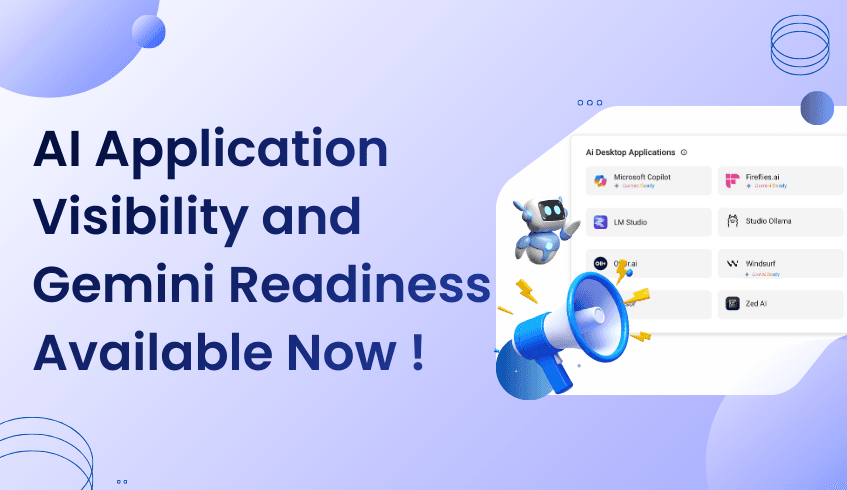
AI adoption has been happening faster than most organizations can see. Design tools, developer apps, productivity software, and intelligent assistants are already part of daily work, often without centralized visibility.
Today, that changes.
AI Application Visibility and Gemini Readiness is available now in the ChromeOS Readiness Tool, giving IT and business leaders a clear view into the AI-enabled desktop applications running across their organization.
This release addresses a challenge teams have been dealing with quietly for a long time.
As AI usage expands, most organizations struggle with the same underlying issue: they do not have a reliable way to see how AI is actually being used across devices.
Common questions remain unanswered:
Which AI-enabled desktop applications are installed across the fleet?
Where is AI adoption strongest across teams?
Are employees using approved tools, or introducing unmanaged AI risk?
Historically, these answers came from assumptions, surveys, or fragmented data sources. Browser activity, desktop applications, and AI usage signals lived in different places, making it difficult to form a complete picture.
Without visibility, an AI strategy becomes reactive instead of intentional.
AI Application Visibility and Gemini Readiness of the ChromeOS Readiness Tool is designed to close this gap.
The feature detects AI-enabled desktop applications installed on employee devices and presents that insight in a centralized view. It removes guesswork and replaces it with factual, device-level data that reflects real usage across the organization.
From day one, teams can:
Identify installed AI-enabled desktop applications across devices
Understand usage trends across users and teams
Get an idea of the Gemini readiness and Gemini-based alternatives
This shifts AI oversight from fragmented tracking to structured visibility.
Preparing for Gemini adoption requires understanding the AI foundation that already exists.
AI Application Visibility and Gemini Readiness help organizations see how AI is currently embedded in workflows, which applications are in use, and where adoption is accelerating. This context allows teams to plan Gemini initiatives based on real-world behavior rather than theoretical readiness.
The result is a more grounded approach to rollout planning, governance discussions, and long-term AI strategy.
This is not a future roadmap capability.
AI Application Visibility and Gemini Readiness is available now in the ChromeOS Readiness Tool, ready to deliver immediate insight once enabled. There is no extended setup cycle required to begin seeing value.
For organizations that know AI adoption is already happening and want visibility to manage it responsibly, this release provides a clear starting point.
AI will continue to expand across tools, teams, and workflows. Organizations that succeed will be the ones that can see what is happening and act with confidence.
With AI Application Visibility and Gemini Readiness in the ChromeOS Readiness Tool, that visibility is now in place.
The blind spot is gone. The insight is available. And AI strategy can move forward with clarity.
As organizations adopt AI across workflows, understanding which AI-enabled desktop applications are in use can be challenging. The ChromeOS Readiness Tool makes this simple with its Installed Desktop AI App Detection feature, giving IT and business leaders a clear picture of AI adoption across devices.
This feature automatically identifies AI-enabled applications on employee devices, whether actively used or running in the background. By centralizing this data, IT teams can see which tools are essential, which are underused, and which may require replacement or optimization. For businesses planning a ChromeOS migration or streamlining their AI ecosystem, this insight is critical.
Detection alone isn’t enough. The tool also captures usage time for each AI application, showing how frequently employees rely on specific tools. Organizations can use this information to prioritize high-value applications, reduce redundant software, and improve efficiency.
These usage insights also support migration planning by highlighting which applications could benefit from recommended Google AI alternatives. IT teams can confidently plan transitions without disrupting workflows, ensuring employees continue using the tools they need.
IT teams gain a real-time view of the AI application landscape, making inventory management and compatibility planning simpler. Business leaders benefit from knowing critical AI workflows are supported and can standardize tools across departments to improve collaboration and reduce training needs.
By combining detection, usage analytics, and recommendations, the ChromeOS Readiness Tool helps organizations make data-driven decisions, reducing guesswork and preparing for a smoother adoption of new platforms or AI solutions.
As AI becomes integral to daily operations, visibility into application usage is essential. The ChromeOS Readiness Tool provides a holistic view, turning a complex assessment into a straightforward process. Organizations can optimize their AI ecosystem, improve efficiency, and confidently navigate platform migrations, all while supporting the future of work.
As AI adoption accelerates, many organizations face a new challenge: AI is already being used across teams, but leaders don’t always have visibility into where it’s happening or how to scale it safely and strategically. Marketing may experiment with content generation, operations may explore productivity boosts, and leaders may use AI to streamline planning but without clear insight, AI adoption can remain fragmented.
This is where the ChromeOS Readiness Tool becomes essential. With AI Application Usage Insights and Gemini Readiness, ChromeOS Readiness Tool helps organizations identify which AI applications are actively used across the business and which workflows are already aligned to scale with Gemini, turning scattered experimentation into a clear path toward enterprise readiness.
A real-world example is Oxa’s high-velocity work with Gemini. Oxa is working toward an ambitious goal: universal autonomy. From AI-enabled passenger shuttles to industrial logistics and asset monitoring, the company is building systems that allow transport to move people and goods more efficiently, sustainably, and intelligently. Achieving that vision requires not only advanced technology on the road, but also seamless collaboration behind the scenes.
As a fast-growing, globally distributed organization, Oxa relies on Google Workspace to keep teams connected, aligned, and moving at speed. With employees spread across multiple regions and time zones, Workspace provides a shared foundation for real-time collaboration and decision-making. Calendar simplifies cross-time-zone scheduling, while Docs and Slides support structured collaboration across engineering, leadership, and go-to-market teams. Sheets underpin planning, forecasting, and reporting. Meet has become the default for video collaboration, helping Oxa reduce complexity while reclaiming valuable time previously lost to unreliable conferencing tools.
Workspace gives Oxa the operational consistency it needs to scale. But it is Gemini that is reshaping how work actually gets done.
Oxa’s teams operate at high velocity, moving rapidly from ideation to documentation to feedback and execution. Gemini integrates directly into these workflows, helping teams reduce friction and focus on higher-value thinking.
In marketing, Gemini supports campaign development by generating reporting templates and assisting with drafting social content from news and announcements. Across teams, it is used to create job descriptions, refine written communication, and proofread content before it is shared externally. These may seem like small moments, but at scale, they remove hours of manual effort and help teams maintain consistency and quality.
Gemini also supports the collaborative way Oxa works. Teams can quickly scaffold documents, add ideas, gather input asynchronously, and refine content together. Instead of starting from a blank page, Gemini provides momentum helping teams move faster while keeping everyone aligned.
You can read the full story from: https://workspace.google.com/blog/customer-stories/oxa-unlocks-collaboration-scale-google-workspace?e=48754805
Oxa’s story reflects a broader reality: AI adoption often starts organically across teams. But as usage expands, organizations need a clearer view of what’s being used, where value is being created, and how to scale AI responsibly across managed environments.
ChromeOS Readiness Tool’s AI Application Usage Insights and Gemini Readiness features help solve this by providing visibility into AI applications actively used across the organization and highlighting workflows that are Gemini Ready. Rather than guessing where AI is delivering value, IT and business leaders can see real usage patterns and understand how Gemini-enabled workflows map to ChromeOS environments.
For organizations like Oxa, this visibility enables smarter decisions scaling Gemini with confidence, aligning AI usage with secure and managed platforms, and prioritizing the workflows where AI delivers the most impact. With ChromeOS Readiness Tool, experimentation becomes strategy.
Oxa is building systems designed for transparency and trust. Internally, the company mirrors those principles by equipping teams with tools that support clarity, speed, and collaboration. Google Workspace provides the foundation. Gemini brings intelligence into everyday work. And ChromeOS Readiness Tool’s AI Application Usage Insights and Gemini Readiness help organizations understand, guide, and scale that intelligence responsibly.
Together, they show how AI can move from experimentation to operational advantage supporting teams as they work toward ambitious, world-changing goals.
For many organizations, ChromeOS migration follows a familiar pattern. Devices are assessed. Applications are reviewed. Compatibility is validated. Once those steps are complete, teams move forward.
AI readiness is often scheduled for later.
This approach made sense when AI tools were experimental or limited to small use cases. Today, that is no longer the case. AI is already part of daily work, influencing how employees write, analyze, design, and collaborate. Treating AI readiness as a future phase creates gaps that are difficult to address once migration is underway.
AI adoption does not wait for migration timelines. Employees adopt tools as they need them, often integrating AI into workflows long before formal strategies are defined.
As a result, by the time organizations begin planning ChromeOS adoption, AI is already embedded across teams. It exists as desktop applications, browser-based tools, and cloud services, all supporting real work.
When readiness assessments focus only on devices and traditional applications, they miss this layer of activity. AI remains invisible during planning, even though it plays a meaningful role in how work gets done.
Treating AI readiness as a follow-up step introduces friction.
After migration, teams often discover that widely used AI tools were not considered early enough. Workflows may need to be adjusted. Governance decisions may need to be revisited. Standardization efforts become more complex because usage patterns are already established.
This can lead to:
Extra rework during or after migration
Delays in aligning with Gemini-supported workflows
Gaps between AI governance goals and employee behavior
Missed opportunities to guide AI usage more intentionally
The challenge is not adoption. The challenge is timing.
AI readiness works best when it is part of the initial assessment, not an afterthought.
Understanding which AI tools are currently used, how frequently they are utilized, and how they integrate into ChromeOS workflows provides organizations with a clearer starting point. It allows teams to plan migration and AI direction together, rather than treating them as separate efforts.
This approach supports smoother transitions, fewer surprises, and better alignment between technology decisions and real work patterns.
To support this shift, the ChromeOS Readiness Tool is introducing an upcoming AI Application Visibility and Gemini Readiness feature.
This capability brings AI usage into the same dashboards and reports organizations already use to plan ChromeOS adoption. AI is assessed alongside devices and applications, not added later as a separate exercise.
With AI Application Visibility, organizations can:
See which AI tools are installed and actively used across devices
Understand AI usage based on hours
Identify AI applications marked as Gemini Ready
See Gemini based AI alternatives
View AI insights within familiar readiness dashboards and reports
By including AI in readiness discussions from the start, teams gain a more complete view of their environment.
When AI readiness is addressed early, planning becomes more coordinated.
Teams can identify where Gemini already aligns with existing workflows. Migration plans can account for AI usage without disruption. Governance conversations can be grounded in real data rather than assumptions.
This does not mean forcing immediate changes. It means planning with awareness, so decisions are made with context rather than hindsight.
AI is not a future phase of work. It is already part of how organizations operate today.
As ChromeOS adoption continues, readiness assessments must reflect this reality. The upcoming AI Application Visibility feature in the ChromeOS Readiness Tool enables organizations to integrate AI into planning from the outset, providing a clearer and more practical foundation for both migration and long-term AI strategy.
AI is becoming part of everyday work. Teams use AI tools to write, design, analyze, and solve problems faster. In many organizations, this adoption is happening naturally, driven by real needs and day-to-day workflows.
At the same time, leadership teams are working to define AI strategies, governance models, and long-term plans around Gemini and ChromeOS. The challenge is that these plans are often created without a clear picture of how AI is actually being used today.
This creates a growing gap between AI strategy and real usage.
AI adoption rarely begins with a formal rollout. It usually starts with teams experimenting, finding tools that help them work better, and gradually making those tools part of their routines.
Over time, organizations end up with a wide mix of AI applications. Some are heavily used across teams. Others support specific workflows. Many run as desktop apps, browser-based tools, or cloud services, often without much coordination.
When an AI strategy is built without visibility into this usage, common challenges appear:
Leaders lack clarity on which AI tools matter most to employees
Planning conversations relies on assumptions instead of data
Gemini alignment discussions stay high-level
AI governance feels disconnected from real work patterns
Good AI planning starts with knowing what is already happening.
Understanding which AI tools are used, how often they are used, and where they fit into daily workflows helps organizations make better decisions. It brings focus to discussions about standardization, security, and long-term direction.
This is especially important for organizations preparing for or advancing ChromeOS adoption. AI is no longer separate from device and application planning. It is part of the same readiness conversation.
When AI usage is missing from readiness assessments, teams risk planning for a future that does not reflect how employees work today.
To support more informed planning, the ChromeOS Readiness Tool is introducing an upcoming AI Application Visibility and Gemini Readiness feature.
This capability brings AI usage into the same dashboards and reports organizations already use for ChromeOS readiness. Instead of treating AI as an add-on, it becomes part of the overall picture.
With AI Application Visibility, organizations can:
See which AI tools are installed and actively used across devices
Understand AI usage based on hours
Identify which AI applications are marked as Gemini Ready
View Gemini-based AI alternatives for AI applications
By connecting AI visibility with existing readiness information, teams gain a clearer view of how AI fits into their environment today.
One of the key benefits of AI Application Visibility is how it supports better decision-making.
When teams can clearly see where Gemini aligns with current AI usage, planning becomes more practical. Conversations shift from “what should we use” to “what already works and how do we build on it.”
This clarity helps organizations:
Guide AI usage in a more consistent way
Reduce overlap between tools over time
Align Gemini adoption with real workflows
Support governance without interrupting productivity
Rather than forcing immediate changes, visibility allows teams to move forward step by step, with confidence.
AI is no longer a future initiative. It is already part of how work gets done.
As organizations continue their ChromeOS journey, readiness assessments need to reflect this reality. AI Application Visibility and Gemini Readiness in the ChromeOS Readiness Tool helps teams understand current AI behavior and use those insights to plan what comes next.
By grounding AI strategy in real usage data, organizations can move forward with greater clarity and alignment as they shape their ChromeOS and Gemini plans.