Explore key tools, smart features, and expert insights...
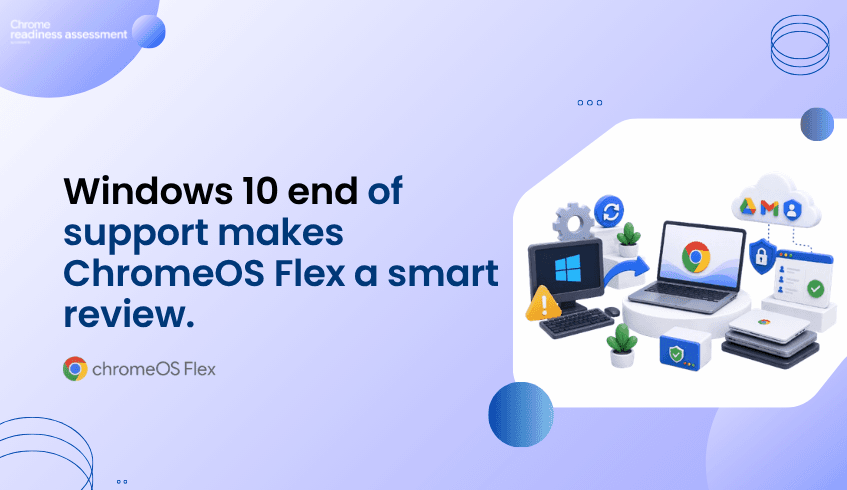
Windows 10 reached end of support on October 14, 2025, which means many organizations now need to decide what comes next for older PC fleets. Microsoft directs customers to move compatible devices to Windows 11 or replace devices that cannot remain supported. Windows 11 also has hardware requirements such as TPM 2.0, which can affect whether older PCs are eligible for upgrade.
For organizations with functional devices that are not ready for the next Windows path, ChromeOS Flex gives a practical alternative. It can turn existing PCs and Macs into secure, cloud-first endpoints and is provided free of charge.
But replacing the operating system should not happen without readiness visibility. Before moving existing devices to ChromeOS Flex, IT teams need to understand whether the current environment is ready and where migration gaps may exist. That is where Chrome Readiness Assessment helps.
Windows 10 end of support does not automatically mean every older device has no value. Many PCs may still be functional, especially for users who mainly work through cloud applications, browser-based tools, Google Workspace, SaaS platforms, and web systems.
ChromeOS Flex gives organizations a way to reuse those devices instead of moving directly into large hardware replacement. This can help reduce unnecessary device waste while supporting a more cloud-first endpoint direction.
The key is knowing which devices are suitable for that path. Not every older PC should be converted without review, and not every user workflow will be ready for ChromeOS Flex from day one.
ChromeOS Flex is designed to bring ChromeOS benefits to existing PCs and Macs. It can help organizations move older devices into a simpler browser-based environment, especially for teams that already rely on cloud tools.
This can be useful for shared devices, frontline teams, secondary devices, training environments, or users whose work does not depend heavily on local Windows applications. It gives IT teams another option between full hardware replacement and continuing to support aging endpoints.
For managed business use, ChromeOS Flex devices can be enrolled and managed with ChromeOS Enterprise Upgrade, allowing admins to apply policies and manage the devices through the Google Admin console.
ChromeOS Flex is not the same as buying a new Chromebook. Google recommends checking whether device models are certified, because ChromeOS Flex is officially supported on certified models. The certified models list also shows support status and end-of-support details for listed devices.
This is why readiness planning matters. A device may look usable today, but IT teams still need to understand whether it fits the organization’s long-term endpoint plan.
A better ChromeOS Flex rollout starts with a clear view of which devices are suitable, which ones need review, and which users may need another migration path.
Chrome Readiness Assessment helps organizations review environment readiness before moving toward ChromeOS or ChromeOS Flex. It gives IT teams a clearer understanding of where readiness gaps may exist, so migration planning can be based on real conditions instead of assumptions.
This helps teams avoid broad decisions like converting every older PC at once. Instead, they can plan around which parts of the environment appear ready, which areas need review, and where ChromeOS Flex may be a practical fit.
For a broader look at ChromeOS readiness, read ChromeOS Is Built for Modern Work. Is Your Environment Ready?.
Why does Windows 10 end of support matter for device planning?
Windows 10 end of support pushes organizations to decide whether to upgrade, replace, or review alternative endpoint options for older PCs.
What is ChromeOS Flex?
ChromeOS Flex is a cloud-first operating system that can be installed on many existing PCs and Macs, helping organizations reuse hardware for modern browser-based work.
Is ChromeOS Flex suitable for every older PC?
No. Device suitability should be reviewed first. Google officially supports ChromeOS Flex on certified models, so teams should check device compatibility before planning a rollout.
How does CRA support ChromeOS Flex planning?
Chrome Readiness Assessment helps teams understand whether their current environment is ready for ChromeOS migration and where readiness gaps may exist before devices are moved.
Why should organizations assess readiness before converting devices?
Readiness assessment helps reduce surprises. It gives IT teams a clearer view before making decisions about older PCs, ChromeOS Flex, and future endpoint planning.
ChromeOS Flex gives organizations a practical way to rethink older PC fleets after Windows 10 end of support. CRA helps make that move more controlled by giving teams readiness visibility before they convert existing devices to ChromeOS Flex.
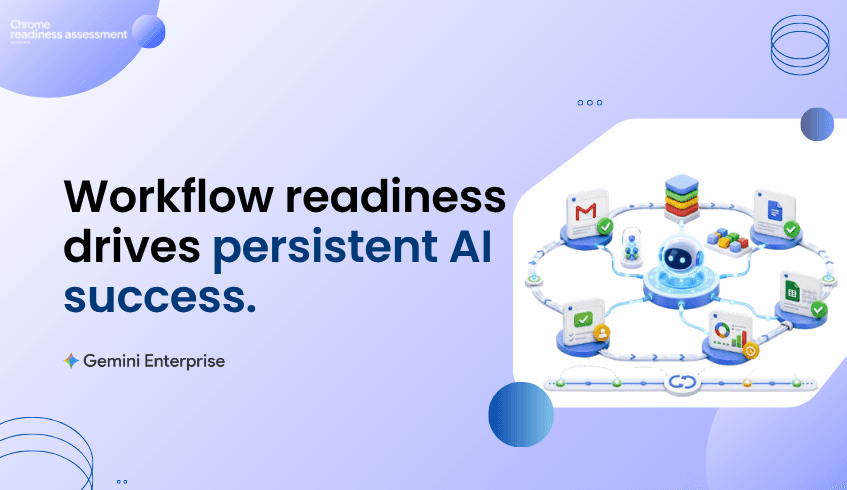
Gemini Enterprise is making enterprise agents more persistent and useful for real business work. Long-running agents can support complex, multi-step workflows for hours or days, while Memory Bank gives agents long-term context so they can remember user preferences, past history, and important details across sessions.
This changes how organizations should think about automation. Agents are no longer only for quick, one-time tasks. They can support work that continues over time, depends on context, and moves across different steps.
But persistent agents need the right workflows behind them. Before teams start planning long-running automation, they need to understand which workflows are repeated, which ones are suitable for review, and where readiness exists. That is where Agentic Workflows in Chrome Readiness Assessment helps.
Traditional automation often focuses on short tasks. A user gives an instruction, the system responds, and the task ends. Persistent agents move beyond that model because they can support longer business processes that continue in the background.
This is useful for work that involves follow-ups, updates, reviews, approvals, research, reporting, or cross-tool coordination. With Gemini Enterprise Agent Platform, agents can operate with stronger orchestration, governance, and long-term context through Memory Bank.
For organizations, this creates a bigger question. It is not only about whether agents can run longer. It is about whether the workflow itself is ready for that level of automation.
Memory Bank helps agents keep useful context across sessions. That can make agent experiences more personalized and more continuous because users do not need to restart the same explanation every time.
But memory works best when the workflow is understood clearly. If a process is messy, inconsistent, or poorly defined, persistent memory alone will not fix it. Teams still need to know how the workflow happens today, where repeated steps appear, and where human review may still be needed.
That is why workflow readiness matters. The more capable agents become, the more important it becomes to choose the right workflows before automation expands.
Long-running agents can support multi-step work over longer periods, but not every enterprise task should become a long-running agent workflow. Some tasks may happen too rarely. Some may depend heavily on human judgment. Others may involve sensitive actions that need review before automation is planned.
Agentic Workflows helps teams start with a clearer view. Instead of choosing automation ideas based only on assumptions, teams can review where repeated workflow patterns already exist and where automation planning may deserve attention.
This keeps Gemini Enterprise automation grounded in real work, not just interest in AI agents.
Agentic Workflows in CRA helps organizations understand workflow readiness before moving deeper into Gemini Enterprise automation. It gives teams visibility into how work happens across the current environment, helping IT and business teams identify where repeated workflows may be suitable for review.
The goal is not to automate everything. The goal is to understand where persistent agents could support meaningful work without adding unnecessary complexity.
This makes automation planning more practical. Teams can focus on workflows that have a clearer pattern, a stronger business reason, and a better fit for future agent support.
Gemini Enterprise is making agents more powerful with persistent execution, long-running workflows, and long-term context. But stronger agent capability should be matched with stronger workflow planning.
Agentic Workflows helps CRA support that planning stage. It helps teams move from “agents can do more” to “these workflows may be ready for deeper automation review.”
For a deeper look at the CRA feature behind this planning view, read See Which Workflows Are Ready for Gemini Enterprise Automation.
What are persistent AI agents?
Persistent AI agents can support work that continues beyond one short interaction. They can help with longer, multi-step workflows and keep context across sessions.
How does Memory Bank support Gemini Enterprise agents?
Memory Bank gives agents long-term contextual memory, helping them recall useful preferences, history, and details across sessions.
Why does workflow readiness matter before using long-running agents?
Workflow readiness helps teams understand which processes are repeated, practical, and suitable for review before building deeper automation around them.
How does Agentic Workflows help?
Agentic Workflows helps teams review workflow readiness before Gemini Enterprise automation planning. It gives organizations a clearer starting point for deciding where agents may support work.
Does Agentic Workflows automate tasks directly?
No. Agentic Workflows supports readiness visibility and planning. It helps teams understand where automation may make sense before implementation.
Persistent agents can make enterprise automation more useful, but the right workflows still need to be identified first. Agentic Workflows in CRA helps teams understand where readiness exists before long-running Gemini Enterprise automation becomes part of daily work.
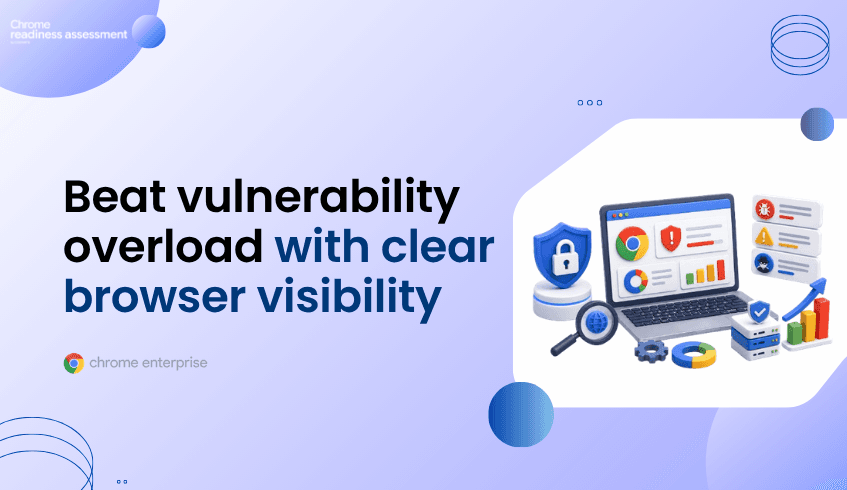
Application security pressure is increasing across web-facing environments, with higher attack volume, more zero-day activity, and growing vulnerability exposure creating more work for security teams.
Every vulnerability alert cannot become a manual investigation, and every risk cannot be treated with the same priority. Teams need better visibility into where exposure may exist inside the environments users depend on every day.
That is why browser risk visibility matters. Employees use the browser to access web apps, SaaS tools, internal systems, customer platforms, and sensitive data. Chrome Enterprise Premium supports secure enterprise browsing with threat, data, and access protection directly in the browser, while CEP Accelerator in Chrome Readiness Assessment helps teams review browser risks before strengthening CEP security planning.
A growing number of vulnerabilities does not automatically show security teams where to act first. Some risks may affect critical workflows, while others may have limited exposure. Some may require urgent action, while others may need monitoring or later review.
This is where context becomes important. Security teams need to understand where browser-level risk may exist across the organization, especially when users rely on browsers to reach cloud apps, internal tools, and business systems.
Without that visibility, teams can stay stuck in a reactive cycle. They may spend more time responding to alerts than building a focused secure browsing plan.
Enterprise users do much of their work through the browser. They access cloud platforms, internal systems, dashboards, collaboration apps, customer records, and business tools from browser sessions.
That makes browser risk important. Exposure can come from unsafe extensions, unsecured browsing, risky web destinations, unmanaged browser activity, or session-related concerns. These risks sit close to the applications and data users work with every day.
A stronger security plan should not only ask what vulnerabilities exist. It should also ask where browser-level exposure exists inside the organization.
CEP Accelerator in CRA helps organizations move from hidden browser risk to clearer security planning. It gives teams a way to understand browser risk areas before expanding Chrome Enterprise Premium adoption.
Instead of reacting to every external alert in isolation, teams can review their own browser environment and understand where attention may be needed first. This helps IT and security teams move from broad concern to focused action.
CEP Accelerator supports this by making browser risks clearer and easier to prioritize across the organization.
Browser Insights helps teams understand browser usage across the organization. This gives IT and security teams more context before making browser security decisions.
That context matters when vulnerability pressure is high. Teams can look beyond general threat trends and understand how browsers are actually used in their own environment.
For a deeper look at this CRA capability, read Spotlight on the Browser Insights Feature.
Patch management will always matter, but secure enterprise browsing needs more than reacting to each new vulnerability. Teams need a clearer way to understand risk inside the browser environment before deciding where stronger controls should be applied.
CEP Accelerator helps support that shift. It gives organizations browser risk visibility before expanding Chrome Enterprise Premium security planning, helping teams prioritize action with more confidence.
Why does vulnerability overload matter for browser security?
Vulnerability overload makes it harder for security teams to decide what needs attention first. Browser risk visibility helps teams understand where exposure may exist inside the environment users rely on every day.
How does Chrome Enterprise Premium support secure enterprise browsing?
Chrome Enterprise Premium supports threat, data, and access protection directly in the browser, helping organizations strengthen security where users access apps, systems, and sensitive data.
What does CEP Accelerator help teams understand?
CEP Accelerator helps teams review browser risk areas before stronger security action is planned. It gives teams visibility that can support clearer Chrome Enterprise Premium planning.
Does CEP Accelerator replace patching?
No. Patching remains important. CEP Accelerator helps teams add browser risk visibility so security planning is not based only on reactive patch management.
How does Browser Insights connect to this topic?
Browser Insights helps teams understand browser usage across the organization. This gives IT and security teams more context when planning secure enterprise browsing and Chrome Enterprise Premium adoption.
Vulnerability pressure will continue to challenge security teams. CEP Accelerator and Browser Insights help organizations respond with better browser risk visibility, giving teams a clearer starting point before strengthening secure enterprise browsing with Chrome Enterprise Premium.
PwC uses Google Chrome browser across 170 offices and more than 275,000 employees globally, helping teams protect customer data while working across Google Workspace and other cloud applications.
That makes this a strong example of enterprise browser adoption at scale. When employees already understand the browser they use every day, security adoption can become easier because teams do not need to adjust to a completely unfamiliar work experience.
For organizations exploring Chrome Enterprise Premium, the opportunity is clear. Secure enterprise browsing can help protect work that happens inside the browser. But before deploying CEP licenses across the device fleet, IT teams still need to understand whether their own environment is ready.
Security tools work better when they fit naturally into daily work. If employees already use Chrome to access business apps, documents, dashboards, and cloud tools, browser-based security can feel less disruptive than adding another unfamiliar layer.
That matters for large organizations. A security rollout can become harder when users need heavy training, new workflows, or major behavior changes. Chrome Enterprise helps teams bring security closer to the browser experience employees already know.
Modern enterprise work happens across web apps, SaaS platforms, internal systems, Google Workspace, and cloud-based tools. The browser is no longer just a place to search the web. It is where users access business data, customer information, and everyday workflows.
Chrome Enterprise secure browsing supports this model by helping organizations protect corporate data as users work securely on the web from anywhere and on any device. Chrome Enterprise Premium also supports secure access to applications and resources with integrated threat and data protection.
A browser security strategy can be strong, but rollout still needs planning. Every organization has its own devices, policies, users, and operational conditions. Some endpoints may be ready for CEP license deployment, while others may need review before rollout expands.
This is where readiness matters. A successful CEP rollout should not depend on assumptions. IT teams need a clear view of whether the current environment can support deployment and where readiness gaps may exist.
CEP Deployment Insight in Chrome Readiness Assessment helps organizations understand whether their device fleet is ready before deploying Chrome Enterprise Premium licenses. It gives IT teams readiness visibility so they can plan rollout with fewer surprises and avoid discovering blockers too late.
This helps connect the browser security goal with the practical rollout plan. Instead of only deciding that CEP is the right direction, teams can understand whether their own fleet is ready to move forward.
For a deeper look at this CRA feature, read Introducing CEP Deployment Readiness Insights.
What can organizations learn from PwC’s Chrome adoption?
PwC’s use of Chrome across a large global workforce shows how a familiar browser can support secure cloud work at scale while helping employees remain productive across Workspace and other cloud applications.
Why does browser familiarity matter for security adoption?
Browser familiarity can reduce change-management friction. When users already work in Chrome, security teams can strengthen browser protection without forcing employees into a completely unfamiliar tool.
How does Chrome Enterprise Premium support secure enterprise browsing?
Chrome Enterprise Premium supports secure access to applications and resources with integrated threat, data, and access protection directly in the browser.
Why should organizations check readiness before deploying CEP?
Readiness helps IT teams understand whether their current device fleet can support CEP license deployment. This reduces rollout surprises and helps teams plan adoption more confidently.
How does CRA support CEP planning?
Chrome Readiness Assessment helps teams review environment readiness before deploying Chrome Enterprise Premium. CEP Deployment Insight gives IT teams a clearer view of readiness gaps so rollout planning can be based on real conditions.
Secure browser adoption works best when security fits naturally into how employees already work. Chrome Enterprise shows how browser-based security can scale across large organizations, while CEP Deployment Insight in CRA helps teams understand whether their own environment is ready before moving toward Chrome Enterprise Premium.
TELUS uses Chrome Enterprise Premium for fast, secure onboarding, helping new employees access the tools they need three to four times faster than before. TELUS also uses Chrome Enterprise Premium to protect sensitive customer data across a large cloud environment while supporting strong security standards for individual users.
That kind of secure access matters for organizations with large teams, distributed locations, and strict data protection requirements. New employees need access to the right cloud tools quickly, but that access still needs to be controlled, protected, and aligned with enterprise security policies.
Chrome Enterprise Premium supports secure enterprise browsing by bringing threat, data, and access protection directly into Chrome. But before an organization deploys CEP licenses across its own device fleet, IT teams need to know whether the environment is ready. That is where CEP Deployment Insight in Chrome Readiness Assessment helps.
Modern onboarding depends on fast access to cloud applications, internal tools, communication platforms, customer systems, and shared business resources. For many employees, the browser becomes the main place where that work begins.
This makes secure enterprise browsing an important part of the onboarding experience. New users should be able to start work quickly, but IT teams still need control over how access is granted, which devices are used, and whether security policies can be applied consistently.
Chrome Enterprise Premium supports this model by helping organizations secure access to web applications and business resources through the browser. Instead of treating the browser as only a productivity tool, CEP helps turn it into a stronger security control point.
TELUS needed to support fast access for a global workforce while protecting sensitive customer data. Chrome Enterprise Premium helped TELUS improve secure access without slowing down productivity, and new employees gained access to required tools three to four times faster than before.
TELUS also built a zero-trust, browser-based app streaming solution using ChromeOS, Chrome Enterprise Premium, and Cameyo. This direction helped TELUS improve login speed, support productivity, and protect internal and customer data.
For other organizations, the lesson is practical. Chrome Enterprise Premium can support faster secure access, but rollout success depends on whether the existing device environment is ready for CEP license deployment.
CEP Deployment Insight in Chrome Readiness Assessment helps organizations understand whether their device fleet is ready before deploying Chrome Enterprise Premium licenses. It gives IT teams a clearer readiness view across the current environment, so rollout planning can be based on real conditions instead of assumptions.
The feature organizes CEP readiness across four main areas:
OS & Hardware Compatibility
Connectivity & Network Readiness
Migration Risks & Legacy Dependencies
Policy Conflicts & Operational Health
This helps IT teams understand which areas may affect deployment and where review may be needed before CEP licenses are rolled out more broadly.
Large device fleets can create many readiness signals, but IT teams need to know which issues matter most. CEP Deployment Insight helps identify top deployment blockers so teams can focus on the issues that may create the greatest rollout risk.
This is especially important for organizations that want faster secure onboarding. If endpoint readiness issues are not handled early, new employees may wait longer for access, IT teams may need more manual setup work, and deployment timelines may become harder to manage.
By seeing which devices are impacted by CEP readiness blockers, teams can decide what should be fixed first, which groups can move forward, and which endpoints may need a separate remediation path.
TELUS gives organizations a strong example of how Chrome Enterprise Premium can support fast, secure access for modern work. But every organization has its own device fleet, policies, dependencies, and readiness conditions.
CEP Deployment Insight helps teams take a practical first step before deploying CEP licenses. It helps IT teams understand where the fleet is ready, where blockers may exist, and which endpoint issues should be reviewed before rollout expands.
For a deeper look at the CRA feature that supports this readiness view, read Introducing CEP Deployment Readiness Insights.
How does Chrome Enterprise Premium support secure onboarding?
Chrome Enterprise Premium supports secure onboarding by helping employees access business applications through a secure browser environment with threat, data, and access protection directly in Chrome.
What can organizations learn from TELUS?
TELUS shows how Chrome Enterprise Premium can support faster secure access while protecting sensitive customer data. New TELUS employees can access the tools they need three to four times faster than before.
Why does CEP deployment readiness matter?
CEP deployment readiness matters because not every endpoint may be ready for license deployment. Some devices may face compatibility, connectivity, legacy dependency, policy, or operational blockers.
What does CEP Deployment Insight help teams review?
CEP Deployment Insight helps teams review fleet readiness before deploying Chrome Enterprise Premium licenses. It focuses on OS and hardware compatibility, connectivity and network readiness, migration risks and legacy dependencies, and policy conflicts and operational health.
How do deployment blockers affect onboarding?
Deployment blockers can delay secure access for users if they are discovered during rollout. Identifying blockers earlier helps IT teams support smoother onboarding and reduce deployment surprises.
How does CRA support CEP rollout planning?
Chrome Readiness Assessment helps IT teams understand whether their current fleet is ready for CEP license deployment. CEP Deployment Insight gives teams visibility into readiness gaps, top blockers, impacted devices, and device-level readiness details.
Fast onboarding works best when secure access and deployment readiness move together. Chrome Enterprise Premium gives organizations a stronger secure browsing direction, while CEP Deployment Insight in CRA helps teams understand whether their own device fleet is ready before deploying CEP licenses at scale.
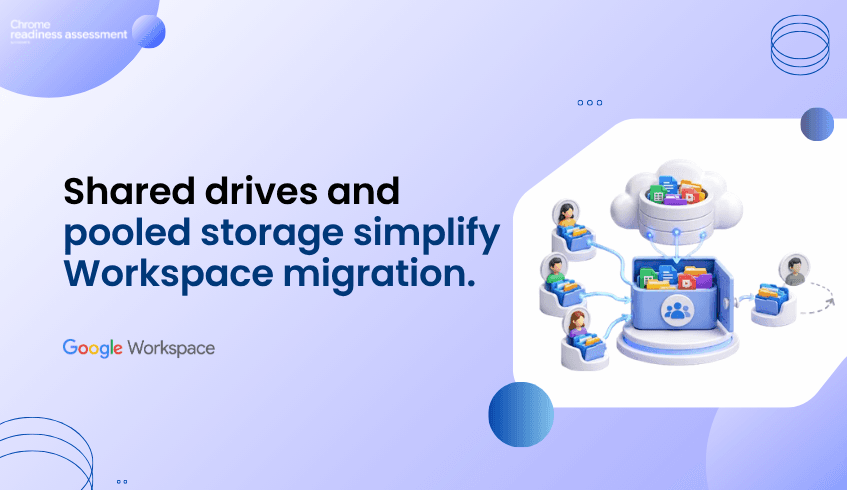
Google Workspace gives organizations a more flexible way to manage business files, team storage, and shared work. Instead of keeping files and storage tied too closely to individual users, Workspace helps teams work from a cloud environment where storage can be shared across the organization and important project files can stay with the team.
Google Workspace provides flexible pooled storage per user that is shared across the organization. Business Standard provides 2 TB pooled storage per user, while Business Plus and Enterprise Plus provide 5 TB pooled storage per user.
Shared Drives also help teams protect continuity because files belong to the team instead of one individual. If someone leaves the shared drive, the files they added stay in place for the team.
For organizations planning a Google Workspace migration, this matters. Storage, file ownership, and collaboration structure should be reviewed before users move. Workspace Readiness in Chrome Readiness Assessment helps teams understand what productivity tools are used today, where Google Workspace alternatives may fit, and where hidden blockers may need review.
Storage needs are rarely equal across every user. Some employees may use very little storage, while others work with large reports, creative files, presentations, project assets, or shared department content.
Pooled storage makes this easier to manage because storage is shared across the organization instead of being limited only by individual usage patterns. This gives teams more flexibility when storage needs change across departments or roles.
For migration planning, this gives IT teams a more practical storage model. Instead of only thinking about individual user limits, organizations can plan around how storage is used across the business.
File ownership can become a problem when important project files are stored in personal drives. If an employee leaves, changes roles, or loses access, teams may need to spend time recovering or transferring files.
Shared Drives help reduce that issue because files belong to the team. Project plans, reports, meeting notes, campaign assets, and operational documents can stay in a shared space even when team membership changes.
This supports stronger continuity. Teams can keep working from the same shared location without depending on one user account to control access to important files.
A Google Workspace migration is not only about moving files into Drive. It is also about deciding how teams should store, access, and manage work after the move.
Some files may belong in personal My Drive spaces. Others should live in Shared Drives because they support team or department work. Without planning, organizations may move content but still carry over old file ownership problems.
That is why migration planning should include storage structure, Shared Drive use, access management, and current productivity tool dependency.
Workspace Readiness in Chrome Readiness Assessment helps teams understand what users rely on before moving to Google Workspace. It helps identify office productivity tools used, usage time for each application, macro usage, Google Workspace alternatives, unused license opportunities, and hidden blockers before migration.
This helps IT teams plan with more clarity. If users still depend heavily on certain desktop productivity tools, those areas may need review. If some tools are rarely used, the organization may have an opportunity to simplify before migration. If Google Workspace alternatives are available, teams can plan the move with more confidence.
Workspace Readiness does not replace file migration planning or Shared Drive design. It gives teams a clearer starting point by showing how the current productivity environment is being used before the move.
Pooled storage and Shared Drives make Google Workspace more practical for organizations that want flexible storage and stronger team file continuity. Pooled storage helps capacity serve the organization more efficiently, while Shared Drives help keep important files connected to teams instead of individual users.
Workspace Readiness helps organizations prepare for that move by showing what users rely on today. With better visibility into productivity tools, usage patterns, and possible blockers, IT teams can plan Google Workspace migration with fewer assumptions and more confidence.
What is pooled storage in Google Workspace?
Pooled storage is storage shared across the organization. It helps teams use storage more flexibly instead of treating capacity only as isolated individual space.
Why do Shared Drives matter for organizations?
Shared Drives help keep files connected to the team. If a member leaves, the files they added remain available in the shared drive.
Why should storage planning happen before migration?
Storage planning helps teams decide where files should live, who should access them, and how team-owned content should be managed after moving to Google Workspace.
Does Workspace Readiness assess Shared Drive structure directly?
No. Workspace Readiness supports broader Google Workspace migration planning by helping teams understand current productivity tool usage, Workspace alternatives, macro usage, and possible blockers.
How does CRA support Google Workspace migration?
Chrome Readiness Assessment gives IT teams visibility into the current productivity environment before migration. This helps teams understand what users rely on today and where the move may need more planning.
Google Workspace helps organizations manage storage and team files in a more flexible way. Workspace Readiness in CRA helps teams take the first step by understanding the current productivity environment before moving users into Google Workspace.
Snap uses Chrome Enterprise Premium to support secure enterprise browsing at scale, protect company data, improve visibility into Chrome deployment, and enable zero-trust access across more than 400 internally built and Google Workspace applications.
For organizations exploring Chrome Enterprise Premium, this is a strong example of how secure enterprise browsing can support modern work. Chrome has become a central place where employees access internal systems, cloud applications, business tools, and sensitive data.
But moving toward Chrome Enterprise Premium is not only a security decision. It is also a deployment readiness decision. Before CEP licenses are rolled out across a device fleet, IT teams need to understand whether the current environment is ready, where blockers may exist, and which devices may need review first.
That is where CEP Deployment Insight in Chrome Readiness Assessment helps.
Chrome Enterprise Premium gives organizations a stronger way to protect work that happens inside the browser. It brings advanced security into Chrome with threat protection, data protection, and access protection for enterprise web activity.
This matters because enterprise work now depends heavily on browser access. Employees open SaaS platforms, internal applications, dashboards, customer tools, Google Workspace apps, and private web applications through the browser. When the browser becomes the main work surface, it also becomes an important security control point.
Chrome Enterprise Premium helps organizations strengthen that control point. It supports safer access to web applications, stronger protection against web-based threats, and data protection capabilities that help reduce sensitive data exposure across browser activity.
Snap’s use of Chrome Enterprise Premium highlights how browser security can become part of a larger enterprise security strategy. The goal is not only to manage Chrome as a browser. The goal is to create a secure, controlled, and visible way for employees to access the applications and data they need.
For large organizations, this kind of browser strategy matters because users may work across many internal and cloud-based systems every day. Without strong browser visibility and access control, IT and security teams may struggle to understand how users interact with sensitive applications.
Chrome Enterprise Premium helps support that direction through secure enterprise browsing, data protection, and zero-trust access controls. For organizations that want a similar path, the next question becomes practical: is the current fleet ready for CEP deployment?
Chrome Enterprise Premium can bring strong security value, but deployment success depends on the condition of the current device environment. Not every endpoint may be ready for CEP license deployment at the same time.
Some devices may have operating system or hardware compatibility issues. Others may face network readiness problems, migration risks, legacy dependencies, policy conflicts, or operational health concerns. These issues can affect whether CEP licenses can be deployed smoothly across the organization.
This is why readiness needs to come before rollout. A company may be ready from a security strategy perspective, but parts of the fleet may still need review before deployment can expand.
A CEP rollout can become difficult when device-level issues are not visible early. IT teams may plan a broad deployment, only to discover that certain endpoints cannot move forward without remediation.
These issues can appear in different areas. OS and hardware compatibility may affect whether a device can support the deployment path. Connectivity and network readiness may affect whether services can be reached reliably. Migration risks and legacy dependencies may create user or application concerns. Policy conflicts and operational health issues may prevent a smooth rollout.
When these blockers are discovered late, IT teams may face delays, support pressure, and user disruption. When they are identified earlier, teams can plan rollout phases more confidently.
CEP Deployment Insight in Chrome Readiness Assessment helps organizations understand whether their fleet is ready before deploying Chrome Enterprise Premium licenses. It gives IT teams a clearer view of deployment readiness across endpoint devices, so rollout planning can be based on real readiness data instead of assumptions.
The feature organizes readiness across four main categories:
OS & Hardware Compatibility
Connectivity & Network Readiness
Migration Risks & Legacy Dependencies
Policy Conflicts & Operational Health
This helps teams understand where readiness gaps may exist and which areas need attention before rollout expands. Instead of treating every device the same way, IT teams can plan around the actual condition of the fleet.
Snap’s Chrome Enterprise journey gives organizations a useful view of what secure enterprise browsing can look like at scale. But every organization has its own device fleet, policies, dependencies, and operational conditions.
That is why the next step should be readiness planning. Before deploying Chrome Enterprise Premium licenses across the organization, IT teams need to understand whether their environment can support the rollout.
CEP Deployment Insight helps connect Chrome Enterprise interest with practical deployment planning. It gives teams a clearer way to understand readiness, identify blockers, and decide where rollout can begin with less risk.
Chrome Enterprise Premium can support a stronger secure browsing strategy, but deployment success depends on the readiness of the existing device fleet. Before rolling out CEP licenses across the organization, IT teams need to understand which devices are ready, which ones may face blockers, and which readiness categories need attention.
For a deeper look at how CRA helps teams identify deployment blockers before rollout, read Introducing CEP Deployment Readiness Insights.
How does Chrome Enterprise Premium support secure enterprise browsing?
Chrome Enterprise Premium helps organizations strengthen browser security with threat protection, data protection, and access protection directly in Chrome. It supports secure access to web applications and helps protect sensitive data across browser activity.
What can organizations learn from Snap’s Chrome Enterprise journey?
Snap uses Chrome Enterprise Premium to protect data, improve Chrome deployment visibility, and support zero-trust access across more than 400 internally built and Google Workspace applications. This gives other organizations a practical example of secure enterprise browsing at scale.
Why does CEP deployment readiness matter?
CEP deployment readiness matters because not every device may be ready for license deployment. Some endpoints may have compatibility issues, network gaps, migration risks, policy conflicts, or operational blockers that need review first.
What does CEP Deployment Insight help teams review?
CEP Deployment Insight helps teams review device readiness before deploying Chrome Enterprise Premium licenses. It focuses on OS and hardware compatibility, connectivity and network readiness, migration risks and legacy dependencies, and policy conflicts and operational health.
How do top deployment blockers help IT teams?
Top deployment blockers help IT teams understand which issues may affect rollout the most. This makes it easier to prioritize remediation and plan deployment phases more effectively.
Why are device-level readiness details important?
Device-level readiness details help IT teams see deployment readiness per endpoint device. This reduces rollout surprises and helps teams decide which devices can move forward and which ones need review.
Chrome Enterprise Premium gives organizations a strong path toward secure enterprise browsing. CEP Deployment Insight in CRA helps make that path more practical by showing whether the device fleet is ready, where blockers may exist, and how CEP license deployment can move forward with more confidence.
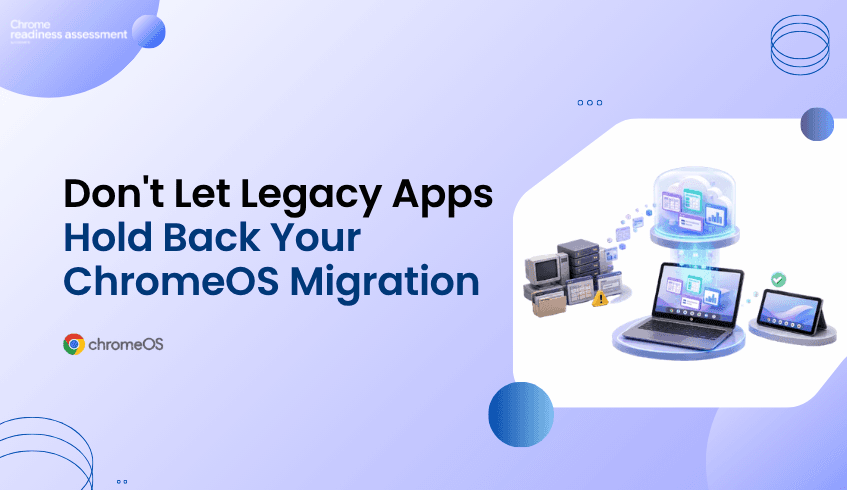
Many organizations want to move toward ChromeOS and Chromebooks because they support a secure, cloud-first, and easier-to-manage endpoint model. But migration planning can become difficult when teams still depend on legacy applications that are not fully ready for ChromeOS.
This does not mean the entire migration has to stop. Some users may be ready for ChromeOS today, while others may still need access to older business applications, internal tools, or specialized software. Application virtualization can help bridge that gap by allowing organizations to keep important app access available while still moving forward with endpoint modernization.
Chrome Readiness Assessment helps teams understand where virtualization may fit into the migration plan. Instead of guessing which applications could block ChromeOS adoption, CRA gives IT teams a clearer view of the current environment and helps identify where Cameyo compatibility may need to be reviewed.
ChromeOS migration is rarely blocked by the idea of ChromeOS itself. The bigger challenge is often the existing application environment. Many organizations have business-critical tools that were built for older operating systems, local desktop workflows, or specific device setups.
These applications may still support daily work in finance, operations, customer support, manufacturing, healthcare, logistics, or administration. Some may be used by only a small number of employees, but those users may still need the tools to complete important tasks. When these dependencies are not visible, IT teams may delay a broader ChromeOS migration because they are unsure which apps are safe to move and which ones need another path.
This is where the planning conversation needs to change. A legacy application should not automatically delay every user, every department, or the full device strategy. Teams need a way to separate users who are ready for ChromeOS from workflows that still need legacy app access.
Application virtualization gives organizations a way to keep legacy or specialized applications available without tying every user to a traditional endpoint model. Instead of keeping an entire device fleet on older systems because of a few critical applications, teams can review whether virtual app delivery can support specific workflows during migration.
This makes ChromeOS migration more flexible. Ready users can move forward with Chromebooks, while complex application needs can be reviewed separately. Virtualization becomes a bridge between the current environment and the future endpoint strategy.
This matters because modernization does not always happen all at once. Some applications may eventually be replaced by SaaS tools. Some may move to web-based alternatives. Others may remain important for a longer period. Virtualization helps organizations keep momentum while those decisions are being made.
A successful ChromeOS migration does not need to start with the most complex users. It can begin with teams whose work already happens mostly through cloud apps, browser-based systems, Google Workspace, SaaS tools, or internal web platforms.
Virtualization supports this phased approach because it gives IT teams more options. If a group is mostly ready for ChromeOS but still needs one or two legacy applications, virtualization may help reduce the need to keep those users fully tied to older devices.
This can make rollout planning more practical. IT teams can move ready users first, review app-dependent teams separately, and avoid turning one difficult application into a blocker for the entire migration. The goal is not to force every workflow into ChromeOS immediately. The goal is to keep migration moving while handling legacy dependencies with more control.
Virtualization can be useful, but it should not be treated as a universal shortcut. Some applications may work well through a virtual delivery model, while others may need replacement, redesign, web modernization, or deeper technical review.
Performance requirements, user experience, licensing, peripheral needs, offline requirements, data access, and workflow complexity can all affect whether virtualization is the right option. A simple internal tool may be a better candidate than a highly specialized application that depends on local hardware or complex integrations.
This is why visibility matters before decisions are made. IT teams need to know which applications are used, who uses them, how important they are, and whether they may be suitable for a virtualized path. Without that view, teams may either overuse virtualization or miss opportunities where it could help migration move forward.
One of the biggest advantages of virtualization is that it helps separate application dependency from device strategy. In many organizations, users remain on traditional endpoints because of a small number of applications. The device is not always the problem. The dependency is.
When application access can be handled through another delivery model, IT teams gain more freedom to rethink the endpoint environment. More users may become candidates for Chromebooks. More workflows may become easier to support through cloud-first devices. More departments may be able to move without waiting for every legacy application to be replaced.
This creates a more realistic modernization path. ChromeOS adoption can continue while legacy app decisions are handled in parallel.
Chrome Readiness Assessment helps IT teams move from broad ChromeOS interest to practical migration planning. By giving organizations a clearer view of their current environment, CRA helps teams understand where readiness gaps may exist before making fleet changes.
For virtualization planning, this visibility is especially useful. CRA helps teams review application readiness and understand where certain applications may need another path before users move to ChromeOS. If an application is not fully ready for ChromeOS, IT teams can review whether virtualization may support that workflow instead of delaying the entire migration.
This helps teams make better decisions earlier. Instead of discovering app blockers after rollout begins, organizations can identify where virtual app delivery may need to be considered during planning.
Cameyo can support virtual app delivery for organizations moving toward ChromeOS. Within CRA, Cameyo compatibility gives IT teams a practical signal when reviewing applications that may not move directly to ChromeOS.
This does not mean every application should automatically be virtualized. It means teams can use compatibility insight as part of a broader review. Some applications may be good candidates for Cameyo. Others may need replacement, further testing, or another migration path.
For a deeper look at the CRA feature side of this topic, read How CRA Helps Identify Applications for Cameyo Virtualization. That article focuses more directly on Cameyo compatibility inside CRA, while this blog focuses on virtualization as a broader ChromeOS migration strategy.
Legacy applications should not automatically stop endpoint modernization. They should be reviewed, understood, and planned around. Virtualization gives organizations a way to keep important application access available while still moving toward ChromeOS and Chromebooks.
CRA helps make that planning more practical. By giving IT teams readiness visibility before migration begins, Chrome Readiness Assessment helps organizations understand where ChromeOS adoption can move forward, where app dependencies need review, and where Cameyo compatibility may support a smoother transition.
How can virtualization support ChromeOS migration?
Virtualization can help users access legacy or specialized applications while the organization moves toward ChromeOS. This allows teams to continue migration planning without waiting for every application to be replaced first.
Does virtualization replace application modernization?
No. Virtualization is not always a permanent replacement for modernization. It can act as a bridge while teams decide whether an application should be replaced, moved to a SaaS alternative, redesigned, or kept available through virtual delivery.
Why do legacy applications slow ChromeOS migration?
Legacy applications can slow migration when users still depend on tools that are not fully ready for ChromeOS. Without visibility, IT teams may delay broader rollout because they do not know which applications create blockers.
How does CRA help with virtualization planning?
Chrome Readiness Assessment helps teams understand where readiness gaps may exist before ChromeOS migration. It supports application review and helps identify where virtualization may need to be considered.
What is Cameyo compatibility in CRA?
Cameyo compatibility helps IT teams review whether certain applications may be suitable for virtual app delivery. This can support ChromeOS migration planning when an application is not fully ready for direct ChromeOS use.
Should every legacy app be virtualized?
No. Some applications may be better suited for replacement, SaaS alternatives, or further technical review. Virtualization should be considered where it supports user needs, migration goals, and long-term application strategy.
Virtualization helps organizations keep ChromeOS migration moving without ignoring legacy application needs. CRA gives IT teams a clearer way to understand where virtualization may fit, where Cameyo compatibility should be reviewed, and how to move toward ChromeOS with less uncertainty.
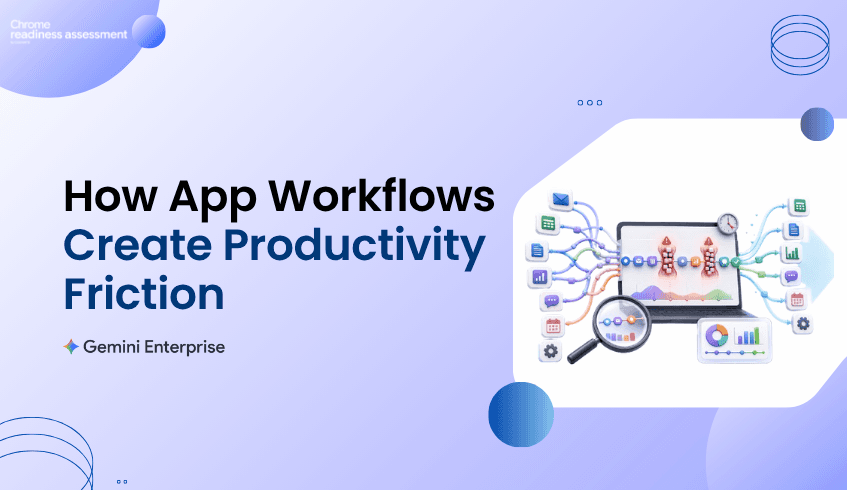
Productivity does not always slow down because teams lack tools. It often slows down because work is spread across too many applications, repeated steps, manual handoffs, and small actions that happen again and again throughout the day.
A team may move from email to a spreadsheet, then into a business application, then back into a document or reporting tool. Each step may look simple on its own, but across many users and repeated workflows, those small movements can create real productivity friction.
Chrome Readiness Assessment helps organizations understand these workflow patterns through Agentic Workflows. Instead of only looking at which apps are installed or used, CRA helps teams see how work moves across applications and where repeated patterns may be slowing teams down.
Many productivity problems are not obvious at first. A workflow may feel normal because employees have repeated it for months or years. Teams may be used to switching between apps, copying information, checking the same systems, updating records, or recreating reports manually.
The problem is that these repeated actions can quietly consume time. A few minutes lost in one workflow may not look serious, but when the same pattern happens across many users or devices, the impact becomes larger. Productivity slowdown often comes from the combined effect of small, repeated steps.
This is why workflow visibility matters. Organizations need to understand how work actually moves across apps before they can improve the way teams operate.
Modern teams use multiple applications to complete a single task. That is normal, but frequent app switching can create friction when users need to move between tools just to finish one workflow.
For example, a user may check a request in one application, verify details in another, update a spreadsheet, send a message, and then record the outcome somewhere else. This kind of workflow may not feel like a major issue when viewed once, but repeated app switching can slow down focus and create unnecessary manual effort.
Agentic Workflows help make those patterns easier to review. By showing repeated application sequences, CRA helps teams understand where workflows may be fragmented and where users may be spending time moving between tools instead of completing the work itself.
A workflow bottleneck is not always a broken process. Sometimes it is a process that technically works but takes too many steps. These workflows can become part of everyday routine, which makes them harder to notice.
Repeated workflows can appear in reporting, approvals, customer updates, internal tracking, ticket review, operations, finance tasks, HR requests, and project coordination. Each workflow may involve multiple tools, repeated checks, and manual updates that slow the user down.
CRA helps organizations look at these patterns from a workflow perspective. Instead of only asking which applications are used, teams can begin asking how those applications are connected through daily work and where productivity may be getting delayed.
Productivity improvement should be based on more than opinions. A workflow may feel frustrating, but teams still need a way to understand whether it takes meaningful time across the organization.
Agentic Workflows help connect repeated workflow patterns with time spent. This gives IT, operations, and business teams a clearer view of where attention may be needed. If a repeated workflow consumes noticeable time across users, it may deserve deeper review.
This does not mean every repeated workflow should be changed immediately. Some workflows may be necessary, sensitive, or dependent on business judgment. But time visibility helps teams decide where to investigate productivity friction first.
Productivity problems often sit between business teams and IT teams. Business teams understand where daily work feels slow, while IT teams understand the applications, systems, access paths, and device environments that support that work.
Without shared visibility, the conversation can become too general. A business team may say a workflow is slow, while IT may not have enough context to see where the slowdown is happening. Agentic Workflows help bring both sides closer to the same view.
With clearer workflow visibility, teams can discuss repeated app sequences, time spent, and workflow friction in a more practical way. This makes it easier to decide whether a process needs simplification, better tooling, stronger guidance, or future automation review.
Gemini Enterprise adoption becomes more useful when organizations understand where productivity is being slowed down. AI agents can support many types of work, but the best starting point is often a clear understanding of where repeated effort already exists.
Agentic Workflows helps teams identify workflow friction before moving into deeper AI planning. This keeps the conversation practical. Instead of starting with broad automation ideas, teams can first review where daily app workflows create repeated effort, time loss, or operational friction.
For organizations exploring Gemini Enterprise, this kind of visibility can help connect productivity goals with real workflow behavior. The focus is not only on automation. It is about understanding where teams may need better support across the way they already work.
Chrome Readiness Assessment helps organizations review workflow friction from a practical environment view. Agentic Workflows gives teams a way to understand repeated app journeys, where work may be slowing down, and which patterns may deserve closer review.
This helps organizations avoid guessing. Instead of relying only on employee feedback or isolated productivity complaints, teams can use workflow visibility to understand where repeated app usage may be creating friction across daily work.
That insight can support better decisions across IT planning, operations improvement, Gemini Enterprise adoption, and future workflow modernization. It gives teams a clearer way to move from “work feels slow” to “these workflow patterns need attention.”
This blog focuses on productivity slowdown and workflow friction. For a broader look at how organizations can turn automation ideas into a readiness plan, read Turning Enterprise Workflow Automation Ideas Into a Readiness Plan.
That article focuses more on automation planning. This post focuses on the earlier productivity question: where daily app workflows may be creating friction before teams decide what needs to change.
Enterprise productivity is not only about adding more tools. It is about understanding how work moves across the tools teams already use.
Agentic Workflows helps CRA give organizations a clearer view of repeated app workflows, time spent, and productivity friction. With that visibility, teams can better understand where work slows down, where processes may need review, and where Gemini Enterprise adoption may support a more efficient way of working.
What are Agentic Workflows in CRA?
Agentic Workflows helps organizations review repeated app workflows and understand how users move across applications during daily work. This gives teams better visibility into workflow patterns and productivity friction.
How can app switching slow productivity?
App switching can slow productivity when users need to move between multiple tools to complete one task. Repeated switching can create time loss, manual effort, and workflow friction across teams.
Why does workflow visibility matter for enterprise productivity?
Workflow visibility helps teams understand where repeated work happens, how much time workflows may consume, and where daily processes may need review.
Does Agentic Workflows automate tasks directly?
No. Agentic Workflows helps teams understand workflow patterns. It supports planning by giving visibility into repeated app usage and productivity slowdown before teams decide what should change.
How does this support Gemini Enterprise adoption?
Agentic Workflows can help teams understand where repeated effort and workflow friction exist before exploring Gemini Enterprise adoption. This makes AI planning more practical and grounded in real workflow behavior.
How is this different from the previous Agentic Workflows blog?
The previous blog focused on turning automation ideas into a readiness plan. This blog focuses on productivity slowdown, app switching, and workflow friction across daily enterprise work.
Agentic Workflows helps organizations move from vague productivity concerns to clearer workflow insight. By showing where repeated app journeys may be slowing teams down, CRA gives IT and business teams a stronger starting point for improving how work gets done.