Explore key tools, smart features, and expert insights...
The July 2026 Windows patch cycle addressed at least 570 security flaws across Microsoft’s Windows operating systems and related enterprise software. For IT and security teams, this kind of patch pressure is more than a monthly maintenance task. It is a reminder to review how much operational effort traditional endpoint fleets can create.
Windows environments remain important for many organizations, but large endpoint fleets often come with ongoing patching, legacy application dependencies, local software management, device variation, and support complexity. When those issues grow, teams may start asking whether every user, workflow, and device still needs the same traditional endpoint model.
ChromeOS and Chromebooks give organizations a secure, cloud-first endpoint direction with built-in protections, automatic updates, sandboxing, and Verified Boot. But moving from a Windows-heavy fleet to ChromeOS should not begin with assumptions. Chrome Readiness Assessment helps IT teams see whether their current fleet, applications, peripherals, browser usage, and workflows are ready before migration begins.
Security patching is a normal part of enterprise IT, but patch volume can reveal a deeper challenge. When teams need to manage hundreds of vulnerabilities across operating systems, applications, and related software, the workload becomes more than installing updates. It becomes a question of operational sustainability.
Traditional endpoint fleets can carry many layers of responsibility. IT teams need to manage OS updates, device compatibility, application dependencies, browser versions, local configurations, security tools, user impact, and support requests. A patch may be necessary, but rollout planning still needs testing, timing, communication, and follow-up.
This is where endpoint modernization becomes important. Organizations do not need to move every user away from Windows overnight, and not every workflow is ready for ChromeOS. But patch pressure can help teams identify where a simpler, cloud-first endpoint model may reduce long-term complexity.
ChromeOS is designed around a security-first approach that helps reduce common endpoint risks. ChromeOS security uses Verified Boot to check the system at startup, sandboxing to help isolate threats, and automatic updates to keep devices current with less manual effort.
This matters for organizations that want a more manageable endpoint environment. Instead of relying heavily on manual patch deployment and local software maintenance, ChromeOS helps keep devices updated in the background. ChromeOS releases a full OS update about every four weeks, while minor security fixes and software updates happen every two to three weeks.
No operating system removes every security risk. But ChromeOS gives IT teams a different endpoint model: one that reduces dependency on complex local environments and supports a more consistent, cloud-first device experience.
Chromebooks can be a strong fit for teams that work mainly through cloud applications, browser-based systems, Google Workspace, virtualized apps, SaaS platforms, and secure web access. For these users, the device does not need to carry the same level of local software complexity as a traditional endpoint.
This can reduce the burden of managing local applications, user-installed tools, outdated software, and device-specific issues. When more work happens through managed browser and cloud experiences, IT teams can simplify how users access business systems while maintaining stronger control over the endpoint environment.
That simplicity becomes valuable at scale. A large fleet with many device types, app versions, and local configurations can be difficult to manage consistently. Chromebooks help organizations move toward a cleaner endpoint model where updates, policies, and security controls are easier to standardize.
A ChromeOS direction can be attractive, but migration needs careful planning. Many organizations still depend on Windows-based applications, Office workflows, local tools, peripherals, internal systems, and browser-specific behaviors. Some workflows may move easily to ChromeOS, while others may need alternatives, virtualization, or phased planning.
This is why a migration should not begin only with the idea that Chromebooks are secure or easier to manage. IT teams need to understand which users are ready, which devices can move, which applications may create blockers, and which business processes need more review.
Without readiness visibility, a migration can create user disruption. A team may discover too late that a critical application does not work properly, a peripheral is unsupported, or a workflow depends on a local Windows tool. These issues can slow rollout and reduce user confidence.
Chrome Readiness Assessment helps IT teams understand whether their current environment is ready for ChromeOS migration. It gives organizations a clearer view of where readiness gaps may exist, so migration planning can be based on real environment data instead of assumptions.
This helps teams move beyond broad assumptions. Instead of asking, “Can we move to Chromebooks?” IT teams can ask more practical questions: Which devices are ready? Which users depend on Windows applications? Which workflows need review? Which parts of the fleet can move first?
That visibility makes ChromeOS migration more structured. Teams can identify low-risk groups for early rollout, separate users who need more review, and plan remediation before disruption reaches end users.
CRA helps reduce ChromeOS migration risk by showing where the current fleet may be ready and where blockers may exist. This is important because endpoint modernization affects more than the device itself. It touches applications, browser behavior, user workflows, peripherals, and support expectations.
For example, some users may already work mostly through cloud applications and browser-based systems. These users may be strong candidates for Chromebooks. Other users may depend on local Windows applications, specialized peripherals, or workflows that need alternatives before migration. CRA helps IT teams see those differences before rollout begins.
This gives organizations a better way to phase the move. Instead of replacing devices broadly, teams can start with the users and device groups that show stronger readiness, then review more complex areas separately.
Large Windows patch cycles can push organizations to rethink endpoint strategy, but the goal should not be reactionary migration. The stronger approach is to use that pressure as a reason to review the current environment and plan a safer, more manageable device direction.
ChromeOS and Chromebooks give organizations a strong path toward secure, cloud-first endpoint modernization. CRA helps make that path practical by showing whether the existing fleet is ready, where blockers may exist, and which users or devices can move first.
For a broader look at ChromeOS as a modern work platform, read ChromeOS Is Built for Modern Work. Is Your Environment Ready?.
Why do Windows vulnerabilities matter for endpoint planning?
Windows vulnerabilities remind IT teams to review the complexity of traditional endpoint fleets. Large patch cycles can create operational pressure around testing, deployment, compatibility, and support.
How does ChromeOS help reduce endpoint security complexity?
ChromeOS helps reduce endpoint complexity with security features such as Verified Boot, sandboxing, automatic updates, and a cloud-first operating model that reduces reliance on local software management.
Are Chromebooks a replacement for every Windows device?
Not always. Some users may depend on Windows applications, specialized peripherals, or local workflows. That is why organizations should assess readiness before moving users to Chromebooks.
How does CRA help with ChromeOS migration planning?
Chrome Readiness Assessment helps IT teams review device readiness, application dependencies, browser usage, peripheral compatibility, and migration blockers before moving users or device groups to ChromeOS.
Can CRA help identify which users should move first?
Yes. CRA helps teams understand which parts of the environment are more ready for ChromeOS and which areas need additional review before migration.
Why should readiness come before Chromebook migration?
Readiness helps reduce rollout surprises. IT teams can understand what users rely on today, where blockers may exist, and how to phase ChromeOS migration with less disruption.
Patch pressure should not only create another update task. It should encourage organizations to review whether their endpoint strategy is still the right fit. ChromeOS and Chromebooks offer a secure, cloud-first direction, while CRA helps IT teams understand whether their current fleet is ready for the move.
Security patch cycles are a constant reminder that productivity environments need regular review. The July 2026 Monthly Patch addresses multiple Microsoft security vulnerabilities across Windows, SharePoint, Exchange, Microsoft Office, Word, and PowerPoint.
For organizations that still depend heavily on legacy productivity tools, this creates a bigger planning question. Teams may be patching, supporting, and maintaining applications that are not equally important across the business anymore. Some tools may still support critical workflows, while others may be used rarely or replaced by more modern cloud-first alternatives.
Google Workspace gives organizations a more connected and cloud-first way to work across Gmail, Drive, Docs, Sheets, Slides, Meet, Chat, and Gemini. But before moving, IT teams need to understand what users actually rely on today. That is where Workspace Readiness in Chrome Readiness Assessment helps.
Security planning often focuses on endpoints, networks, identity, and access control. But productivity tools also need attention because they sit at the center of daily business activity. Employees use documents, spreadsheets, presentations, shared files, and email to handle sensitive information, collaborate with teams, and support customer-facing work.
When older productivity tools remain active across the environment, they can create hidden complexity. IT teams may need to manage local installations, patch cycles, compatibility issues, file dependencies, add-ins, macros, and user workflows that are difficult to review at scale. The challenge is not only whether these tools are installed. The real question is whether they are still actively needed and how much business work depends on them.
A stronger productivity security plan starts with visibility. Before teams decide what to keep, replace, or migrate, they need a clear view of current application usage and workflow dependency.
Patch management will always matter. Every organization needs a responsible way to respond to vulnerabilities and keep systems updated. But patching alone does not answer whether the current productivity environment is still the right long-term fit.
Some legacy tools may be deeply embedded in business workflows. Others may remain installed because they were part of older licensing decisions, previous deployments, or user habits that no longer reflect how teams work today. Without usage visibility, organizations may continue supporting tools that add cost and complexity without delivering enough value.
This is where cloud-first productivity planning becomes important. Instead of only reacting to each security alert, organizations can also review whether Google Workspace can support a simpler, more collaborative, and more manageable way of working.
Google Workspace brings communication, collaboration, storage, meetings, documents, spreadsheets, and AI-powered productivity into one connected cloud environment. This helps teams reduce the friction that often comes from local files, disconnected applications, and repeated file sharing.
Google Workspace threat prevention helps protect users with built-in threat defenses, secure-by-design architecture, and controls that reduce exposure to phishing and malware. Gmail automatically blocks more than 99.9% of spam, phishing attempts, and malware before they reach users.
For teams that handle business-critical documents, files, and communication every day, this matters. A cloud-first workspace gives users a smoother way to collaborate while helping IT teams apply stronger controls across the environment.
Modern work needs both security and speed. Users need quick access to files, smooth collaboration, shared documents, and reliable communication. IT teams need control over data, identity, devices, and access.
Google Workspace security helps protect company data across all the devices. It also supports contextual access, data loss prevention controls, and zero-trust controls that verify users and devices before granting access.
This makes Workspace useful for organizations that want to reduce reliance on fragmented productivity workflows. When work happens in a connected cloud platform, collaboration becomes easier to manage and security controls become easier to apply consistently.
A move to Google Workspace should not begin with assumptions. Even when the benefits are clear, organizations still need to understand which productivity tools are actively used across the business.
Some users may only open legacy applications occasionally. Others may depend on them for daily work. Some workflows may already have Google Workspace alternatives, while others may need review before migration. Without visibility, IT teams may overestimate the importance of rarely used tools or underestimate workflows that still depend on older applications.
This is why migration planning needs real usage data. Before starting a Google Workspace migration, teams should understand current productivity tool usage and overall readiness.
Workspace Readiness Connects Security Review to Migration Planning
Workspace Readiness in Chrome Readiness Assessment helps organizations understand what their teams really use before they migrate. It helps teams identify office productivity tools used, review usage time for each application, detect macro usage, spot Google Workspace alternatives, reduce conflicts, eliminate unused licenses, and uncover hidden blockers before migration.
This gives IT teams a practical way to move from security concern to migration planning. Instead of only saying that legacy productivity tools should be reviewed, teams can see which tools are still important, which ones are rarely used, and where Google Workspace alternatives may fit.
Workspace Readiness also helps reduce migration surprises. If a tool is rarely used, the organization may have an opportunity to simplify support or reduce unnecessary licensing. For teams reviewing whether older Office applications are still worth maintaining, this guide on how unused Office applications can increase productivity software costs gives a deeper look at that cost and complexity angle. If a tool is heavily used, it may need a more careful transition plan. If a Google Workspace alternative exists, teams can plan the move with more confidence.
Macro usage can be an important part of productivity migration, especially for teams that rely on advanced spreadsheet or Office-based workflows. But it should be reviewed as one part of the broader readiness picture, not as the only reason to assess the environment.
Workspace Readiness helps surface macro usage where it may affect migration planning. For teams that need a deeper review of this area, read our guide on macro usage before moving Office workflows to Google Workspace.
For this broader planning conversation, the bigger goal is to understand the full productivity environment. That means knowing which tools are used, how often they are used, where alternatives exist, and which workflows need review before users move.
Cloud-first productivity planning helps organizations move beyond constant reaction. Patch cycles and vulnerability alerts may create urgency, but readiness visibility creates direction.
Workspace Readiness helps teams understand whether their current productivity environment is ready for Google Workspace. It gives IT teams a clearer view of tool usage, hidden blockers, and possible Workspace alternatives before migration begins.
This makes the move more practical. Instead of switching platforms based only on urgency, teams can plan around real usage and decide where Google Workspace can support a safer, simpler, and more connected way to work.
Google Workspace supports a stronger direction for modern work because it brings collaboration, communication, AI-powered productivity, and security capabilities into one cloud platform. It helps teams reduce scattered local files, disconnected workflows, and difficult-to-manage productivity environments.
But a stronger direction still needs a practical first step. Workspace Readiness helps organizations understand what users rely on today, where blockers may exist, and how Google Workspace migration can begin with more confidence.
Why do Microsoft security vulnerabilities matter for productivity planning?
Microsoft security vulnerabilities remind organizations to review the productivity tools still active in their environment. If legacy tools are widely used, IT teams should understand usage, risk, and migration readiness before deciding the next step.
How does Google Workspace support safer collaboration?
Google Workspace helps teams collaborate more safely with threat defenses, phishing and malware protection, login protections, contextual access, data loss prevention controls, and zero-trust security capabilities.
Does Google Workspace remove every security risk?
No. No platform removes every security risk. Google Workspace gives organizations a more cloud-first and security-focused productivity environment, but teams still need strong policies, user education, access controls, and readiness planning.
What does Workspace Readiness help identify?
Workspace Readiness helps teams identify office productivity tools used, usage time for each application, macro usage, Google Workspace alternatives, unused license opportunities, and hidden migration blockers.
Why should readiness come before Google Workspace migration?
Readiness helps teams understand what users rely on today before migration begins. This reduces surprises and helps IT teams decide which tools, workflows, and users are ready for Google Workspace.
How does CRA support Workspace migration planning?
Chrome Readiness Assessment supports migration planning by giving IT teams visibility into current productivity tool usage and readiness signals. This helps teams move from assumptions to a clearer Google Workspace migration plan.
Patch pressure should not only trigger short-term fixes. It should also encourage organizations to review whether their productivity environment is still the right fit. Google Workspace gives teams a safer cloud-first direction, while Workspace Readiness in CRA helps organizations understand what they use today and how to plan the move with more confidence.
ChromeOS continues to become more useful for organizations that want a secure, cloud-first, and easier-to-manage endpoint environment. The ChromeOS 150 release notes include updates across managed Chromebook authentication, app support, reauthentication reliability, long-term release planning, and managed device experiences.
For IT teams, these updates make ChromeOS and Chromebooks a stronger option for modern device fleets. ChromeOS supports cloud-based work, centralized management, automatic updates, and a simpler endpoint experience compared with traditional device environments. But moving to ChromeOS still needs careful planning.
A migration is not only about choosing Chromebooks. IT teams need to understand whether their current fleet are ready for ChromeOS. That is where Chrome Readiness Assessment helps. CRA gives teams a clearer view of their environment before they move, so ChromeOS adoption can be planned with less risk and more confidence.
ChromeOS is built around a cloud-first way of working, and that direction continues to support organizations that want easier device management and stronger endpoint control. For business environments, ChromeOS can help reduce the complexity that often comes with heavy desktop operating systems, local application dependencies, and scattered device management processes.
Recent ChromeOS updates continue to strengthen this direction. Managed Chromebook authentication, enterprise policies, long-term release planning, and browser-based app support all matter for organizations that want a more predictable device experience. These updates are not only feature improvements. They also give IT teams more control over how ChromeOS devices are used, secured, and managed across the organization.
For teams considering ChromeOS migration, this is important. The operating system is moving in a direction that supports modern work, but the current environment still needs to be assessed before devices are moved.
Managed Chromebooks need to fit into enterprise identity and access requirements. ChromeOS 150 adds enterprise policies that allow users to enable local PINs and passwords on managed Chromebooks, while admins can configure minimum complexity requirements for those local authentication methods.
This matters because authentication is one of the first areas IT teams review before adopting or expanding a managed device strategy. Users need a smooth sign-in experience, but organizations also need policy control, identity alignment, and predictable access behavior.
ChromeOS also improves reauthentication reliability, helping reduce unexpected reauthentication requests on the login screen. For users, this can make the device experience smoother. For admins, it supports a more reliable managed Chromebook environment.
ChromeOS can support a simpler, more secure, and more manageable endpoint strategy. ChromeOS device management also gives businesses a way to remotely manage devices that power employees and customer experiences.
But migration is still a risk if it begins without visibility. A device fleet may include older hardware, unsupported peripherals, legacy applications, browser dependencies, local workflows, or users who rely on tools that are not ready for ChromeOS and etc. These issues can slow adoption and create user disruption.
That is why the migration question should not only be, “Is ChromeOS good for our organization?” A better question is, “Is our current environment ready for ChromeOS?”
CRA helps answer that question before rollout begins.
Chrome Readiness Assessment helps IT teams understand whether their current fleet is ready for ChromeOS. It gives teams visibility so migration planning can be based on real environment data.
This is especially useful when organizations are reviewing Chromebooks for a migration rollout. Instead of guessing which users or devices can move first, IT teams can identify where the environment is ready, where more review is needed, and where blockers may affect adoption.
CRA helps teams move from general interest in ChromeOS to a practical migration plan. It supports better decisions around which devices should move first, which workflows need review, which applications may require alternatives, and which parts of the fleet may not be ready yet.
ChromeOS updates make the platform stronger for managed enterprise environments. Authentication improvements, policy controls, app changes, long-term release options.
But the strongest rollout plans begin with readiness. Before moving a fleet to ChromeOS, organizations need to understand current device health, application usage, peripheral compatibility, browser dependencies, and migration blockers.
CRA helps IT teams build that view. It gives organizations a clearer way to prepare for ChromeOS migration, reduce migration related rollout surprises.
For a broader look at the value of ChromeOS for modern work, read ChromeOS Is Built for Modern Work. Is Your Environment Ready?
What are the ChromeOS updates focused on?
ChromeOS updates include improvements across managed Chromebook authentication, enterprise policies, app support, reauthentication reliability, long-term release planning, accessibility, and ChromeOS Flex update requirements.
Why do ChromeOS updates matter for IT teams?
They matter because IT teams need predictable device management, stronger policy control, smoother user experiences, and clearer support planning before expanding ChromeOS across the organization.
Why is ChromeOS migration risky without readiness visibility?
Migration can create issues if teams do not understand application dependencies, peripheral compatibility, older hardware, browser usage, local workflows, or device-level blockers before rollout.
How does CRA help with ChromeOS migration planning?
Chrome Readiness Assessment helps IT teams assess applications, devices, browsers, peripherals, and readiness blockers before moving users or device groups to ChromeOS.
Can CRA help teams decide which devices should move first?
Yes. CRA helps teams understand which parts of the environment are more ready for ChromeOS and which areas need further review before migration.
Why does ChromeOS Flex readiness matter?
ChromeOS Flex can help modernize existing devices, but older hardware may not always meet future update or support requirements. Readiness assessment helps teams understand which devices may be suitable for ChromeOS Flex and which may need review.
ChromeOS and Chromebooks give organizations a strong path toward secure, cloud-first, and easier-to-manage endpoints. CRA helps make that path more practical by showing whether the current fleet is ready, where blockers may exist, and how ChromeOS migration can begin with more confidence.
Google Workspace is moving modern work toward a more AI-powered and connected experience, helping teams create, analyze, communicate, and collaborate with less friction.
The updates around Workspace Intelligence, Gemini in Docs, Gemini in Sheets, Sheets performance, Sheets Canvas, and guest collaboration in Google Chat all point to the same shift. Work is moving away from disconnected files and manual processes toward a more intelligent cloud workspace where teams can get more done inside the tools they already use.
For organizations planning a move to Google Workspace, these updates are important. They show what teams can gain from a modern productivity environment. But before migration begins, organizations also need to understand what their teams currently use and which legacy workflows may need review.
That is where Workspace Readiness in Chrome Readiness Assessment helps.
Workspace Intelligence shows how Google Workspace is becoming more context-aware across daily tools. Instead of treating every document, message, spreadsheet, and email as separate pieces of work, Workspace is moving toward a more connected experience where information can be understood across apps.
This matters because modern teams often lose time searching for context. A project may have details in Docs, updates in Chat, decisions in Gmail, files in Drive, and numbers in Sheets. When that context is disconnected, employees spend more time collecting information before they can actually act on it.
A more intelligent Workspace experience helps reduce that friction. It brings everyday work closer to the information teams already have, making it easier to write, summarize, organize, and make decisions without constantly switching between separate tools.
Document creation is still one of the most common parts of business work. Teams create proposals, reports, policies, project plans, meeting notes, guides, and internal updates every day. The latest Gemini capabilities in Docs make this work more practical by helping users match writing style and document formatting.
This is especially useful when documents involve multiple contributors. A report may include content from different people, different teams, or older reference files. Without support, the final document can feel inconsistent in tone, format, and structure.
Gemini in Docs helps make writing and formatting easier to manage. Teams can move faster from draft to polished document while keeping content closer to the style and structure they need. For organizations that care about consistency, this can reduce manual editing effort and help teams produce stronger documents with less friction.
Spreadsheets continue to play a major role in business operations. Finance teams use them for budgets and forecasts. Operations teams use them for tracking. Sales teams use them for pipeline updates. HR teams use them for planning and reporting.
That is why the latest Sheets updates matter. Faster performance for large spreadsheets helps reduce delays when teams work with bigger files, more rows, complex filters, and heavier formatting. When spreadsheets respond faster, users spend less time waiting and more time analyzing.
Gemini in Sheets also expands what users can do with natural language. Teams can create spreadsheet structures, work with data, fill information, and support analysis without starting every task manually. This makes Sheets more useful for employees who need insights but may not have advanced spreadsheet expertise.
Modern work often includes external users. Teams may collaborate with vendors, clients, contractors, partners, agencies, or temporary project contributors. If external collaboration is difficult, employees may fall back to email attachments, separate file copies, or disconnected communication.
Guest collaboration in Google Chat helps make external work more structured. Teams can bring external contacts into collaboration spaces while keeping the experience closer to the organization’s Workspace environment.
This is useful because external collaboration should not feel disconnected from everyday work. When Chat, Drive, Docs, Sheets, Slides, and Meet work together, internal and external collaboration can happen with less friction and better continuity.
The latest Workspace updates are not just small product improvements. They show a bigger shift in how work is changing.
Workspace is becoming more AI-assisted, more connected, and more workflow-aware. Docs is becoming stronger for writing and formatting. Sheets are becoming faster and more intelligent. Chat is becoming more practical for collaboration beyond internal teams. Gemini is becoming part of everyday productivity rather than a separate tool outside the work process.
For organizations, this creates a strong reason to revisit how teams work today. If employees are still relying heavily on older desktop productivity tools, local files, manual spreadsheet processes, or disconnected collaboration habits, these updates show what a more modern work environment can look like.
The value of Google Workspace becomes clearer when teams understand the current environment first. Before starting a Google Workspace migration, organizations need to know which productivity tools are actually used, how much time users spend in each application, and which workflows may already have Workspace alternatives.
This matters because migration is not only about moving files. It is about understanding how people work. Some teams may already be ready for cloud-first collaboration. Others may still depend on legacy productivity tools, complex spreadsheets, or workflows that need more planning.
Without this visibility, migration planning can become assumption-based. Teams may overestimate the importance of rarely used tools or underestimate workflows that still depend on older applications. A clear readiness view helps avoid that problem.
Workspace Readiness in Chrome Readiness Assessment helps organizations understand what teams really use before they migrate. It supports Google Workspace planning by helping IT teams identify office productivity tools, review usage time for each application, detect macro usage, and spot Google Workspace alternatives.
This gives organizations a practical way to connect the latest Workspace updates with migration planning. If teams want to benefit from Gemini in Docs, faster Sheets, cloud collaboration, and smarter Workspace workflows, they first need to understand what productivity tools are still active in the current environment.
Workspace Readiness helps reveal that picture. It shows where teams may be ready to move, where hidden blockers may exist, and where legacy tools may need review before migration.
New Workspace capabilities can make the move more attractive, but readiness still matters. A team may want to use Gemini in Sheets, but existing spreadsheet workflows may need review. A department may be ready for cloud collaboration, while another may still depend on older productivity applications. Some workflows may have Workspace alternatives, while others may need a closer look before migration.
Workspace Readiness helps teams prepare for those differences. It gives IT teams a clearer understanding of the current productivity environment so migration can be planned around real usage instead of assumptions.
For teams that need a deeper look at macro-related usage, this guide on macro usage before moving Office workflows to Google Workspace can support that review without making macro usage the main focus of this blog.
The latest Google Workspace updates show where cloud productivity is heading. AI-assisted writing, smarter spreadsheets, faster data work, interactive spreadsheet experiences, and easier external collaboration all support a more modern way of working.
Workspace Readiness helps organizations take the next step with more confidence. Before moving users to Google Workspace, IT teams can understand what productivity tools are used today, how much those tools are used, where Workspace alternatives may fit, and which areas need review before migration begins.
That makes the move more practical. Instead of only reacting to new Workspace features, organizations can build a clearer path from their current productivity environment to a more cloud-native way of working.
What are the latest Google Workspace updates focused on?
The latest updates focus on AI-powered productivity, smarter documents, faster spreadsheet work, Gemini-assisted Sheets workflows, interactive spreadsheet experiences, and more connected collaboration.
How does Gemini support Google Workspace users?
Gemini supports users across Workspace by helping with writing, formatting, organizing, analyzing, and creating content inside familiar tools such as Docs and Sheets.
Why do Sheets updates matter for organizations?
Sheets updates matter because many teams rely on spreadsheets for reporting, tracking, planning, and analysis. Faster performance and Gemini-assisted spreadsheet work can reduce manual effort and improve productivity.
What is Sheets Canvas useful for?
Sheets Canvas can help teams turn spreadsheet information into more interactive views, such as dashboards, trackers, reports, and lightweight workflow experiences.
Where does Workspace Readiness fit into this topic?
Workspace Readiness helps organizations understand their current productivity environment before moving to Google Workspace. It shows productivity tools used, usage time, macro usage, Workspace alternatives, and possible migration blockers.
Why should organizations review readiness before using Google Workspace more broadly?
Readiness review helps teams understand what users rely on today, which workflows may be ready to move, and which areas may need review before migration.
The latest Google Workspace updates show a more intelligent and connected direction for modern work. Workspace Readiness helps organizations prepare for that direction by showing what teams use today, where Workspace alternatives may fit, and how Google Workspace migration can begin with more clarity.
Many organizations are interested in using Gemini Enterprise to automate business workflows, reduce repetitive work, and help teams move faster across everyday processes.
The opportunity is clear. Teams want AI agents that can support document creation, internal knowledge search, customer support, reporting, operations, approvals, and cross-department workflows.
But automation should not begin by choosing random tasks.
It should begin by understanding which workflows actually repeat, where time is being spent, and which processes may be suitable for review.
Chrome Readiness Assessment helps organizations approach Gemini Enterprise automation planning with more clarity. Instead of treating automation as a broad idea, CRA helps teams identify workflow patterns that may deserve attention before automation decisions are made.
Enterprise teams are no longer looking at automation as a small productivity experiment. They want practical ways to reduce manual work, connect business processes, and use AI agents to support real operations.
This can include workflows across HR, finance, sales, customer service, IT, reporting, and operations etc. Some teams may want to automate repetitive document tasks. Others may want to improve support workflows, summarize information, process requests, or reduce manual handoffs between systems.
The challenge is that not every workflow should be automated first.
Some workflows happen rarely. Some are too inconsistent. Some need human judgment. Some may involve sensitive information or process steps that require review. This is why organizations need workflow readiness before moving too quickly into automation planning.
A business team may know that repetitive work exists, but it may not know which workflows create the biggest opportunity.
Employees may switch between applications every day, but those patterns are not always visible at the leadership level. A workflow may feel simple to one user, but across many devices or teams, it may represent a larger amount of repeated effort.
Without readiness visibility, automation planning can become assumption-based.
Teams may choose workflows because they are easy to talk about, not because they are the best candidates. They may focus on tasks that look repetitive but do not create enough business value. They may also overlook workflows that repeat often across multiple users and applications.
CRA helps close that gap by giving teams a clearer way to review workflow patterns before deciding where Gemini Enterprise automation may create value.
Repetitive work often hides inside normal daily activity.
A user may open email, move into a spreadsheet, check a web application, update a document, and repeat the same sequence many times. Another team may follow a similar pattern across reporting, approvals, customer updates, or operational tracking.
These repeated patterns are useful because they can become workflow signals.
They help organizations understand where manual effort is happening, which applications are involved, and whether a workflow may be worth reviewing for future automation.
CRA helps turn those signals into a planning view. This gives IT, operations, and business teams a better starting point for deciding which workflows should be reviewed first.
Automation works best when it is focused on the right problems.
A good automation candidate is usually a workflow that repeats often, follows a recognizable sequence, consumes meaningful time, and supports a business process that can benefit from faster execution or reduced manual effort.
Not every repeated workflow will be ready for automation. Some may still need process cleanup. Some may need stronger governance. Some may require more context before they can be supported by AI agents.
This is why readiness planning matters.
CRA helps teams look at workflow activity before making automation decisions. The goal is not to automate everything. The goal is to identify which workflows are worth reviewing.
Making Gemini Enterprise Automation More Practical
Gemini Enterprise Agent Platform supports enterprise-grade agents that can help organizations build, govern, and optimize agentic systems.
For business teams, this creates new possibilities. AI agents can support work across documents, data, approvals, communications, and operational processes.
But the strongest automation plans usually begin with workflow understanding.
Before teams design an AI agent, they need to understand the process it will support. They need to know which applications are involved, how often the workflow appears, whether it repeats across users, and whether the process is stable enough to review for automation.
CRA helps create that foundation by showing where repetitive workflow patterns may exist.
Gemini Enterprise automation planning should not sit only with IT or only with business teams.
Business teams understand the pain points. IT teams understand systems, access, applications, and rollout realities. When both teams work from the same workflow visibility, the automation conversation becomes more practical.
Instead of saying, “We should automate more,” teams can discuss specific workflows that appear repeatedly.
They can review whether those workflows involve the right applications, whether the process is stable, whether the business value is clear, and whether the workflow should move into a deeper automation review.
CRA helps make that conversation easier because it gives teams a clearer starting point.
Automation can become expensive or confusing when teams start with assumptions.
If the wrong workflow is selected, the organization may spend time building an automation that does not save enough effort or does not fit the way users actually work. If a workflow is chosen too early, teams may discover later that the process is inconsistent, too manual, or dependent on exceptions that were not considered.
Workflow readiness helps reduce that risk.
CRA supports a more careful planning process by helping teams identify repeated application sequences, time spent, and confidence level before automation planning moves too far. This gives organizations a better chance of choosing workflows that can support meaningful Gemini Enterprise automation outcomes.
This blog focuses on the planning mindset behind Gemini Enterprise automation.
For a deeper look at the CRA feature that supports this readiness view, read See Which Workflows Are Ready for Gemini Enterprise Automation. That blog explains how Agentic Workflows helps identify repeated application sequences, time spent, device usage, and automation readiness.
Why should workflow readiness come before Gemini Enterprise automation?
Workflow readiness helps teams understand which processes repeat, where manual effort exists, and which workflows may be worth reviewing before automation decisions are made.
How does CRA support Gemini Enterprise automation planning?
Chrome Readiness Assessment helps teams identify repeated workflow patterns, application sequences, time spent, and automation readiness signals that can support Gemini Enterprise planning.
Does CRA automate workflows directly?
No. CRA helps teams understand workflow readiness. It supports planning by showing which workflows may be suitable for review before automation is designed or implemented.
What makes a workflow a good automation candidate?
A strong candidate usually repeats often, follows a recognizable sequence, involves meaningful time, and supports a business process where automation could reduce manual effort.
Who should use workflow readiness insights?
IT teams, operations teams, business leaders, and automation planning teams can use workflow readiness insights to decide which processes should be reviewed for Gemini Enterprise automation.
How is this blog different from the previous Agentic Workflows blog?
The previous blog introduced the Agentic Workflows feature in CRA. This blog focuses on the broader planning problem: how organizations can move from automation ideas to a practical readiness-based automation roadmap.
Chrome Readiness Assessment helps organizations move from automation interest to workflow readiness. By helping teams identify repeated workflows and understand where automation review may make sense, CRA gives organizations a stronger foundation for Gemini Enterprise automation planning.
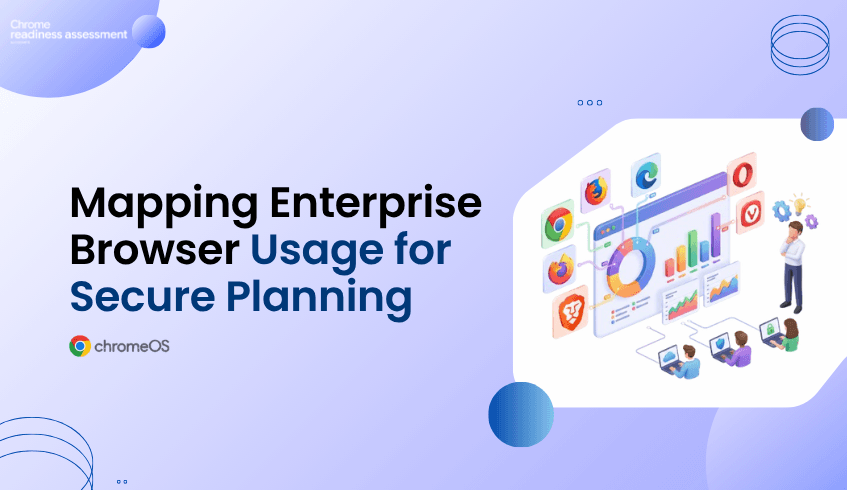
Most organizations have a preferred browser strategy, but real browser usage can look very different across the business.
Users may work across different browser environments depending on their role, workflow, habits, or application needs. Some browsers may represent a large share of browser activity across the organization, while others may appear in smaller usage percentages.
This browser mix matters because the browser is where employees access cloud applications, business platforms, internal systems, customer tools, and sensitive data.
CEP Accelerator helps IT and security teams understand this browser landscape more clearly. Through Browser Insights, teams can see which browsers are used across the organization and how usage is distributed, giving them a stronger starting point for secure browsing readiness.
A company may expect users to work mainly from one browser, but daily usage often tells a different story. Some users may use Chrome as their main browser, while others may use Edge for internal systems, Firefox for specific workflows, Opera or Vivaldi for productivity habits, or Brave for privacy-focused browsing.
These choices may come from user preference, department workflows, application compatibility, testing habits, or older working patterns that have continued over time. Without visibility, IT teams may not know whether the browser environment is simple, fragmented, or spread across multiple browser types.
This creates a gap between browser policy and browser reality. CEP Accelerator helps close that gap by showing which browsers are used across the organization and how browser usage is distributed.
Without browser usage visibility, planning can become assumption-based.
IT teams may believe most users are working from one browser, while the dashboard may show a wider browser mix across the organization. Security teams may plan around a primary browser, while some users continue to access business platforms through other browsers.
CEP Accelerator helps teams move from guessing to seeing. Instead of relying on assumptions, teams can understand how browser usage is actually distributed across the organization. That shift matters because secure browsing decisions become grounded in real usage, not only policy expectations.
Browser usage visibility is valuable because it helps teams decide where attention should go first.
CEP Accelerator does not enforce policies by itself and it does not replace Chrome Enterprise Premium. Its role is to help IT and security teams understand which browser-related areas should be reviewed and prioritized as part of secure browsing readiness.
A browser with a higher usage percentage may need earlier review because it represents a larger share of browser activity across the organization. A browser with a lower percentage should not be ignored either, because it may still support specific users, workflows, or business needs.
With Browser Insights, teams can move from:
“We have different browsers across the organization.”
To:
“These browsers and usage patterns should be reviewed first because they represent the largest share of browser activity across the organization.”
That makes browser planning more practical and easier to communicate.
Browser usage is not only a technical detail. It can also show how people work.
A browser may be popular in one area of the business because a specific workflow runs better there. Another browser may appear in a smaller usage percentage because of a legacy platform, testing process, reporting tool, or user habit.
If these patterns are not understood, changes to browser strategy may affect users unexpectedly. The browser usage view helps teams identify where browser behavior may be connected to real business workflows, giving IT teams a better chance to review user impact before making broader secure browsing decisions.
Browser usage is often the best starting point for browser review.
Teams can begin by looking at which browsers are used most often, which browsers appear in smaller percentages, and whether usage patterns suggest areas that need deeper investigation. From there, teams can review browser versions, extension visibility, security posture, and other Browser Insights data as needed.
This staged approach makes browser planning easier. Instead of trying to solve every browser concern at once, teams can begin with browser distribution and decide where deeper review is needed.
For a wider look at the feature, teams can read the Browser Insights feature blog. For the security angle around multiple browsers, the browser sprawl blog explains how browser variety across enterprise devices can create hidden visibility and security gaps.
Teams can also watch the Browser Insights video walkthrough to see how browser visibility supports readiness planning in practice.
IT teams need a clear view of browser usage before planning browser-related changes.
CEP Accelerator helps them understand which browsers are used across the organization, how usage is distributed, and where browser review may need to begin. This can support better planning for support, communication, browser standardization, and secure browsing readiness.
It also helps teams avoid broad assumptions. A browser with a smaller share may still matter. A browser with a larger share may require earlier planning. A mixed browser environment may need a more careful review path.
With Browser Insights, IT teams can make those decisions with clearer context.
Security teams need to understand where browser activity happens before reviewing risk.
If users work across multiple browsers, security planning should reflect that reality. Browser usage data gives security teams a starting point for reviewing where stronger controls, extension review, risk analysis, or secure browsing planning may be needed.
This does not mean every browser issue has the same priority. CEP Accelerator helps teams see where usage is highest, where smaller browser pockets exist, and where deeper security review may be useful.
This gives security teams a clearer way to connect browser insight findings with secure browsing readiness.
What does the Browsers Used Across the Organization view show?
It shows which browsers are used across the organization and helps teams understand browser usage distribution through usage percentages.
Which browsers are included in Browser Insights?
Browser Insights supports visibility for Chrome, Microsoft Edge, Mozilla Firefox, Opera, Vivaldi, and Brave.
How is this blog different from the browser sprawl blog?
The browser sprawl blog focuses on the security gap created by multiple browsers. This blog focuses on browser usage distribution and how CEP Accelerator helps teams use that visibility for secure browsing readiness planning.
How does browser usage visibility help IT teams?
It helps IT teams understand which browsers are actually used across the organization, where usage is concentrated, and where browser review may need to begin.
Should low-usage browsers be ignored?
No. A browser with lower usage may still support specific users, workflows, or business needs. Browser Insights helps teams see both high-usage and lower-usage browser patterns before making decisions.
Does CEP Accelerator enforce browser policies?
No. CEP Accelerator provides visibility and planning insight. It helps teams understand browser usage and decide where attention may be needed before policy, security, or adoption decisions are made.
CEP Accelerator helps organizations move from browser assumptions to browser visibility. By showing which browsers are used across the organization and how usage is distributed, Browser Insights gives IT and security teams a clearer starting point for secure browsing readiness.
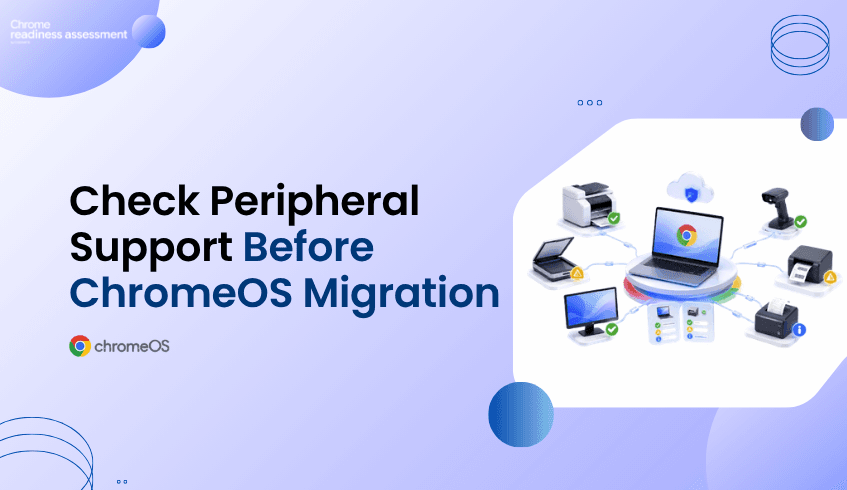
When organizations plan a move to ChromeOS, they often focus on applications, users, and device readiness. Those areas are important, but they do not show the complete working environment around each endpoint.
Peripherals can also affect migration success. Many employees depend on connected devices every day, such as printers for documents, scanners for records, monitors for productivity, barcode readers for inventory, label printers for logistics, or receipt printers for point-of-sale work.
If these peripherals are not reviewed before migration, a device may appear ready on the surface but still create workflow disruption after rollout. Chrome Readiness Assessment helps organizations understand peripheral compatibility at the device level before moving forward.
A business device is rarely used by itself. In many environments, endpoints are connected to other hardware that supports daily work and helps users complete important tasks.
Office teams may depend on printers and monitors. Retail teams may need barcode readers and receipt printers. Warehouse teams may rely on scanners and label printers. Healthcare, logistics, manufacturing, and service teams may also depend on specific peripheral models to keep daily operations running.
This means ChromeOS readiness is not only about whether the main device can move. It is also about whether the connected peripherals can continue supporting the user’s workflow. Without this visibility, IT teams may miss important compatibility issues until users are already affected.
Peripheral compatibility matters because connected hardware can directly affect productivity. If a printer does not work as expected, users may not be able to complete document workflows. If a scanner is not compatible, teams may struggle with record capture or operational documentation.
The same issue can appear in more specialized environments. If a barcode reader or label printer does not work, retail, warehouse, or logistics workflows may be interrupted. If a receipt printer is missed, point-of-sale workflows may be affected.
These issues can create avoidable support tickets, user frustration, and rollout delays. That is why organizations need to understand peripheral readiness before ChromeOS migration begins..
Chrome Readiness Assessment helps IT teams see which peripherals are connected to each device and whether those peripherals are ready for ChromeOS. This gives teams a clearer view of the full endpoint setup instead of only reviewing the device itself.
CRA supports six peripheral categories:
printer
scanner
monitor
barcode reader
label printer
receipt printer
When an IT team reviews a device in CRA, they can see how many peripherals are connected to that device. They can also view the peripheral model and its Peripheral Readiness Status. This helps teams understand whether a device is truly ready from a user workflow perspective.
Peripheral data becomes especially useful when planning rollout phases. Some devices may have no connected peripherals and may be easier to move. Other devices may have compatible peripherals and can be considered lower risk. Some devices may have peripherals that need review before migration.
This helps IT teams decide which devices can move with less concern and which ones need more preparation. A device with compatible printers and monitors may be ready for migration, while a device connected to a scanner may need compatibility review. A retail device with a receipt printer may need extra validation, and a warehouse device using barcode readers and label printers may require more careful planning.
This makes migration planning more practical. IT teams can focus on the devices where peripheral compatibility may affect daily work, instead of treating every endpoint as though it has the same risk level.
Knowing that a device has a printer or scanner is helpful, but knowing the exact peripheral model is even more useful. Different models may behave differently in a ChromeOS environment, even when they belong to the same general peripheral category.
A printer from one model line may be ready, while another may need review. A scanner, barcode reader, or receipt printer may support one workflow but require validation for another. Without model-level visibility, IT teams may be forced to make broad assumptions that are not always accurate.
CRA gives teams model-level visibility so they can make more specific decisions. Instead of assuming that all printers are ready or all scanners need replacement, teams can review peripheral readiness based on the actual hardware connected to each device.
IT teams are responsible for making migration smooth for users. Application readiness is important, but it is not the full picture if users depend on connected hardware to complete their work.
If peripherals are missed, users may still experience disruption even when their main applications are ready. CRA helps IT teams reduce that risk by showing peripheral compatibility before migration. This supports better planning, fewer surprises, and more confident rollout decisions.
Peripheral insights also help teams prioritize testing where it matters most. Devices connected to business-critical hardware can be reviewed earlier, while lower-risk devices can move through the migration process with more confidence.
Peripheral issues can affect real business operations. A small compatibility gap can delay work if the affected device supports printing, scanning, inventory, labeling, or customer transactions.
For business leaders, this matters because migration success depends on continuity. Users need to keep working after the move, and the tools connected to their devices often play a direct role in that continuity.
CRA helps organizations protect that continuity by showing where peripheral readiness should be reviewed before ChromeOS migration. This supports better planning, smoother adoption, and fewer avoidable disruptions.
A successful ChromeOS migration should consider the complete device experience. That includes the device, the applications, the users, and the peripherals connected to each endpoint.
Chrome Readiness Assessment helps organizations see this more clearly. By showing connected peripherals, peripheral models, and Peripheral Readiness Status, CRA helps IT teams understand which devices are ready and which ones need review before migration.
Why does peripheral compatibility matter before ChromeOS migration?
Peripheral compatibility matters because users often rely on connected hardware such as printers, scanners, monitors, barcode readers, label printers, and receipt printers to complete daily work.
What peripheral categories does CRA support?
CRA supports six peripheral categories: printer, scanner, monitor, barcode reader, label printer, and receipt printer.
What can IT teams see in CRA?
IT teams can click into a device and see the peripherals connected to that device, the peripheral model, and the Peripheral Readiness Status.
Why is model-level visibility important?
Model-level visibility helps IT teams understand the exact hardware connected to each device, making compatibility review more accurate.
How does this help ChromeOS migration planning?
It helps teams identify which devices have compatible peripherals, which devices need review, and which device groups may require extra testing before migration.
Can peripheral issues delay migration?
Yes. If important peripherals are not compatible or not reviewed before rollout, users may face disruption after migration.
Chrome Readiness Assessment helps organizations move beyond basic device readiness and understand peripheral compatibility before ChromeOS migration. By showing connected peripherals, models, and Peripheral Readiness Status, CRA helps IT teams reduce rollout surprises and plan a smoother device migration experience.
Many organizations are planning to modernize their endpoint and browser environments.
For some teams, that means moving devices to ChromeOS.
For others, it means adopting Chrome Enterprise Premium to support secure enterprise browsing.
But before rollout begins, organizations need to answer one important question:
Is the current environment ready?
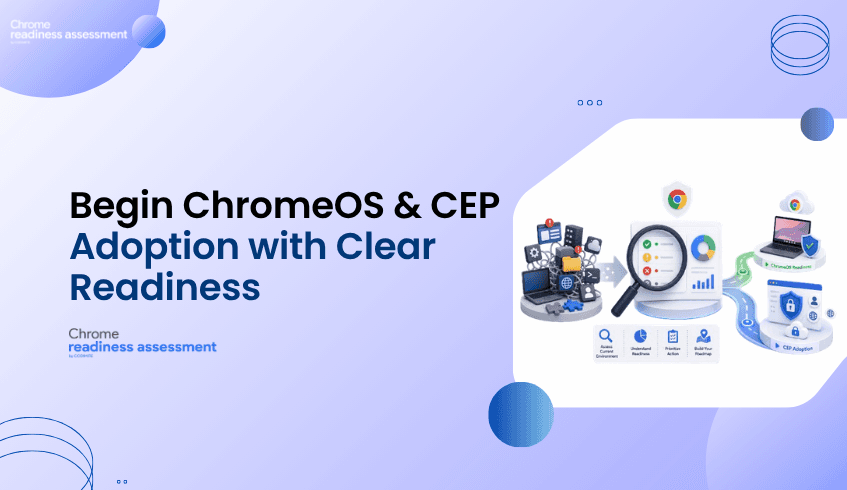
Chrome Readiness Assessment helps IT and security teams understand whether their applications, devices, browser environment, and security conditions are prepared for ChromeOS and CEP adoption.
Instead of planning based on assumptions, CRA helps organizations start with readiness visibility.
Choosing ChromeOS or adopting CEP is an important step.
But the success of that decision depends on the environment behind it.
An organization may want a more secure, cloud-first, and manageable endpoint experience.
It may also want stronger browser protection, better visibility, and a more controlled approach to secure enterprise browsing.
However, if the current environment is not reviewed first, rollout can become harder than expected.
Some devices may be ready.
Some applications may need review.
Some browser extensions, domains, access patterns, or security risks may need closer attention.
Without readiness visibility, teams may not know where blockers exist until rollout has already started.
That can lead to delays, support pressure, and uncertainty.
Readiness visibility helps organizations understand where they are before deciding how to move forward.
It gives IT and security teams a clearer view of the current environment, so they can plan with more confidence.
Before moving devices to ChromeOS or adopting CEP, teams need to understand:
what is ready
what needs review
where blockers may appear
which areas require more planning
which risks should be addressed before rollout
This matters because modernization is not only about enabling a new platform.
It is about making sure users, devices, applications, and security requirements can support the change.
CRA helps organizations build that understanding before rollout begins.
ChromeOS is designed as a secure, cloud-first operating system for modern work.
It can help organizations simplify endpoint management, support cloud-based work, and provide users with a more streamlined device experience.
But before moving devices to ChromeOS, IT teams need to understand whether the current environment can support that move.
CRA helps by giving teams visibility into readiness conditions that may affect ChromeOS planning.
This helps organizations understand which areas may be prepared, which areas need review, and where additional planning may be required before users are moved.
With this visibility, teams can plan ChromeOS adoption in a more structured way.
Chrome Enterprise Premium supports secure enterprise browsing by bringing advanced security capabilities into the browser environment.
For organizations adopting CEP, readiness is important because browser security depends on real users, real devices, real access patterns, and real risks.
CRA helps IT and security teams understand whether their environment is prepared for CEP adoption.
It gives teams a clearer view of factors that may affect rollout, including applications, devices, browser extensions, domain access, and security risks.
This helps organizations identify possible blockers, plan remediation, and build a phased adoption roadmap before expanding CEP more broadly.
Many modernization projects begin with good intentions but limited visibility.
Teams may know they want to move toward ChromeOS.
They may know they want to adopt CEP.
But they may not know which parts of the environment are ready today.
That is where CRA helps.
It turns readiness questions into a more practical planning process.
Instead of asking only, “Should we adopt ChromeOS or CEP?”, teams can ask:
Are we ready?
Where are the risks?
What needs review first?
Which areas can move forward sooner?
Which areas need a phased plan?
This helps organizations create a roadmap based on actual readiness, not assumptions.
IT and security teams are responsible for making modernization practical.
They need to support users, protect data, manage devices, reduce risk, and avoid unnecessary disruption.
Without readiness visibility, they may be forced to react to issues after rollout begins.
CRA helps teams prepare earlier.
It gives them a clearer view of where the environment is ready and where it needs more attention.
This helps reduce uncertainty and gives teams a stronger starting point for ChromeOS planning and CEP adoption.
ChromeOS and CEP adoption can support important business goals.
They can help organizations improve security, simplify endpoint strategy, and support modern ways of working.
But if readiness is not understood first, adoption can become slower, more disruptive, or harder to manage.
Business leaders benefit when IT and security teams have clear readiness insight before rollout.
CRA helps create that clarity.
It gives leaders a better understanding of what is ready, what needs review, and where planning should focus before making larger modernization decisions.
Modernization should not begin with guesswork.
It should begin with a clear understanding of the current environment.
Chrome Readiness Assessment gives organizations a readiness foundation before moving devices to ChromeOS or adopting CEP.
It helps teams understand where they stand today, where risks may exist, and what should happen next.
This makes the path to ChromeOS and secure enterprise browsing more practical, structured, and confident.
What is Chrome Readiness Assessment?
Chrome Readiness Assessment is an enterprise readiness assessment platform that helps IT and security teams understand whether their current environment is ready for Chrome Enterprise Premium, ChromeOS, and secure enterprise browsing.
Who should use Chrome Readiness Assessment?
CRA is designed for IT administrators, enterprise technology teams, managed service providers, and ChromeOS migration partners who need to evaluate organizational readiness before moving devices to ChromeOS or adopting CEP.
How does CRA help with CEP adoption?
CRA helps with CEP adoption by analyzing readiness factors such as applications, devices, browser extensions, domain access, and security risks. These insights help IT teams identify blockers, plan remediation, and build a phased adoption roadmap.
How does CRA help with ChromeOS readiness?
CRA helps teams understand whether their current applications, devices, and environment are ready to support a move to ChromeOS.
Why should organizations assess readiness first?
Readiness assessment helps organizations reduce uncertainty before rollout. It shows what is ready, what needs review, and where blockers may affect ChromeOS or CEP adoption.
Is CRA only useful for IT teams?
No. CRA is useful for IT teams, security teams, business leaders, managed service providers, and migration partners because it helps connect technical readiness with business planning.
Chrome Readiness Assessment helps organizations move from modernization uncertainty to readiness clarity. By helping IT and security teams understand whether their environment is ready for ChromeOS and CEP adoption, CRA gives organizations a stronger foundation for secure, confident rollout planning.
Many organizations planning a Google Workspace migration focus on files, applications, and user workflows.
Documents, spreadsheets, and presentations may appear ready to move.
But there is one important detail that can change the compatibility picture:
macros.
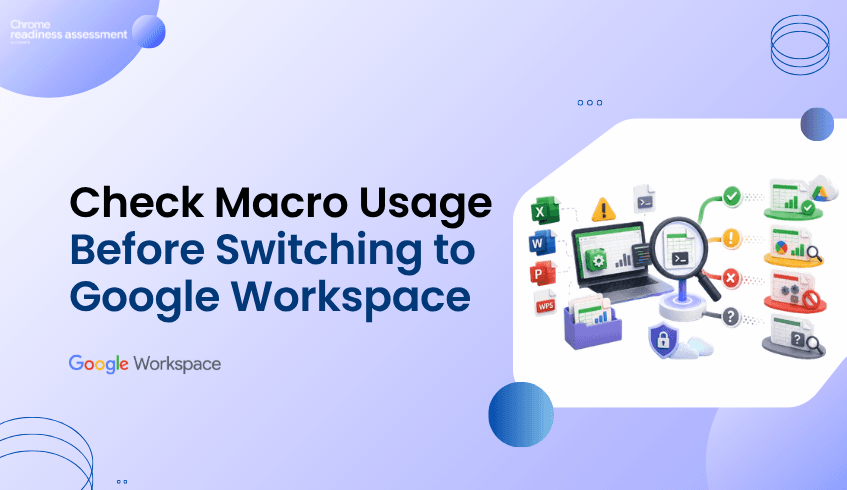
Some Microsoft Office or WPS Office workflows may look simple from the outside, but they may depend on macros to automate tasks, calculate data, format reports, or support business processes.
If macros are not used, the workflow may be fully compatible with Google Workspace.
But if macros are used, the workflow may be only partially compatible and should be reviewed before migration.
Chrome Readiness Assessment helps organizations identify macro usage so IT teams can understand which Office workflows are ready and which ones need extra planning.
Office files are often part of everyday work.
Teams use spreadsheets for reporting, budgets, tracking, planning, and analysis.
They use documents and presentations for communication, collaboration, and business operations.
Google also supports working with Microsoft Office files in Google Docs, Sheets, and Slides, making many file-based workflows easier to continue in Google Workspace.
But macros can make migration more complex.
A spreadsheet may open correctly.
The data may appear properly.
The formatting may look fine.
But if the file depends on macros, the workflow may not behave the same way after migration.
This is why organizations need to understand macro usage before moving Office workflows to Google Workspace.
Macros are often used to automate repetitive tasks inside Office applications.
They may support calculations, reports, approvals, formatting, data cleanup, or internal processes.
When macros are not used, the workflow is usually easier to assess for Google Workspace compatibility.
In CRA, this can help teams identify workflows that may be fully compatible.
When macros are used, the workflow needs more attention.
That does not always mean the workflow cannot move.
It means IT teams should review the macro dependency before migration.
In CRA, macro usage can help identify workflows that are partially compatible with Google Workspace and may require validation, conversion, or alternative planning.
This gives organizations a clearer way to separate simple Office workflows from workflows that need technical review.
Chrome Readiness Assessment helps organizations understand where macro usage exists across Office-related applications and workflows.
Instead of assuming all Office files are ready, CRA helps teams see whether macros are being used.
This helps IT teams understand:
which applications or workflows are not using macros
which workflows may be fully compatible with Google Workspace
which applications are using macros
which workflows may be partially compatible
which teams may need extra review before migration
where macro dependencies could affect rollout planning
This makes migration planning more accurate.
Teams can avoid treating every Office workflow the same way.
Macro usage gives IT teams an important compatibility signal.
If macros are not used, the workflow may be considered fully compatible for Google Workspace planning.
This means users may be able to continue their work with fewer migration concerns.
If macros are used, the workflow may be considered partially compatible.
This means the file, application, or workflow should be reviewed before migration because some functions may not work the same way in Google Workspace. This simple distinction helps organizations plan more clearly.
Instead of discovering macro issues after users move, IT teams can identify them earlier and decide what action is needed.
For some Excel macro workflows, Google provides a Macro Converter that can help convert VBA code into Google Apps Script.
This can support migration planning when teams need to move Excel-based automation toward Google Sheets.
However, macro conversion still needs review and testing.
Not every macro workflow will convert perfectly.
Some may need changes, some may need to be rebuilt, Others may require a different process in Google Workspace.
CRA helps teams identify where those macro-based workflows exist before migration planning reaches the final stage.
Macro usage is not only a technical issue.
In many organizations, macros support important business workflows.
They may be used in finance, operations, reporting, sales tracking, HR processes, or department-level planning.
If these workflows are not reviewed before migration, business teams may experience disruption.
CRA helps business leaders and IT teams understand where macro dependencies exist before moving to Google Workspace.
This supports better planning, fewer surprises, and a smoother migration experience.
A successful Google Workspace migration is not only about moving files.
It is about understanding how those files are used.
Macro usage helps reveal whether an Office workflow is simple to move or needs extra review.
Chrome Readiness Assessment gives organizations the visibility needed to make that decision earlier.
By showing where macros are used and where they are not, CRA helps teams understand which workflows may be fully compatible and which ones may be partially compatible before moving forward.
Why does macro usage matter before Google Workspace migration?
Macro usage matters because macros can affect how Office workflows behave after migration. Files may open correctly, but macro-based automation may need review or conversion.
What does it mean if macros are not used?
If macros are not used, the workflow may have a stronger compatibility signal and may be considered fully compatible for Google Workspace planning.
What does it mean if macros are used?
If macros are used, the workflow may be considered partially compatible and should be reviewed by IT teams before migration.
Does macro usage mean a file cannot move to Google Workspace?
No. Macro usage does not always mean the file cannot move. It means the workflow needs review, testing, conversion, or alternative planning.
How does CRA help with macro readiness?
Chrome Readiness Assessment helps identify where macro usage exists across Office-related applications and workflows so teams can plan migration more accurately.
Can Excel macros be converted to Google Workspace?
Some Excel VBA macros may be converted using Google’s Macro Converter, but teams should still test and review the converted workflow before relying on it.
Chrome Readiness Assessment helps organizations move beyond basic file compatibility and understand macro dependency before Google Workspace migration. By showing whether macros are used or not, CRA helps teams identify fully compatible workflows, review partially compatible ones, and plan the move to Google Workspace with more confidence.