Explore key tools, smart features, and expert insights...
Moving to ChromeOS can give organizations a more secure, cloud-first, and easier-to-manage endpoint environment.
But before migration begins, IT teams need to understand one important thing:
application readiness.
It is not enough to know that ChromeOS is a strong platform.
Organizations also need to know whether the applications used across their environment are ready for the move, which ones may need review, which ones may act as blockers, and which ones still need more visibility.
That is where Chrome Readiness Assessment helps.
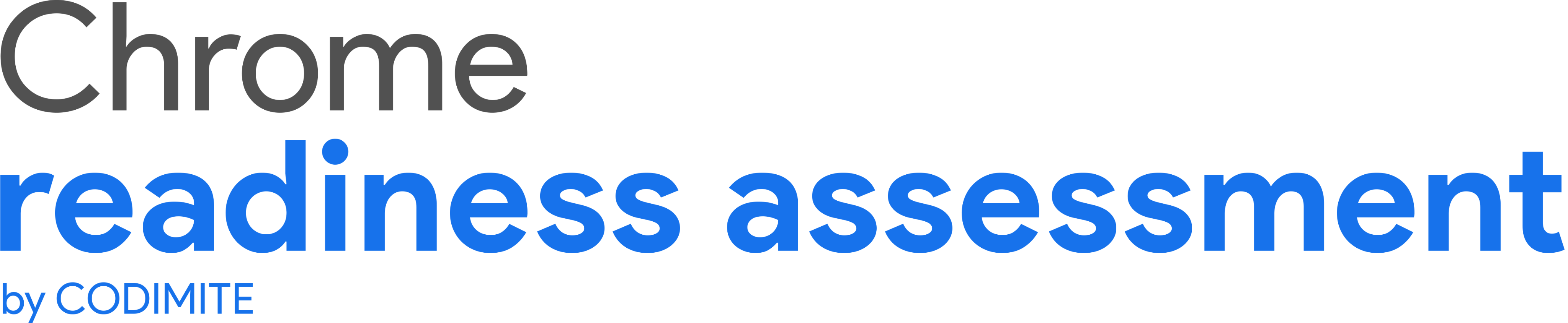
CRA gives organizations a clearer view of application readiness across their environment by showing application readiness categories such as Chrome Ready, Possibly Ready, Blocker, and Unknown.
This helps teams make migration decisions with more clarity and less guesswork.
Many organizations already know which applications exist in their environment.
They may have software inventories, device reports, or internal records showing what is installed.
But that does not automatically tell them whether those applications are suitable for ChromeOS migration planning.
An application may be widely used, but that does not always mean it will behave the same way in a ChromeOS environment.
Another application may already work well and create no migration concern at all.
Some applications may need review because certain functions may not behave the same way.
Others may not be suitable for ChromeOS and may become blockers.
Without clear readiness visibility, IT teams may spend too much time guessing which applications need attention.
That can slow down migration planning and make rollout decisions harder.
Chrome Readiness Assessment helps organizations understand application readiness in a more practical way.
Instead of only showing a list of applications, CRA helps classify them into clear readiness categories.
This gives IT teams a better understanding of what they are dealing with before they move users to ChromeOS.
Across the environment, CRA helps teams review:
which applications are Chrome Ready
which applications are Possibly Ready
which applications are Blockers
which applications are Unknown
This makes the readiness picture easier to understand.
Instead of reviewing every application in the same way, teams can focus on what each category means and plan their next steps more effectively.
The readiness categories in CRA help organizations understand how applications may affect a move to ChromeOS.
Chrome Ready applications are the ones that are considered ready for ChromeOS. These are the applications where the app and its functions are expected to work well in the ChromeOS environment.
Possibly Ready applications are the ones that may still support migration, but they need some review from IT teams first. In these cases, some functionalities may not work in exactly the same way on ChromeOS, so teams may need to validate whether the application is suitable for the user group involved.
Blocker applications are the ones that cannot be used in ChromeOS. These are important because they may prevent certain users or teams from moving until an alternative, workaround, or separate plan is considered.
Unknown applications are the ones that are not currently in the readiness catalog. This means teams may need to review them further before making migration decisions.
These categories help convert technical application data into a more understandable migration view.
Application readiness categories matter because not every application affects migration in the same way.
If everything is treated the same, IT teams may waste time reviewing low-risk apps too deeply or fail to focus early enough on the applications that actually need action.
CRA helps make that distinction clearer.
For example:
Chrome Ready applications can support faster migration planning.
Possibly Ready applications can be reviewed and validated before rollout.
Blocker applications can be identified early so teams know where extra planning is needed.
Unknown applications can be flagged for further investigation.
This gives organizations a more structured way to prepare for ChromeOS adoption.
Instead of asking, “Can we move to ChromeOS?” teams can ask a more practical question:
“Which applications are already ready, which ones need review, and which ones may prevent the move?”
That is a much stronger starting point for migration planning.
For IT teams, one of the biggest challenges in any migration is uncertainty.
Without clear readiness information, it becomes harder to decide:
which users can move first
which apps need validation
which apps may require extra planning
where blockers exist
which areas need more review before rollout
CRA helps reduce that uncertainty by giving teams a category-based view of application readiness.
This allows migration planning to become more focused.
Teams do not have to approach every application with the same level of concern.
They can prioritize based on readiness.
This also supports staged rollout planning, because some users may already rely mainly on Chrome Ready applications, while others may depend on Possibly Ready or Blocker applications.
Application readiness is not only a technical detail.
It affects rollout speed, user disruption, support planning, and migration confidence.
If organizations begin moving to ChromeOS without understanding app readiness, they may face delays, user frustration, and additional support effort.
CRA helps reduce that risk by giving business and IT leaders a clearer picture before rollout begins.
It helps them understand where migration may move forward more easily and where additional planning is required.
That creates a better foundation for decision-making.
Instead of treating migration as a broad technology change, leaders can see it as a readiness-based process supported by clearer application insight.
Google positions ChromeOS as a secure, cloud-first operating system for modern work, and businesses can also use device management capabilities to manage devices remotely.
But a successful move still depends on understanding whether the applications used across the organization are ready for that environment.
CRA helps connect those two things.
It helps organizations look at ChromeOS not only as a platform, but as a migration decision that should be guided by readiness data.
That makes the move more practical and more informed.
What are application readiness categories in CRA?
Application readiness categories in CRA help organizations understand whether an application is Chrome Ready, Possibly Ready, a Blocker, or Unknown before moving to ChromeOS.
Why are these categories useful?
These categories help organizations understand which applications are ready, which need review, and which may prevent migration, making ChromeOS planning more practical.
Chrome Readiness Assessment helps organizations move from application uncertainty to migration clarity. By showing Chrome Ready, Possibly Ready, Blocker, and Unknown applications across the environment, CRA helps teams understand application readiness before moving forward with ChromeOS.
Many organizations are trying to simplify the way they manage devices.
Traditional endpoint environments can become complex over time.
Different operating systems, installed applications, local dependencies, browser versions, device policies, support needs, and user workflows can make endpoint management harder than it needs to be.
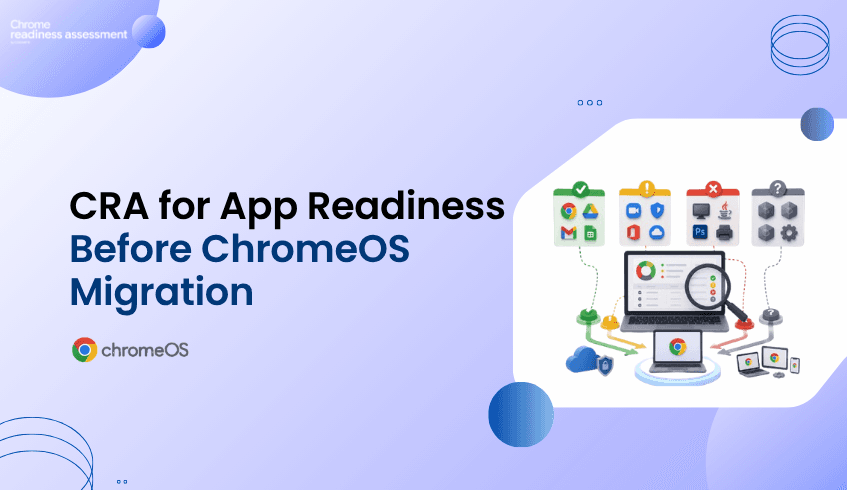
This is one reason many businesses look at ChromeOS as a modern endpoint direction.
ChromeOS is built for cloud-first work, secure access, simpler management, and users who rely heavily on browser-based and cloud-based applications.
But before organizations move more users to ChromeOS, they need to understand where endpoint complexity exists today.
Chrome Readiness Assessment helps teams assess which users, apps, and devices may be ready for a simpler ChromeOS experience and where more review may be needed before rollout.
In many organizations, endpoint environments grow over many years.
Different departments may use different applications.
Some users may rely mainly on cloud tools.
Others may still depend on locally installed software.
Some devices may be actively managed.
Others may have older configurations, outdated apps, or inconsistent browser setups.
Over time, this creates complexity for IT teams.
They need to manage more devices, support more application types, troubleshoot more local issues, and maintain more security controls across different environments.
This can slow down modernization.
It can also make it harder to understand which users are ready for a cloud-first device experience.
The problem is not only whether ChromeOS is a strong platform.
The bigger question is:
Which parts of the organization are ready to benefit from a simpler endpoint model?
ChromeOS for business supports organizations that want a more cloud-first and manageable endpoint experience.
For users who work mainly in web apps, cloud platforms, collaboration tools, and browser-based systems, ChromeOS can provide a simpler way to access daily work.
Also, ChromeOS security features such as automatic updates, sandboxing, verified boot, encryption, and built-in protection that help reduce manual security effort.
For IT teams, this matters because endpoint management is not only about devices.
It is also about reducing unnecessary maintenance, improving consistency, and supporting users with fewer local dependencies.
ChromeOS can help organizations move toward a more standardized endpoint environment where cloud access, browser-based workflows, and centralized management become easier to support.
Chrome Readiness Assessment helps organizations understand whether their current environment can support a move toward ChromeOS.
Instead of assuming all users are ready, CRA gives teams visibility into application usage and readiness.
This helps IT teams understand:
which users may already work mainly in cloud or browser-based tools
which applications need further review
which applications may support a ChromeOS move
which users may still depend on local desktop applications
which device groups may be easier to move first
where blockers or unknown applications may require further review
This helps organizations make ChromeOS planning more practical.
The goal is not to replace every device at once.
The goal is to understand where ChromeOS can reduce endpoint complexity first.
One of the biggest reasons endpoint environments become complex is local application dependency.
Some applications may be installed because they were used years ago.
Some may only be required by a small group of users.
Some may already have cloud-based alternatives.
Others may still be important but need a different access strategy before users move to ChromeOS.
CRA helps organizations review application usage and readiness before migration.
This gives IT teams a clearer view of which users are good candidates for ChromeOS and which users may need more planning.
By understanding application usage early, organizations can avoid moving users before their workflows are ready.
They can also avoid delaying the entire ChromeOS journey because of a small number of specialized applications.
ChromeOS is also valuable because it supports centralized device management.
Google’s ChromeOS device management resources explain how businesses can remotely manage the devices that power employees.
For administrators, Google also provides guidance on managing ChromeOS devices from the Google Admin console, including policies, apps, extensions, VPNs, and Wi-Fi access.
For organizations already managing Chrome across different platforms, Chrome Enterprise Core supports cloud-based management for browser policies, settings, apps, and extensions.
This matters because simpler endpoint management can reduce IT workload.
When devices, browser settings, apps, and policies are easier to manage from a central place, IT teams can spend less time dealing with inconsistent endpoint environments.
CRA supports this by helping teams understand which users and devices can move toward this simpler model first.
A ChromeOS rollout should be based on real environment insight.
Some users may be ready quickly because their daily work already happens in web apps and cloud tools.
Other users may need additional review because they depend on local applications, specialized workflows, or apps that are not yet fully understood.
CRA helps teams group users and devices based on readiness.
This makes it easier to plan rollout stages.
For example:
users with mostly cloud-based workflows can be prioritized first
users with possibly ready applications can be reviewed next
users with blocker applications can be handled through a separate plan
unknown applications can be investigated before final migration decisions
This gives organizations a more controlled way to reduce endpoint complexity over time.
Some organizations may also review ChromeOS Flex as part of their endpoint modernization planning.
ChromeOS Flex can help transform existing PCs and Macs with a cloud-first operating system, which may support organizations that want to extend hardware value or test a ChromeOS-style experience before wider rollout.
This does not remove the need for readiness planning.
Teams still need to understand which users, apps, and workflows are suitable.
CRA can help support that decision by showing where the organization may already be ready and where more review is needed.
Endpoint complexity affects more than IT.
It can affect user productivity, security, support costs, device lifecycle planning, and modernization speed.
If organizations continue managing complex endpoint environments without understanding which users can move to a simpler model, they may miss opportunities to reduce overhead.
ChromeOS gives organizations a modern endpoint direction.
CRA helps make that direction more practical by showing where the move can begin.
For business leaders, this means better planning, fewer surprises, and a clearer path toward a more cloud-first device strategy.
Why should organizations consider ChromeOS?
Organizations may consider ChromeOS because it supports cloud-first work, simpler device management, built-in security, and browser-based productivity.
What problem does ChromeOS help solve?
ChromeOS can help reduce endpoint complexity by supporting a more standardized, cloud-first device experience.
How does Chrome Readiness Assessment support ChromeOS planning?
Chrome Readiness Assessment helps teams understand application usage, app readiness, device groups, blockers, and users who may be ready for ChromeOS.
Is ChromeOS only useful for fully cloud-based teams?
ChromeOS is especially useful for cloud-first and browser-based workflows, but organizations should still review application dependencies before migration.
Why does application dependency matter?
Local application dependency can delay ChromeOS adoption if users still rely on desktop apps that need review, alternatives, or different access methods.
Can ChromeOS Flex support modernization planning?
Yes. ChromeOS Flex can help organizations modernize existing PCs and Macs with a cloud-first operating system, but readiness should still be reviewed before wider adoption.
ChromeOS helps organizations move toward a simpler, cloud-first endpoint model. Chrome Readiness Assessment supports that journey by showing which users, apps, and devices may be ready to reduce endpoint complexity and where more planning is needed before rollout.
Moving to a modern cloud-first environment does not always mean every application can be replaced immediately.
Some applications may already be ready for a browser-based or cloud-based workflow.
Others may require more review.
And some applications may still act as blockers because they are client-based, legacy, specialized, or required by specific teams.
This is where Cameyo virtualization becomes important.
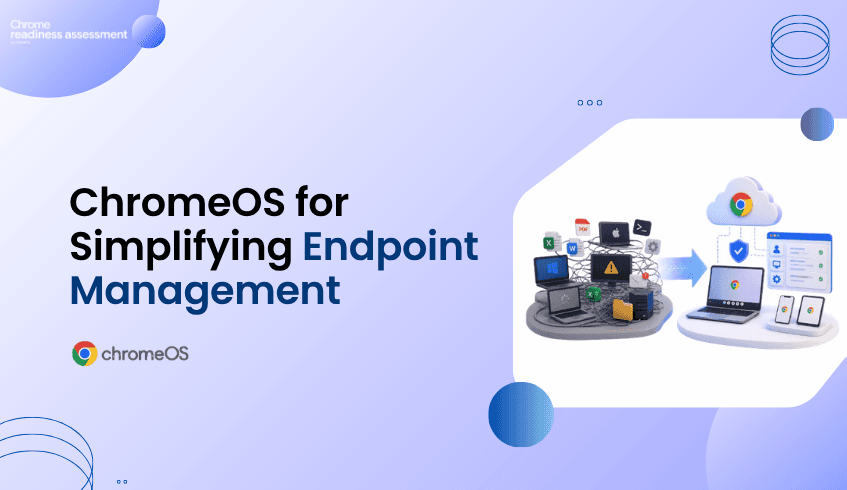
For applications classified as possibly ready or blockers, Chrome Readiness Assessment helps organizations understand whether Cameyo virtualization may be a practical option.
Instead of only showing that an application may create migration challenges, CRA also provides Cameyo compatibility insights, device usage percentage, and confidence level.
This helps IT teams understand which applications may be suitable for virtualization and how strongly the data supports that recommendation.
Many organizations want to move toward ChromeOS, Google Workspace, and web-first productivity.
But application readiness is not always simple.
Some business applications may still be installed locally.
Some may not have a direct web-based replacement.
Some may be used by a small group of employees but still remain important to business operations.
Others may appear as blockers because they depend on a specific operating system, desktop environment, or legacy workflow.
Without a clear plan for these applications, migration can become difficult.
Teams may delay modernization because they are unsure what to do with the apps that are not immediately ready.
Cameyo virtualization helps address this gap by giving organizations a way to keep access to important applications while still moving toward a more modern environment.
Chrome Readiness Assessment helps organizations go beyond a simple list of installed applications.
For applications that are classified as possibly ready or blockers, CRA can provide additional Cameyo virtualization insights.
This includes:
whether the application is Cameyo compatible
what percentage of devices are using the application
whether the confidence level is high or low
how widely the application appears across the environment
whether virtualization may be worth reviewing as part of the migration plan
This gives IT teams a more practical way to evaluate applications that may otherwise slow down the move to ChromeOS or Google Workspace.
Instead of treating every blocker the same way, teams can understand which applications may have a virtualization path through Cameyo.
Cameyo compatibility helps organizations identify whether a specific application may be suitable for virtual app delivery.
This is useful because not every application needs to be installed locally on every device.
If an application can be delivered virtually, users may still be able to access the tool they need while the organization continues moving toward a web-first environment.
For example, a legacy desktop application may still be needed by one department.
Instead of delaying the entire migration because of that application, CRA can help teams check whether Cameyo virtualization may support access to it.
This makes the migration planning process more flexible.
Applications that once looked like blockers may become manageable with the right virtualization strategy.
Cameyo compatibility alone is helpful, but usage context is also important.
CRA shows how many devices are using a specific application as a percentage of the environment.
This helps teams understand how widely the application is used.
For example, if an application is used by only 8 percent of devices, the organization may need to review that result carefully.
The application may still be important, but it may only affect a small group of users.
In this case, the confidence level may be low because the usage data is limited compared to the wider device population.
On the other hand, if an application is used across a large percentage of devices, the confidence level may be higher because there is stronger usage evidence across the organization.
This helps teams avoid making migration decisions based only on assumptions.
The confidence level helps explain how strongly CRA can support the Cameyo compatibility insight.
A high confidence level may indicate that the application has enough usage data across devices to support a stronger recommendation.
A low confidence level may indicate that the application is used by a smaller number of devices, so teams should review it more carefully before making a decision.
For example:
If only 8 percent of devices are using a specific application, CRA may show a low confidence level.
This does not always mean the application is unimportant.
It means the application may require further review because the usage footprint is limited.
This is useful for migration planning because it helps teams separate widely used applications from applications that may only affect a small user group.
Application blockers can create uncertainty during migration.
Without deeper analysis, teams may only know that an application is not fully ready.
But they may not know whether it can be virtualized, how many users depend on it, or whether it should delay the migration.
CRA helps turn that uncertainty into action.
For possibly ready and blocker applications, teams can review:
Cameyo compatibility
device usage percentage
confidence level
application impact
migration priority
virtualization opportunity
This gives organizations a clearer way to decide what to do next.
Some applications may need replacement.
Some may need further testing.
Some may be suitable for Cameyo virtualization.
And some may only affect a small group of users, making them easier to handle through a targeted migration plan.
Application blockers are not only a technical issue.
They can affect migration timelines, user adoption, productivity, support effort, and overall modernization plans.
If organizations do not understand which applications may need virtualization, they may overestimate migration risk or delay the move unnecessarily.
CRA helps business and IT leaders see the full picture.
By combining readiness classification, Cameyo compatibility, device usage percentage, and confidence level, organizations can make better decisions about which applications need attention before migration.
This helps reduce uncertainty and gives teams a more structured path forward.
What is Cameyo virtualization?
Cameyo virtualization allows organizations to deliver applications virtually so users can access important client-based or legacy applications in a more web-first environment.
How does CRA support Cameyo virtualization planning?
CRA identifies applications classified as possibly ready or blockers and provides Cameyo compatibility insights, device usage percentage, and confidence level.
What does Cameyo compatibility mean in CRA?
It shows whether a specific application may be suitable for Cameyo virtualization as part of the migration planning process.
Why does device usage percentage matter?
Device usage percentage shows how widely an application is used across the organization. This helps teams understand whether the application affects many users or only a small group.
What does low confidence mean?
Low confidence may appear when an application is used by a smaller percentage of devices. For example, if only 8 percent of devices use an application, CRA may show low confidence because there is limited usage evidence across the wider environment.
Does low confidence mean the application is not important?
No. Low confidence does not always mean the application is unimportant. It means teams should review the application carefully before making a migration or virtualization decision.
Chrome Readiness Assessment helps organizations turn application blockers into clearer migration decisions. By showing Cameyo compatibility, device usage percentage, and confidence level, CRA helps teams understand which applications may be suitable for virtualization and which ones need further review before moving forward.
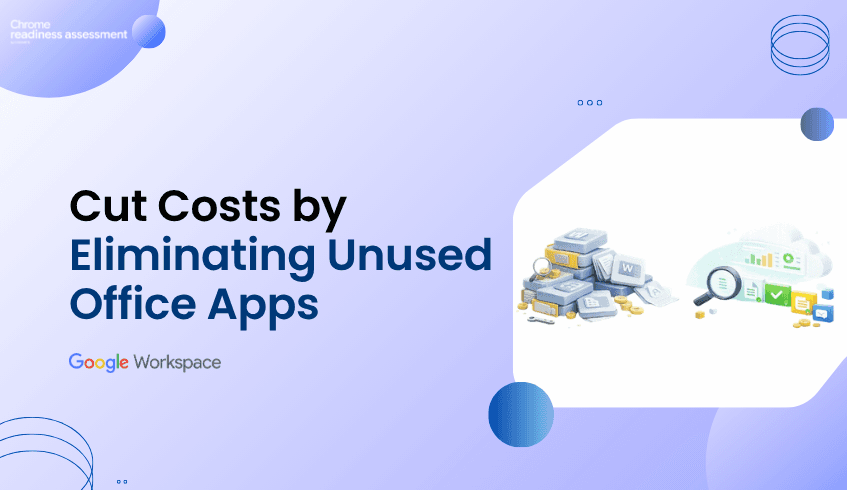
Many organizations continue to support productivity applications that employees rarely use.
These applications may remain installed because they were included in Microsoft 365 licensing, deployed years ago, or never removed after workflows changed.
At first, this may not seem like a major issue.
But unused applications can create hidden costs.
They can increase software complexity, make migration planning harder, create unnecessary support overhead, and make it difficult to understand which tools are still important to the business.
Before moving to Google Workspace, organizations need to know which productivity applications are actively used and which ones are simply taking up space.
Workspace Readiness helps organizations identify Office productivity tools used, usage time of each application, unused applications, macro usage, and Google Workspace alternatives.
Most IT teams can identify which applications are installed across devices.
But installation does not always mean usage.
For example:
Microsoft Publisher may still be installed even though no one uses it regularly. Microsoft Access may exist on many devices but only support a small number of users. PowerPoint may be available to everyone, while only specific teams depend on it daily. Some Office tools may remain installed only because they were bundled into a license package.
Without usage visibility, organizations may continue supporting applications that no longer create business value.
This can make the productivity environment look more complex than it really is.
Unused applications can affect more than licensing.
They can also create operational waste.
Organizations may spend time maintaining, updating, securing, and supporting tools that employees rarely open.
They may also overestimate how dependent users are on Microsoft Office because they only see what is installed, not what is actually used.
This can lead to problems such as:
Unnecessary software support Extra licensing complexity Slower migration planning Confusion about which tools are business-critical More applications to review before modernization Difficulty identifying Google Workspace opportunities
When unused applications are not identified early, they can make migration feel larger and more difficult than it needs to be.
Workspace Readiness helps organizations separate installed applications from actively used applications.
Instead of treating every installed Office application as important, teams can review actual usage patterns.
Workspace Readiness provides visibility into:
Office productivity tools used across the organization Application usage time Frequently used productivity applications Unused or rarely used applications Macro usage Google Workspace alternatives Workspace compatibility insights at organization and device level
This gives IT teams and business leaders a clearer understanding of which applications are still supporting daily work and which ones may no longer be necessary.
Once organizations understand which applications are unused or rarely used, they can make better decisions before moving to Google Workspace. For example, teams can:
Identify applications that no longer need support Reduce unnecessary software complexity Prioritize heavily used tools during migration planning Avoid spending time reviewing applications with little business impact Find areas where Google Workspace alternatives may be suitable Focus training and support on applications users actually depend on Build a cleaner productivity environment before modernization
This helps organizations avoid treating every application as a migration blocker.
Instead, they can focus attention on the tools that matter most.
Unused software is not just an IT issue.
It affects cost, productivity, support effort, migration timelines, and the overall return on technology investments.
When organizations do not know which applications are actually used, they may continue paying for, supporting, or planning around tools that no longer support business needs.
Workspace Readiness helps reduce that uncertainty.
It gives leaders visibility into application usage, usage time, unused tools, and Google Workspace alternatives.
This helps organizations:
Reduce software waste Simplify productivity environments Improve migration planning Optimize licensing decisions Lower unnecessary support effort Focus modernization around real user needs
A successful Google Workspace move does not require every legacy tool to be treated equally.
It starts with understanding which applications still matter.
Why are unused Office applications a problem? Unused applications can create unnecessary support effort, software complexity, licensing confusion, and migration planning challenges.
Why is installation data not enough? Installation data only shows what exists on devices. It does not show whether employees actually use those applications in daily work.
How does Workspace Readiness identify unused applications? Workspace Readiness helps organizations review application usage and usage time so they can distinguish between actively used tools and rarely used applications.
How does this support Google Workspace migration? It helps teams reduce unnecessary complexity before migration and focus planning on applications that are actually important to users.
Can unused application insights help reduce costs? Yes. By identifying tools that are rarely used, organizations can make better decisions about software support, licensing, and modernization priorities.
Workspace Readiness helps organizations move from software assumptions to usage-based decisions. By showing which Office applications are actively used, rarely used, or ready for Google Workspace alternatives, it helps teams reduce unnecessary complexity before modernization.
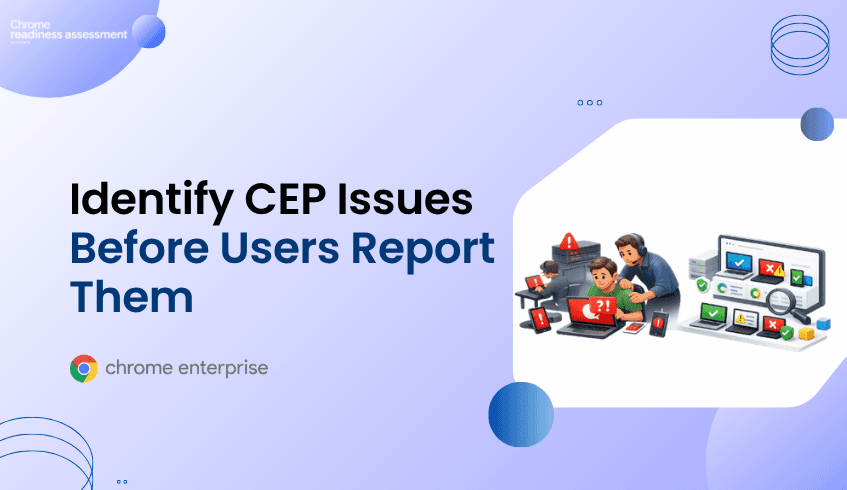
Organizations preparing for Chrome Enterprise Premium deployment often focus on configuration, policies, devices, and rollout timelines.
However, many deployment problems only become visible after users are already affected. A user cannot access an application. A browser policy behaves differently than expected. A device fails to support required security behavior. A support ticket is opened.
By that point, the issue has already moved from a readiness concern to a user-facing problem.
Support tickets are useful for resolving incidents, but they should not be the first signal that a Chrome Enterprise Premium rollout has hidden deployment gaps.
CEP Deployment Readiness Insights helps organizations identify readiness concerns before rollout issues reach users. It gives IT and security teams visibility into ready devices, blocked devices, blocker categories, Hard Blockers, Soft Blockers, and device-level readiness details before deployment expands.
Support tickets usually appear after something has already gone wrong. In IT service management, the service desk is typically where user communications, queries, and service issues are handled.
During Chrome Enterprise Premium rollout, these issues may show up as access failures, inconsistent browser behavior, missing device posture signals, policy problems, or issues that only affect certain departments, locations, or device groups.
This creates a reactive deployment model. Instead of knowing where readiness risks exist before rollout, teams discover problems through user disruption.
In a small environment, this may be manageable. In a large enterprise fleet, support-ticket-driven discovery can quickly slow rollout progress, increase troubleshooting effort, and reduce confidence across IT, security, and business stakeholders.
Support tickets often describe symptoms, not the full readiness picture.
One ticket may report an access issue. Another may mention inconsistent browser behavior. Another may indicate that a security feature is not working as expected.
But these tickets do not immediately explain how widespread the issue is, which devices are affected, which groups are involved, or whether the root cause is related to network health, device readiness, policy conflict, legacy dependencies, or operational health.
Without centralized readiness visibility, teams may spend time investigating one ticket at a time.
This can make Chrome Enterprise Premium deployment feel unpredictable, even when the organization has already invested time in planning.
Chrome Enterprise Premium deployment depends on more than enabling a product or applying policies.
The surrounding endpoint environment must be ready to support the rollout. Without a pre-deployment readiness view, organizations may miss unready devices, Hard Blockers, Soft Blockers, network and connectivity concerns, OS and hardware compatibility issues, migration friction, legacy dependency risks, policy conflicts, operational health problems, and device-level readiness gaps.
These issues may not always affect every device at the same time.
Some may appear only in certain locations. Some may affect specific user groups. Some may remain hidden until deployment reaches a broader device population.
That is why support tickets are not enough. They usually show where problems have already surfaced, not where readiness risks still exist.
CEP Deployment Readiness Insights helps organizations shift from reactive troubleshooting to proactive deployment planning.
Instead of waiting for users to report problems, administrators can review readiness information before rollout expands.
CEP Deployment Readiness Insights helps teams understand:
● Which devices are ready for Chrome Enterprise Premium deployment ● Which devices may require attention ● Which blockers may affect deployment success ● Whether issues are Hard Blockers or Soft Blockers ● Which readiness categories are most common ● Which devices, groups, or domains need investigation ● What device-level reasons explain readiness status
This helps teams move from asking:
“Why did this user open a ticket?”
to:
“Which devices show readiness concerns before users are affected?”
One of the biggest challenges in enterprise deployment is scale.
A single support ticket may be easy to investigate. But if the same issue affects hundreds of devices, the organization needs more than individual incident handling.
CEP Deployment Readiness Insights gives teams a broader readiness view across the fleet.
Administrators can review organization-level readiness and then investigate device-level findings. This helps teams understand whether a problem is isolated or part of a wider deployment pattern.
For example, readiness concerns may be concentrated in a specific device group, department, domain, older endpoint population, operational condition, connectivity risk, or legacy dependency area.
This helps IT and security teams prioritize investigation before deployment problems become widespread support issues.
Not every readiness issue has the same impact.
Some issues may prevent successful deployment. Others may not stop rollout completely, but they can still affect user experience, performance, security behavior, or policy consistency.
CEP Deployment Readiness Insights classifies readiness concerns into practical severity levels.
Hard Blockers are critical conditions that may prevent successful Chrome Enterprise Premium deployment on a device.
Soft Blockers are reviewable risks that may affect rollout quality, performance, policy behavior, or user experience.
This distinction helps teams prioritize. Instead of treating every issue as equally urgent, administrators can focus first on the conditions most likely to delay or disrupt deployment.
CEP Deployment Readiness Insights does not automatically deploy Chrome Enterprise Premium or fix detected issues.
Its value is visibility before action.
Once teams understand readiness status, blocker types, and affected devices, they can make better rollout decisions.
Organizations can prioritize devices with Hard Blockers, review Soft Blockers before expanding rollout, identify device groups that are ready for deployment, pause rollout for groups that need remediation, prepare support teams with known risks, and communicate deployment concerns more clearly to stakeholders.
This makes deployment planning more structured and less reactive.
Instead of waiting for support tickets to reveal deployment gaps, teams can use readiness insights to make informed decisions before users are affected.
Support tickets are not just technical signals.
They represent user disruption, lost time, support effort, delayed rollout confidence, and reduced productivity.
When Chrome Enterprise Premium deployment issues are discovered through support tickets, the organization is already reacting to problems that have reached users.
For IT leaders, this can mean more troubleshooting, slower rollout timelines, and increased pressure on support teams.
For security leaders, it can mean delayed adoption of browser-level protection and inconsistent security outcomes across the organization.
CEP Deployment Readiness Insights helps leaders understand readiness before deployment problems become business problems.
It gives teams a clearer view of which devices are ready, which devices need attention, and which risks may affect rollout success.
CEP Deployment Readiness Insights is a pre-deployment readiness feature that helps organizations assess whether their endpoint environment is ready for Chrome Enterprise Premium rollout.
Support tickets usually appear after users are already affected. By identifying readiness concerns earlier, organizations can reduce reactive troubleshooting and plan rollout with more confidence.
CEP Deployment Readiness Insights can help surface readiness concerns across OS and hardware compatibility, network and connectivity health, migration friction and legacy dependencies, and policy conflict and operational health.
A Hard Blocker is a critical issue that may prevent successful deployment. A Soft Blocker is a reviewable issue that may affect rollout quality, performance, policy behavior, or user experience.
No. The feature provides readiness visibility and blocker information. Administrators still need to review and address issues through the appropriate IT, endpoint, network, or security processes.
It helps teams identify affected devices, understand blocker severity, review readiness categories, and plan rollout before issues become user-facing support problems.
Use CEP Deployment Readiness Insights to identify readiness gaps before they become support tickets, and prepare for a smoother Chrome Enterprise Premium rollout.
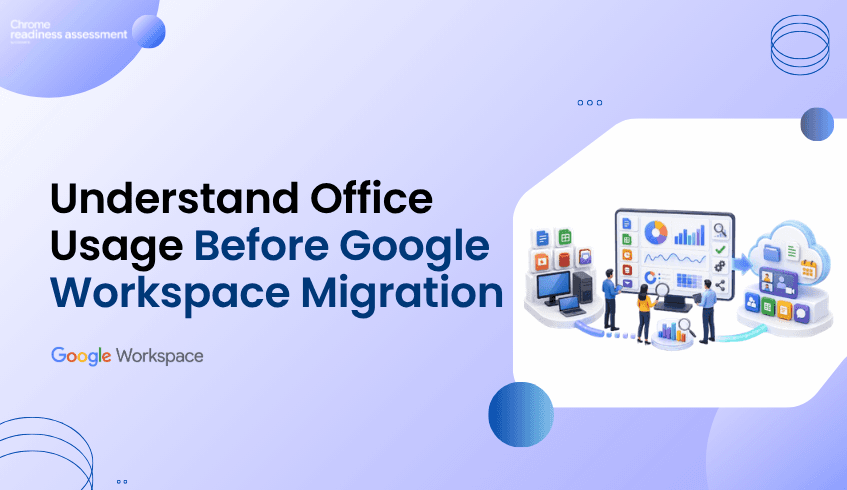
Moving to Google Workspace is more than replacing one productivity suite with another.
It is an opportunity to modernize collaboration, simplify administration, and improve the way teams work.
However, many organizations begin migration planning without fully understanding how Microsoft Office applications are actually being used across their environment.
They know Microsoft Office is installed.
They know users have licenses.
But they often do not know:
Which Office applications are actively used
Which departments rely on specific applications
Which users still depend on macros
Which applications are rarely opened
Which workloads already have Google Workspace alternatives
Without this visibility, migration decisions are often based on assumptions rather than real usage.
Workspace Readiness helps organizations replace those assumptions with actionable insights before migration begins.
Most IT teams can quickly identify which Microsoft Office applications are installed across the organization.
What they often cannot see is how those applications are actually being used.
For example:
Microsoft Access may be installed on hundreds of devices but only used by a handful of users.
Microsoft Publisher may remain installed even though it has not been opened for months.
Excel may be widely deployed, yet only a small percentage of users rely on advanced features such as macros.
Some applications may simply exist because they were included with Microsoft 365 licensing.
An application inventory alone does not provide enough information to make confident migration decisions.
Understanding real usage is what transforms software inventory into migration intelligence.
Every organization has a different productivity landscape.
Marketing teams may rely heavily on PowerPoint.
Finance teams may depend on Excel workbooks containing macros.
Operations teams may still use Access databases.
Other departments may already spend most of their day using cloud-based collaboration tools.
Treating every user as though they work in the same way often leads to unnecessary complexity during migration.
Organizations benefit from understanding:
Which Office applications are used most frequently
How much time users spend in each application
Which applications are rarely or never used
Which applications contain macro dependencies
Which Google Workspace applications may serve as practical alternatives
These insights allow migration planning to reflect how people actually work rather than how software is licensed.
Workspace Readiness gives organizations a clearer understanding of their Microsoft Office environment before migration begins.
Instead of reviewing software inventories manually, teams gain visibility into:
Office applications installed across the organization
Application usage time
Frequently used productivity tools
Devices using macro-enabled applications
Unused applications
Google Workspace alternatives for commonly used Office applications
Workspace compatibility insights at both organization and device level
The dashboard helps administrators move beyond simple software inventories and understand which applications are actively supporting day-to-day business operations.
Migration planning becomes far more effective when decisions are supported by real usage data.
Instead of assuming every installed application needs to be migrated, organizations can identify where attention should be focused.
For example, teams can:
Identify applications that are heavily relied upon
Understand where macro usage may require additional planning
Discover applications that have suitable Google Workspace alternatives
Recognize software that is rarely or never used
Prioritize departments based on actual productivity workflows
This allows organizations to approach migration in a more structured and informed way.
Rather than treating every application equally, they can focus on the tools that matter most to users.
Technology migrations are not simply IT projects.
They affect productivity, collaboration, licensing costs, user adoption, and day-to-day business operations.
Organizations that understand how employees work before migration are better positioned to:
Reduce migration uncertainty
Improve user adoption
Minimize disruption
Optimize software licensing
Plan migration phases with greater confidence
Successful migrations begin with visibility.
Understanding how Microsoft Office applications are actually used provides a stronger foundation for moving to Google Workspace.
An inventory shows what is installed, but it does not explain how frequently applications are used or how important they are to daily business activities.
Different departments rely on different applications and workflows. Understanding actual usage helps organizations prioritize migration efforts and reduce disruption.
Workspace Readiness provides visibility into installed Office applications, usage time, macro usage, unused applications, Google Workspace alternatives, and compatibility insights to support migration planning.
Yes. It helps organizations distinguish between actively used applications and software that is rarely or never used, allowing teams to make more informed migration decisions.
By understanding application usage before migration begins, organizations can better prioritize workloads, reduce unnecessary complexity, and plan a migration strategy based on real user behavior rather than assumptions.
Workspace Readiness helps organizations move from migration assumptions to migration clarity. By showing Office application usage, macro dependencies, unused applications, and Google Workspace alternatives, it helps teams plan a more informed, practical, and confident move to Google Workspace.
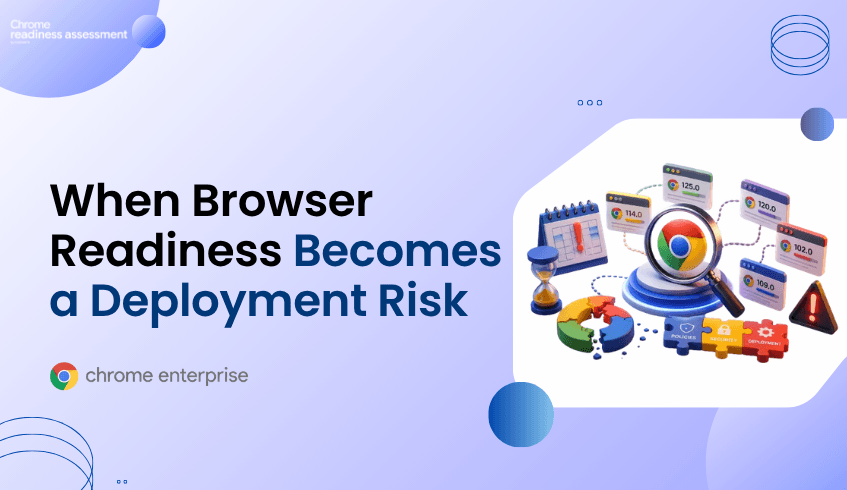
Organizations preparing for Chrome Enterprise Premium (CEP) deployment often focus on policies, users, and security controls.
However, one of the most overlooked deployment risks is browser version consistency.
At first glance, everything may appear healthy. Chrome is installed. Users can browse normally. Policies seem to be functioning.
Yet beneath the surface, different browser versions may exist across the environment.
Some devices may be running current releases. Others may be operating several versions behind. Certain departments may have received updates while others have not.
These differences can create hidden deployment challenges that only become visible once rollout activities begin.
Understanding browser readiness before deployment helps organizations avoid unexpected issues, reduce troubleshooting effort, and improve rollout confidence.
In large organizations, browser environments rarely remain perfectly consistent.
Different update schedules, device-management processes, and user behaviors can result in multiple browser versions operating simultaneously across the environment.
What appears to be a single browser fleet may actually contain a wide range of versions.
Google regularly publishes information about the Chrome release lifecycle and browser management practices through its Chrome Enterprise release documentation and Chrome browser management guidance.
These resources highlight the importance of maintaining browser currency and visibility across enterprise environments.
The challenge is not simply keeping browsers updated.
The challenge is knowing where version inconsistencies exist before they begin affecting deployment readiness.
Browser version issues often remain hidden until deployment activities expand.
An organization may begin rollout only to discover:
Different browser versions across departments
Inconsistent policy behavior
Delayed browser updates
Unmanaged browser populations
Devices operating outside expected version baselines
Because users can continue browsing normally, version-related risks frequently go unnoticed.
The issue may only become visible when administrators investigate why certain devices behave differently from others.
What initially appears to be a policy problem may actually be a browser readiness problem.
Version consistency plays an important role in maintaining a predictable deployment environment.
When organizations lack visibility into browser distribution, they may struggle to answer questions such as:
How many browser versions exist across the environment?
Which devices are operating on older releases?
Are specific departments lagging behind?
Are unmanaged devices introducing additional risk?
How widespread is the issue?
Without clear visibility, remediation efforts often become reactive.
Teams spend time investigating individual devices rather than understanding the broader readiness picture.
Browser version issues are difficult to address when organizations only look at overall device counts.
Chrome Readiness Assessment provides visibility into browser distribution across the environment, helping teams understand browser usage, browser families, browser versions, device populations, and device-level browser details.
For browser readiness investigations, useful insights can include:
Browser Version Overview
Browser distribution across the organization
Device counts per browser version
Browser usage patterns
Device-level browser information
This helps teams identify whether outdated versions are isolated to a small number of devices or represent a broader operational concern.
Instead of discovering browser version gaps during deployment, organizations gain earlier visibility into version readiness across the environment.
The goal is not simply to identify an outdated browser. The goal is to understand whether browser-version risk is building across the fleet.
Browser-version issues are often treated as routine maintenance tasks.
However, during Chrome Enterprise Premium deployments, outdated or inconsistent browser versions can become an indicator of broader readiness concerns.
Through the OS & Hardware Compatibility category, CEP Deployment Readiness Insights helps organizations identify devices that may not meet deployment readiness expectations due to browser-related compatibility risks.
Rather than manually reviewing browser versions across hundreds or thousands of endpoints, teams gain visibility into affected devices and potential readiness concerns before rollout expands.
This allows administrators to understand the scale of the issue, prioritize remediation efforts, and focus attention on devices most likely to affect deployment success.
By surfacing browser-related compatibility concerns early, organizations can reduce deployment delays, minimize troubleshooting effort, and improve rollout confidence.
A small number of outdated browsers may appear insignificant.
However, when version inconsistencies exist across hundreds or thousands of devices, they can introduce operational complexity and slow deployment progress.
Organizations that understand browser readiness before rollout are better positioned to:
Reduce deployment delays
Minimize troubleshooting effort
Improve operational consistency
Increase deployment confidence
Address readiness concerns proactively
Successful Chrome Enterprise Premium deployment depends not only on policies and security controls, but also on the readiness of the underlying browser environment.
Understanding browser readiness early helps organizations avoid preventable deployment challenges and maintain momentum during rollout.
Different browser versions can create inconsistencies across the environment, making troubleshooting and deployment planning more difficult.
Different update schedules, device-management practices, unmanaged devices, and delayed upgrades can result in version fragmentation across the organization.
Chrome Readiness Assessment provides visibility into browser distribution, browser versions, device populations, and browser usage patterns across the environment.
CEP Deployment Readiness Insights helps organizations identify browser-related readiness concerns through the OS & Hardware Compatibility category, allowing teams to address issues before deployment expands.
Browser readiness helps ensure a more consistent deployment experience, reducing the likelihood of unexpected issues appearing after rollout begins.
Many organizations spend significant time preparing for a Chrome Enterprise Premium (CEP) deployment.
Devices are configured. Policies are reviewed. Security controls are planned. Users are prepared for rollout.
Yet after deployment begins, unexpected issues sometimes emerge.
Certain devices behave differently from others. Security capabilities may not function as expected. Reporting may become inconsistent. Some users encounter problems while others experience none at all.
The cause is not always the deployment itself.
In many cases, the issue lies within the organization's existing network environment.
Proxy servers, SSL inspection platforms, firewall controls, DNS filtering, and traffic-management policies can introduce hidden dependencies that only become visible once deployment activities are underway.
Understanding those dependencies before rollout begins is often the difference between a smooth deployment and weeks of troubleshooting.
Modern enterprise networks rarely provide unrestricted internet access.
To improve security and compliance, organizations commonly deploy:
Proxy servers
Secure Web Gateways
SSL/TLS inspection platforms
DNS filtering solutions
Network firewalls
Traffic monitoring systems
These technologies play an important role in protecting the organization.
However, they also introduce additional complexity.
A browser, device, or security service may require access to specific endpoints, services, or certificates to function correctly. If network controls interfere with those requirements, the resulting issues may not be immediately obvious.
Google's enterprise guidance includes dedicated documentation for network configuration and proxy environments as well as required service connectivity and hostname allowlists because enterprise browser deployments frequently operate behind managed network controls.
The challenge is that network-related issues often remain hidden until deployment begins.
An organization may successfully complete configuration and policy setup only to discover:
Certain devices cannot reach required services
Security capabilities behave inconsistently
Reporting data appears incomplete
Browser functionality differs between locations
Some user groups experience problems while others do not
At first glance, these symptoms may appear to be policy or browser issues.
In reality, the root cause may be a proxy configuration, traffic inspection rule, firewall restriction, or connectivity dependency that was never identified during deployment planning.
Because different offices, device groups, or network segments may operate under different network controls, troubleshooting can become extremely difficult.
Google provides specific guidance for organizations operating behind proxies and inspection platforms because network controls can affect how enterprise browser services communicate. Google's documentation on TLS inspection and enterprise browser traffic handling highlights the importance of correctly configured inspection and connectivity controls.
or example, Google documents the need for organizations to configure appropriate hostname allowlists and network access requirements for enterprise services. Google also provides dedicated guidance around proxy environments and TLS inspection because restrictive or improperly configured controls can interfere with browser-related functionality.
These challenges are rarely organization-wide failures.
One office may operate normally.
One device group may function without issue.
Another location or network segment may experience intermittent or persistent connectivity problems.
As a result, organizations often discover the issue only after deployment activities have already expanded.
Traditional troubleshooting typically begins after users report an issue.
A user cannot access a service.
A security capability behaves unexpectedly.
A reporting feature stops providing complete information.
Only then does the investigation begin.
Administrators may need to review:
Proxy configurations
Firewall policies
SSL inspection settings
Network routes
DNS filtering rules
Service accessibility
Device-specific connectivity conditions
The challenge is not simply identifying a connectivity problem.
The challenge is determining how widespread the issue actually is.
Across hundreds or thousands of endpoints, that process quickly becomes reactive.
Network-related deployment issues are often difficult to investigate because they do not always affect every device equally.
A firewall rule, proxy configuration, SSL inspection policy, or connectivity restriction may impact only certain users, locations, browser versions, or device groups. As a result, troubleshooting frequently begins after users report inconsistent behavior.
Chrome Readiness Assessment provides additional visibility into the browser and device environment by helping teams understand how devices are interacting with web services across the organization.
For network and connectivity investigations, useful insights can include browser versions, browser usage patterns, device-level browser information, accessed domains, usage duration, visit frequency, and the devices associated with specific activity.
This allows teams to look beyond a single support ticket and identify whether connectivity-related issues are concentrated within a particular browser version, department, location, or group of devices.
Instead of treating every connectivity issue as an isolated incident, organizations gain broader visibility into where potential network-related deployment risks may be emerging.
The goal is not simply to identify a blocked connection. The goal is to understand how network conditions may affect deployment readiness across the environment.
Network issues are often discovered only after deployment begins.
By that stage, rollout activities may already be underway, users may be affected, and troubleshooting becomes far more time-consuming.
CEP Deployment Readiness Insights helps organizations identify Network & Connectivity Health concerns before deployment expands.
When the CEP Pre Deployment Check is enabled, teams gain visibility into devices that may be affected by connectivity-related readiness concerns.
CEP Deployment Readiness Insights helps teams identify connectivity-related readiness concerns before rollout expands. Administrators can quickly understand the scope of the issue, identify affected devices, and prioritize remediation efforts before network conditions impact deployment success.
A connectivity issue affecting one device is a support ticket.
A connectivity issue affecting hundreds of devices becomes a deployment challenge.
When network dependencies remain hidden until rollout begins, organizations may face:
Delayed deployment timelines
Increased support effort
User disruption
Inconsistent security outcomes
Reduced confidence in deployment readiness
Successful Chrome Enterprise Premium deployment depends on more than devices and policies.
It also depends on whether the surrounding network environment is ready to support those capabilities.
Understanding that readiness early allows organizations to address risks before they become operational problems.
Proxy servers can influence how devices communicate with required services. If configurations are restrictive or incomplete, certain browser or security capabilities may not function as expected.
SSL inspection allows organizations to inspect encrypted traffic for security purposes. Depending on configuration, it may affect communication between devices and external services.
They often affect only certain locations, device groups, or network segments, making the issue appear inconsistent across the environment.
Chrome Readiness Assessment provides visibility into browser activity, device-level browser details, accessed domains, browser versions, and usage patterns that can help teams investigate potential connectivity-related risks.
CEP Deployment Readiness Insights helps organizations identify Network & Connectivity Health concerns before deployment expands, allowing teams to investigate and address readiness issues earlier in the rollout process.
For many organizations, Chrome Enterprise Premium (CEP) deployment is designed to strengthen security by incorporating device context into access decisions.
However, some deployment challenges only become visible after policies are enabled and users begin accessing protected resources.
One of the most common examples involves device trust data.
A device may appear healthy, Chrome may be installed, and the user may be able to sign in successfully. Yet the device may fail to provide the posture information required for device-aware access controls.
When this occurs, administrators are often left investigating why some devices pass security checks while others do not.
CEP Deployment Readiness Insights helps organizations identify these conditions before wider rollout by providing visibility into endpoint readiness, deployment blockers, and affected devices across the environment.
Many Chrome Enterprise Premium security controls rely on more than user identity alone. This reflects modern Zero Trust security models, where access decisions consider user identity, device health, and contextual signals instead of assuming trust based solely on network location.
Chrome Enterprise Premium Access Protection incorporates this approach by evaluating contextual information such as device attributes and security posture
To provide this information, organizations commonly use Endpoint Verification, which collects device attributes and makes them available for device-aware access controls.
When everything functions normally, the process is largely invisible to end users.
The challenge arises when some devices stop reporting correctly.
The user may still have a functioning browser and a valid account, but the required device signals may be unavailable, incomplete, or outdated.
This issue often becomes visible only after organizations begin using device-based access controls.
Administrators may discover:
Certain users are unexpectedly denied access
Some devices fail device-trust checks
Device posture information is missing
Access policies behave differently across devices
Security teams receive inconsistent results when reviewing endpoints
At first glance, these symptoms may appear to be policy problems.
In reality, the underlying issue may originate from missing or outdated device information.
Because only a subset of devices may be affected, identifying the root cause across a large environment can become difficult.
The official Endpoint Verification troubleshooting documentation outlines several issues that can interrupt synchronization and prevent device information from being reported correctly.
Examples include:
Windows Data Protection API (DPAPI) errors
Outdated Chrome browser versions
Device reset and user-profile issues
Problems accessing stored encryption keys
Windows registry-related failures
These issues do not necessarily affect every device equally.
One endpoint may continue reporting successfully while another endpoint with different local conditions fails to synchronize.
As a result, organizations may only discover the issue after deployment has already expanded across a larger group of users.
Traditional troubleshooting typically begins after users report an issue.
A user loses access.
A device fails a policy check.
A security review identifies missing posture data.
Only then does the investigation begin.
Administrators often need to review browser versions, enterprise browser management settings, Endpoint Verification status, device configuration, user profiles, and policy settings before identifying the underlying issue.
Across hundreds or thousands of devices, this process quickly becomes reactive.
The challenge is not necessarily fixing a single device.
The challenge is knowing which devices require investigation in the first place.
Chrome Enterprise Premium combines browser security, centralized management, threat protection, and context-aware access to help organizations strengthen enterprise security. These capabilities depend on reliable device trust signals to make informed access decisions.
When device information is unavailable or inaccurate, organizations may experience:
Unexpected access denials
Inconsistent policy enforcement
Increased support requests
Delayed rollout activities
Reduced confidence in deployment readiness
The issue may not originate from Chrome Enterprise Premium itself.
Instead, it can result from endpoint conditions that were never identified before deployment.
Understanding those conditions early is critical for smoother rollout planning.
When the CEP Pre Deployment Check is enabled, administrators can quickly understand whether device trust issues are isolated incidents or indicators of a wider deployment concern.
For Endpoint Verification-related readiness checks, the feature helps teams:
Understand how widespread device trust reporting issues are across the environment
Identify which devices may struggle to provide the posture information required for access controls
Prioritize endpoints that require investigation before rollout expands
Compare readiness across departments, groups, or device populations
Focus remediation efforts on the devices most likely to impact deployment success
Instead of discovering missing device posture information through access failures or support tickets, teams gain earlier visibility into where deployment risk may exist.
Endpoint Verification synchronization is only one example of a deployment readiness concern.
The same device may also experience:
Browser-management issues
Network connectivity restrictions
Policy conflicts
Hardware limitations
Legacy dependency risks
Operational health concerns
CEP Deployment Readiness Insights organizes these findings into broader readiness categories, helping organizations understand whether a device-trust issue is isolated or part of a wider deployment challenge.
This provides a more complete picture of readiness across the environment.
Organizations invest in Chrome Enterprise Premium to strengthen security and improve access control.
Those goals become harder to achieve when critical deployment conditions remain hidden until after rollout begins.
Device trust issues can create user disruption, increase support effort, delay deployment activities, and introduce operational complexity.
CEP Deployment Readiness Insights helps organizations gain visibility into these risks earlier, prioritize investigation efforts, and better prepare the endpoint environment before deployment expands.
The goal is not simply to enable device-based access controls.
The goal is to understand whether the devices expected to support those controls are actually ready.
Device trust refers to the use of device attributes and posture information as part of access-control decisions.
Common causes include Endpoint Verification synchronization failures, browser-version issues, operating-system configuration problems, and local device conditions that prevent posture information from being reported correctly.
Organizations may not discover reporting or synchronization problems until device-based access controls begin evaluating those devices.
It helps administrators identify affected devices, review readiness findings, investigate deployment blockers, and understand where readiness risks exist before broader rollout.
No. The feature provides visibility into readiness concerns and affected devices so organizations can investigate and remediate issues before they impact deployment success.